
In this post, we will show you how to translate a Manga Comic using AI Manga Translator. If you’re struggling to read a manga comic that’s not in your language, AI Manga Translator can help. It doesn’t just translate text; it recreates the reading experience by keeping the speech bubbles, panels, and fonts intact.
There’s no need to install software, configure settings, or do any technical setup; you can just upload and translate right away. The translator also supports batch processing, allowing you to translate multiple pages at once, thereby saving both time and effort.
Can AI translate manga for me?
Yes, AI can translate comics using Optical Character Recognition (OCR) and machine translation. While general translation apps with OCR can handle chunks of text, a dedicated Manga Translator takes it one step further and translates entire comic pages, preserving the original layout and style.
How to create Manga Comic using AI Manga Translator?
To translate a Manga Comic using AI Manga Translator on a Windows 11/10 PC, follow these steps:
- Sign up for an AI Manga Translator account
- Upload image(s)
- Select language and begin translation
- Download results
Let us see this in detail.
1] Sign up for an AI Manga Translator account
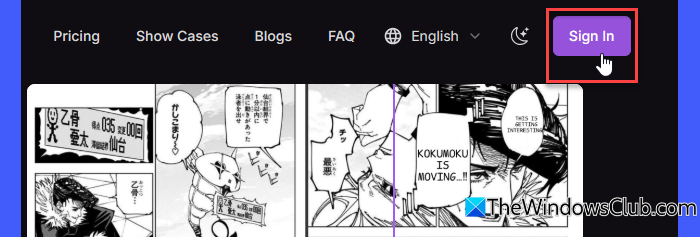
Open your browser and visit AI Manga Translator using this link. Click the Sign In button in the top-right corner (you’ll need an account to use the service). Click Sign in with Google and select a Google account for signing up.
Once you do this, a free-tier account will be created for you. With this account, you can make 8 free translations when you first start using the service. After that, you’ll be limited to 2 free translations per day.
If you need more translations, you can upgrade by visiting the Pricing page and signing up for a paid membership.
2] Upload image(s)
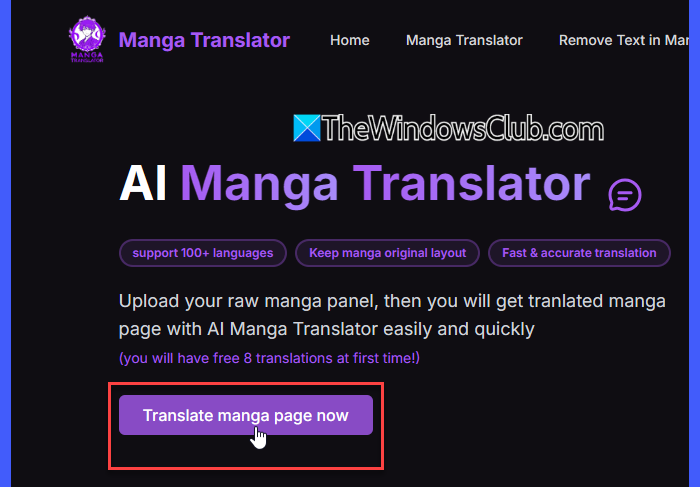
Click Translate manga page now. You’ll be redirected to the manga translator service page. Click the Upload icon to browse and upload your manga images. You can also drag and drop the images on the service interface for translation.
With the free plan, you can translate up to 5 manga/comic images at once in JPG, WEBP, or PNG format (paid users can upload up to 20 images). The maximum allowed file size is 5 MB.
3] Select language and begin translation
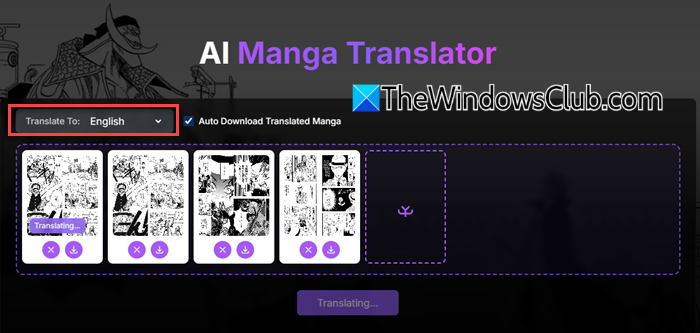
Once your manga pages are uploaded, select a target language using the Translate To dropdown. AI Manga Translator currently supports multiple popular languages, including English, Spanish, French, and German, making it easier for you to enjoy manga in your native tongue.
After selecting the language, click Have a try ~ to begin the translation. The tool is designed to deliver translations quickly and accurately. In most cases, it only takes a few seconds per image to process the text and render it back into the comic layout.
Read: Top AI Manga Filters to convert your photos to anime
4] Download results
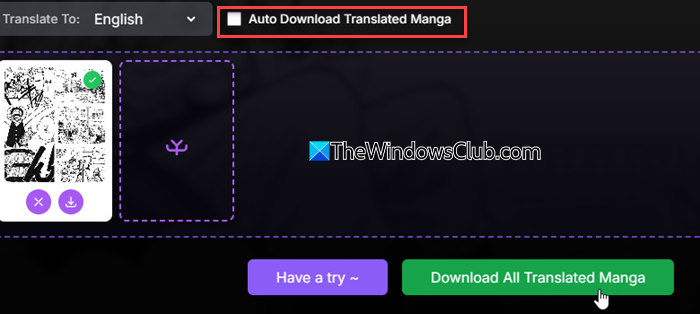
By default, the translated manga pages are automatically saved to your computer’s Downloads folder. If you prefer to manage the downloads yourself, simply uncheck the Auto Download Translated Manga option. After doing this, you’ll need to manually click the Download All Translated Manga button to save the translated pages.
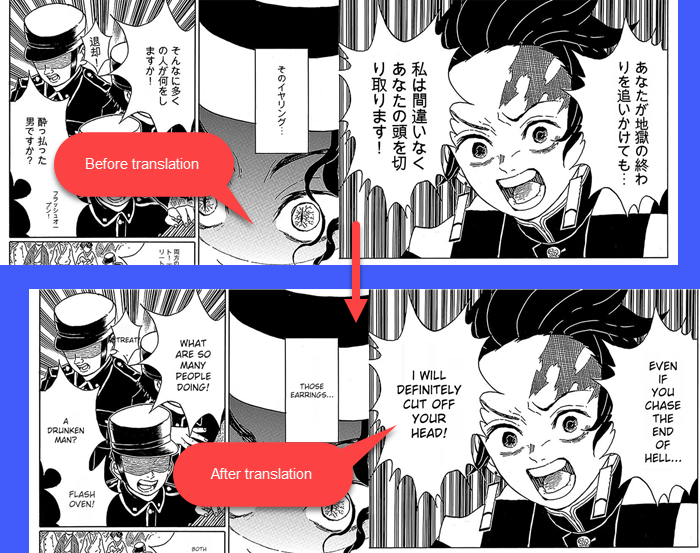
The tool carefully replaces the text without altering the visual elements, so there are no awkward overlaps, missing details, or distorted panels. The translated pages retain the original artwork and layout.
You can also zoom in on the translated manga without losing quality. Here are the before-and-after results of the test manga images we translated using the service:
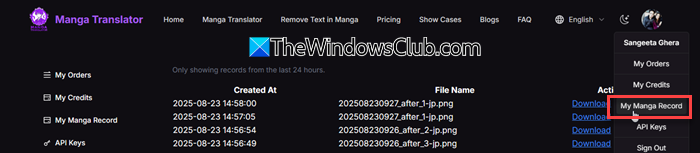
All translated manga appear in your personal My Manga Record section and stay available for 24 hours for easy download.
If the translator isn’t responding, refresh the page, re-upload your file, and try again.
Key Features of free AI Manga Translator
- Wide format support: Works with all popular image types (PNG, JPG, AVIF, WEBP) and electronic files (PDF, EPUB, MOBI).
- Powerful translation engine: Uses Google Translate and ChatGPT to translate manga into virtually any language.
- Preserves artwork & layout: Enjoy your manga without visual changes or overlapping text.
- Quick and easy to use: Upload your file and get translated pages instantly, with no complicated setup required.
- Free to use: Get quick translations at no cost and with no ads.
Overall, AI Manga Translator is a very good tool to translate Manga comics for free. Do give it a try.
Read: Free Manga Downloader apps to read Manga on PC.
Can ChatGPT translate manga?
ChatGPT cannot directly translate manga images or preserve layouts the way dedicated tools like AI Manga Translator do. It can only help translate text from manga if you provide the text separately, by typing or pasting it. To translate manga images, you would first need to use an OCR tool to extract the text, and then ChatGPT can translate that text for you.
Read Next: Best free Comic Book Readers for Windows PC.
