
AI agents are becoming more useful every day and can handle specific tasks. However, a general-purpose agent cannot always do everything you need right away. But with agent skills, you can teach your AI agent new capabilities. And this is where Bloome’s Agent Skill Marketplace comes into the picture. It provides a way to discover and install different skills for your AI agents.
So you don’t need to design specialized workflows from scratch. Instead, you can install an existing skill and let your agent use it whenever a task comes up. In this article, we’ll cover what Bloome’s Agent Skill Marketplace is, how agent skills work, and how to install and use them.
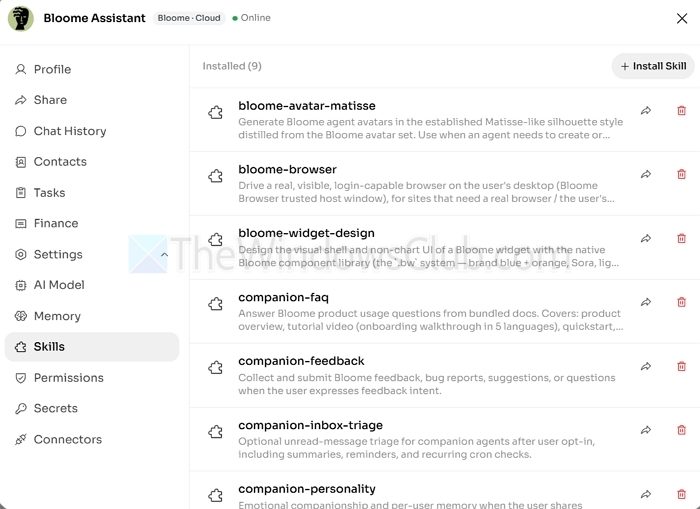
How to install and use Bloome’s Agent Skill Marketplace
Before you start, a little info about Bloome’s Agent Skill Marketplace. It’s an open library of installable skills that give AI agents specialized capabilities. It offers you a skill.md file that contains instructions for the agent, along with other supporting files such as prompts, scripts, or reference materials.
To get started, create a Bloome account and connect your AI agent to your workspace. Also, you should know which skill you want to install and where it comes from. Bloome supports installing skills from skill cards, URLs, and ZIP files.
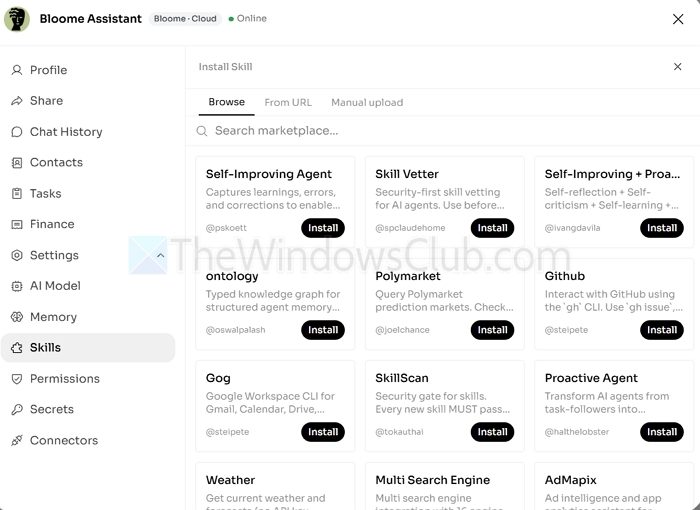
Now, on the marketplace and installation side, Bloome doesn’t have a space like the Microsoft Store where you can find marketplaces in a traditional sense. Instead, the marketplace can be accessed by going to an AI agent’s profile > Skills > Install Skills. From there, you can search for a skill you want to install or browse the existing ones.
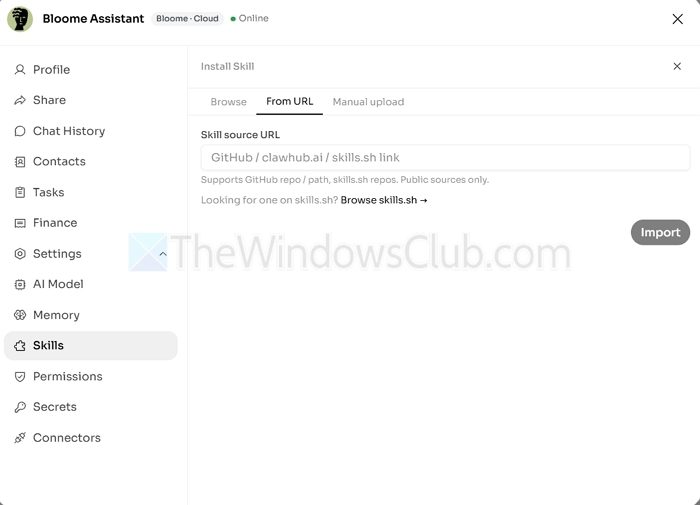
Apart from the marketplace, you can also install a skill in two ways. First, you can install a skill via a URL. So if you have a URL for a skill that you would like to install, then go to the From URL tab, paste your skill link and click on the Import button to install it.
Alternatively, if you have a ZIP file of a skill, then go to Manual Upload, select your ZIP file, and upload it. You can also write your own skill in the same window. Just type a name and write your instructions to create one.

That’s how you can access Bloome’s marketplace and install different skills for your AI agents. The marketplace has lots of skills to try, like a self-improving agent, GitHub, Polymarket, and more. So go through it, see which skill fits your needs, and try it out. Also, if you don’t like any skills, you can always go to the Skills page and delete them for a no-strings-attached experience.
Can I use the same Bloome skill with multiple AI agents?
You can install the same skill on multiple agents if you want them to have the same specialized capability. However, each agent may use the skill differently depending on its existing instructions, tools, and configuration.
Are Bloome Agent Skills safe to install?
That depends on the skill and its source. Since skills can include instructions, scripts, and supporting files, review what a skill does before installing it, especially if it comes from an external URL or ZIP file.
