
Origin is right up there with the best in the world of gaming launchers. But just like any other Windows software, its users are not oblivious of the error codes and messages. In this article, we will discuss some of the most common errors. We will show you how to fix Origin Error Codes 20.403, EC 10005, EC 201, 4932, 721, 20.99, 1001, 1002, 1003, 1004, 6.0, 10.0, 14:1 and 196613:0 on Windows 11/10 PC.
Every Origin error is similar to each other in some way, but sometimes can be different as well. More often than not, these errors are nothing more than some corrupted caches, which can be easily removed, hence, the error can be easily resolved. However, there are some other reasons as well. We have mentioned five of the most common error codes that an Origin user can face in their tenure as a gamer. However, before going for the troubleshooting guide, you need to first check the status of the Origin server. If the server is down, there is nothing you can do but wait for the engineers to get it back up and running.
Fix Origin Error Code while playing games on PC
The following are the Origin Errors that we will be talking about in this article.
- Origin Error Code 20.403
- Origin Error Code EC 10005
- Origin Error Code EC 201
- Origin Error Code 4932
- Origin Error Code 721
- Origin Error Code 20.99
- Origin Error Codes 1001, 1002, 1003, 1004
- Origin Error Code 6.0
- Origin Error Code 10.0
- Origin Error Code 14:1
- Origin Error Code 196613:0
Let us troubleshoot them.
Origin Error Code 20.403
Origin Error Code 20.403 usually appears when the installer or updater cannot connect to EA’s servers. The most reliable fix is to either switch to the EA App (which replaces Origin).
You can also edit the Origin configuration file to bypass the update check.
Navigate to Program Files > Origin > EACore.ini and add the line [Bootstrap]EnableUpdating=false.
This prevents Origin from forcing an update that triggers the 20.403 error.
Origin Error Code EC 10005
Origin/EA App Error Code EC:10005 is a network-related issue that prevents you from signing in or launching games. The fix involves clearing the cache, checking your internet, and reinstalling the EA App if necessary.
To clear the EA App cache: go to the following location and delete the contents:
C:\Users\<YourName>\AppData\Local\Electronic Arts\EA Desktop\Cache
Origin Error Code EC 201
Origin/EA App Error Code EC:201 means the client cannot connect to EA’s servers, usually due to misconfigured network adapters, corrupted cache, or login token issues. Disable unused adapters, clear the cache, flush DNS cache and reset your network settings if required.
Origin Error Code 4932
Origin Error Code 4932 occurs when the game fails to launch due to corrupted or missing files, unstable internet connection, or conflicts with overlays such as Discord. Verify the integrity of the game files, disable overlays, and check your internet connection.
Origin Error Code 721
Origin/EA App Error Code 721 is caused by server outages, account login problems, or corrupted cache files. Check if the EA servers are up and running, refresh your account login, and clear the cache. You could also reset your router and flush the DNS cache, and see if that helps.
Origin Error Code 20.99
Error Code 20.99 comes with the following error message.
Whoops- the installer encountered an error
Please quit and restart the installation. You’ll be up and running in no time.
Error Codes
20.99
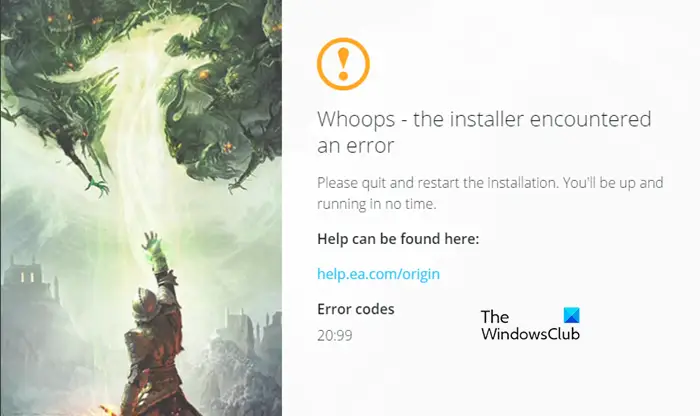
To fix this there are a few things that you need to do. First of all, allow the launcher through the firewall. You need to allow Origin installer through Public and Private. This will do the job for you. If that doesn’t work, then uninstall the app and install the latest version of Origin from origin.com.
Also Check: Origin fails to install with Error Code 20:2
Origin Error Code 1001, 1002, 1003, 1004
You may see error codes 1001, 1002, 1003, 1004 in Origin while trying to make a payment. To resolve this issue, remove the credit card from your account, reattach it, and then try logging in. This is a glitch that should be resolved.
Origin Error Code 6.0
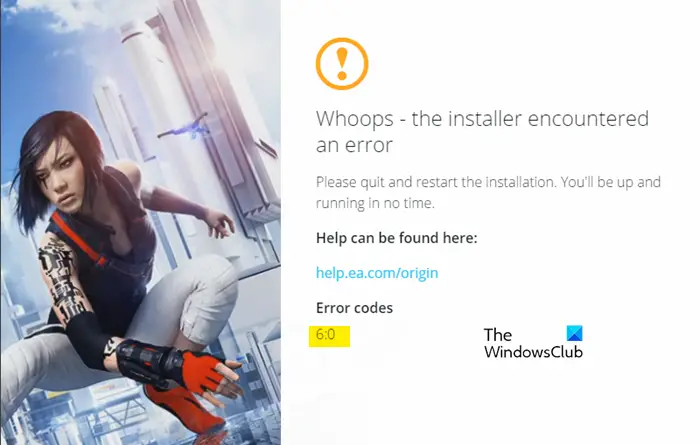
Origin Error Code 6.0 is another installation error that usually occurs when a previous Origin installation file is present on your system. To fix it, we need to remove Origin’s existence from your computer. Then reinstall it to resolve the issue. Follow the given steps to do the same.
- Open Task Manager, right-click on Origin and click End Task.
- Hit Win + R, type the following location and click Ok.
%ProgramData&/Origin
Then, delete all the folders except Local Content.
- Again open Run and go to the following location.
&AppData%
- Remove the Origin folder.
- Then paste the following location in the address bar of File Explorer and hit Enter.
C:\Users\User\AppData\Local
- Delete Origin folder from there as well.
- Restart your computer.
- Finally, reinstall the app.
Hopefully, this will do the job for you.
Read: How to clear Origin cache on Windows
Origin Error Code 10.0
Origin error 10.0 forbids the user from installing the app on their system. So, it is pretty obvious that a corrupted installation file will cause this issue. What we need to do is first clear the programming files of Origin, uninstall it and then reinstall the application. Open File Explorer and go to the following location.
C:\Program Files (x86)
And delete the Origin folder.
Then, uninstall the application, to do that, follow the given steps.
- Open Settings.
- Click Apps.
- Look for Origin.
- For Windows 11: Click on the three dots > Uninstall. For Windows 10: Select the app and click Uninstall.
Finally, reinstall the app and check if the issue persists.
Origin Error Code 14:1
Origin Error Code 14:1 usually means the client cannot connect to EA’s servers. This post will show you how to fix Origin Error Code 14:1.
Origin Error Code 196613:0
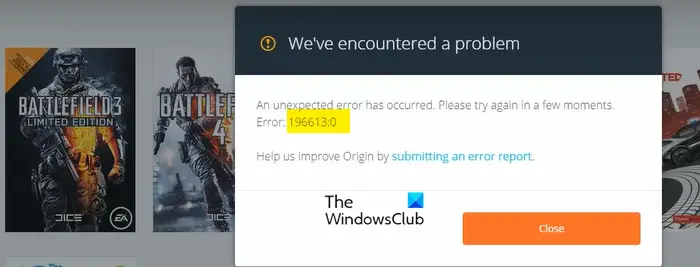
You may see Origin error code 196613:0 when trying to update or download a game. This error code usually occurs because of an outdated Origin client app or the platform you are trying to run it on. We will discuss this in detail and see what you can do to resolve the issue. But first, we need to check if there are Windows updates available. As mentioned earlier, the issue can be because of an outdated platform, so, updating the OS is pretty self-explanatory. Once you are done with that, let us begin troubleshooting.
Update Origin
You can not click on a button to update the Origin client app, for that, you need to enable automatic updates. To do that, follow the given steps.
- Open Origin.
- Click on your account name and then on Application Settings.
- Go to Applications > Client update and enable Automatically update Origin.
Now, close the app, restart your system, right-click on Origin and click Run as administrator. If that doesn’t work, move to the next solution.
Enable Safe Mode Downloading
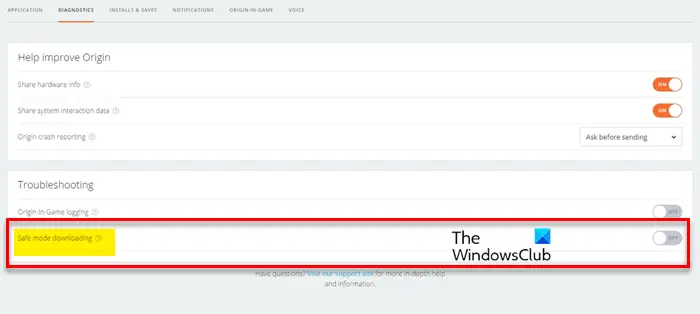
If Origin is unable to download with the regular method, then we have to enable Safe Mode Downloading and see if that works. To do that, open Origin, and click Origin > Application Settings > Diagnostics. Finally, enable Safe mode downloading using the toggle.
Hopefully, this will fix the problem.
There are some other Origin error codes such as origin.exe application error 0xc00007b. Which is nothing but an application and is not exhaustive to Origin. So, before looking for an Origin-related guide, make sure it is not a Windows error.
Following are some other errors that an Origin user can experience:
- Origin installation requires an internet connection error
- Fix EA Origin Update error – Your update could not be completed
- Fix Origin slow download speed.
I hope this helps.
How do I repair a game on Origin?
To repair a game on Origin, follow the given steps.
- Launch Origin.
- Go to Library.
- Right-click on the game you want to repair
- Select Repair Game.
This should do the job for you.
How to clear Origin cache?
To delete the Origin cache, you have to delete the Origin folder located inside the ProgramData, Roaming, and Local folders. Before you do that, close the Origin completely. After closing Origin, open the Task Manager and End all the running instances of Origin. After clearing the Origin cache, you may have to enter your login details again.
