
Microsoft Scout is Microsoft’s first Autopilot agent that integrates with Microsoft 365 apps. To use Microsoft Scout, you need to be part of the Frontier preview program and also have a GitHub Copilot Business or Enterprise license, as well as Microsoft 365 Copilot access on a Microsoft 365 work or school account associated with an organization. In this guide, we explain Microsoft Scout’s dual-licensing model, how much it costs to use Microsoft Scout, usage-based billing, and all the related details.
Microsoft Scout Dual-Licensing Model explained
Not everyone can get access to Microsoft Scout even if they use a Microsoft 365 work or school account associated with an organization. It costs more than a Microsoft 365 Business subscription to use Microsoft Scout. Here’s how much Microsoft Scout costs, and what’s needed to use it.
- Licenses required to use Microsoft Scout
- Cost structure of licenses to use Microsoft Scout
- Microsoft Scout’s credits usage
Let’s get into the details.
1] Licenses required to use Microsoft Scout
As discussed earlier, you need to be a part of the Frontier preview program and accept the terms of participation by signing up to use Microsoft Scout. The organization with which your work or school account is connected should be part of the Frontier preview program, in turn making you a part.
After the Frontier preview program, you must have Microsoft 365 Copilot access provided by a Microsoft 365 Copilot license on your work or school account, part of an organization. Simply signing up for a Microsoft 365 Business license does not get you a Copilot license. You need to get it as an add-on for your organization or certain users of your organization.
Then, you must have a GitHub Copilot Business or Enterprise license. The GitHub license enables access to the Copilot subscription.
These three licenses provide the basis for using Microsoft Scout on your Windows 11 or macOS 12 (Monterey) or later devices.
2] Cost structure of licenses to use Microsoft Scout
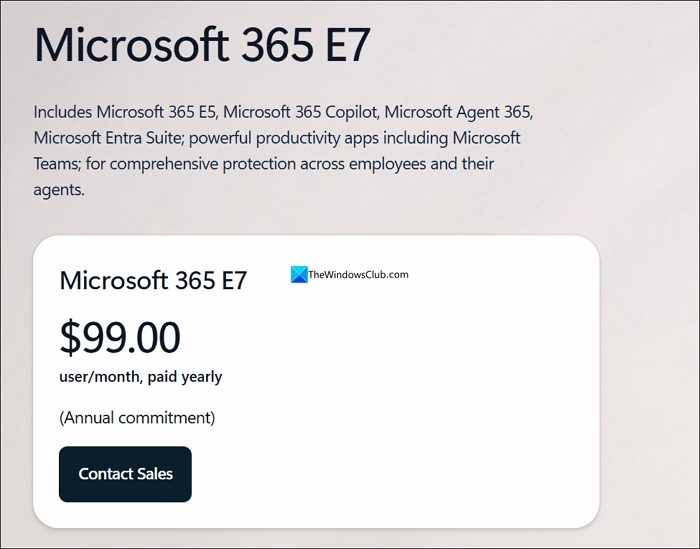
Since access to Microsoft Scout is only limited to those who are part of the Frontier preview program, the program itself costs $99 per user per month with an annual commitment. Frontier preview program is a part of the Microsoft 365 E7 package.
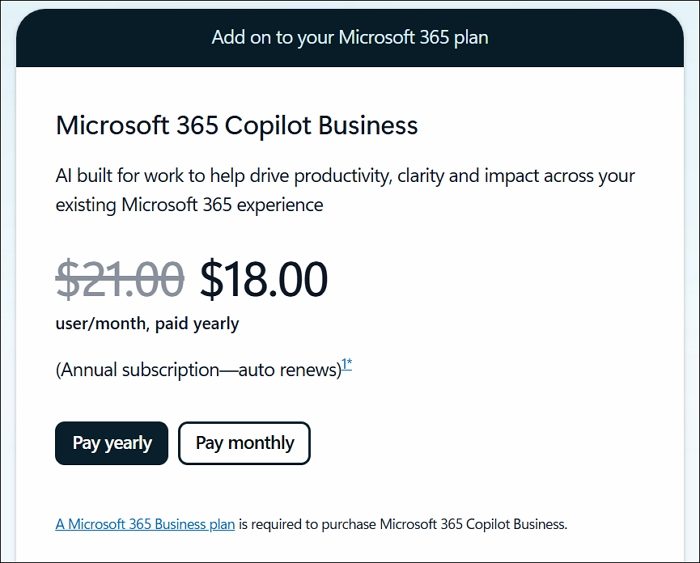
The second license required is a Microsoft 365 Copilot license, which costs $18-$21 per user per month as an add-on.
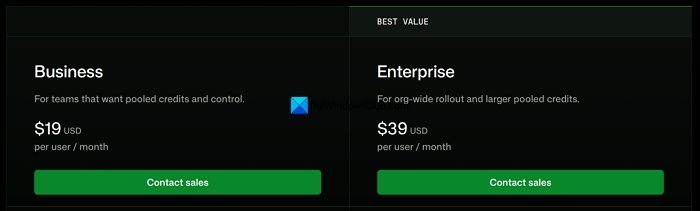
GitHub Copilot Business or Enterprise license costs more than a Microsoft 365 Copilot license. The Business plan starts at $19 per user per month, and the Enterprise plan starts at $39 per user per month.
In addition to these, you will need to spend on Copilot Credits and the Agent 365 Governance Layer. The total cost might be around $180 and $250 before you start using Microsoft Scout. That’s a very low estimate of cost with all the smaller plans without much Copilot Credits.
3] Microsoft Scout’s credits usage
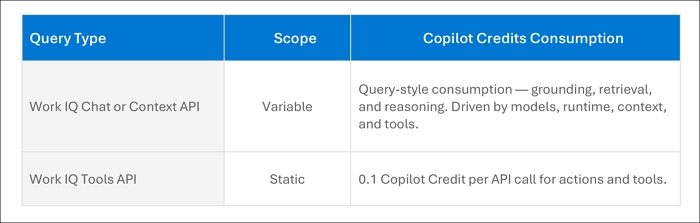
Microsoft Scout uses Copilot credits for AI queries, Work IQ API calls, and automations. It all depends on the nature of the task you assign to Microsoft Scout. Tasks are categorized as light, medium, or heavy. Work IQ is a very important aspect for running your Microsoft Scout instances, as it acts as an intelligence layer for your organization, with knowledge of all happenings across your organization.
If your query type is Work IQ Chat or Context API, the credit consumption varies with every query. The variable cost is influenced by models, runtime, context, and tools. If the query type is Work IQ Tools API, the cost is 0.1 Copilot Credit per API call. The price remains the same unless Microsoft changes it.
The admin of an organization can define roles, limit Copilot Credits usage, and implement prevention methods against overage in the Cost Management Dashboard of Microsoft 365 Admin Center.
Read: Ultimate Admin Guide to Deploying Microsoft Scout via Intune
How can I get Microsoft Scout?
You need to be part of the Frontier preview program, available through the Microsoft 365 E7 plan. You must also have a Microsoft 365 Copilot license and a GitHub Copilot Business or Enterprise license to begin with. Once you meet all the necessary prerequisites, you can get Microsoft Scout from Microsoft, install it on Windows 11 or macOS, and sign in with your work or school account.
How to enable Microsoft Scout?
After you meet all the necessary prerequisites for Microsoft Scout, your organizational admin must configure the device and access policies in Intune. Microsoft Scout can only be enabled after completing the required admin opt-in and attestation.
Read: Automating Microsoft 365: Using WorkIQ with Microsoft Scout.
