
Here is a list of the best free online SSL certificate checker tools that let you check and verify the SSL certificate on a web server. SSL stands for Secure Socket Layer which is basically an encryption-based Internet security protocol. It encrypts communication between users and the website to ensure that confidential data such as usernames, passwords, and more is secure. An SSL certificate is used to provide security for online communications.
Now, if you want to check whether the SSL certificate is properly installed on a web server, you can use these free online SSL checker tools. These tools highlight issues with a web server’s SSL certificate. You can find out a lot of useful information regarding the SSL certificate, including TSL certificate expiration date, certificate names, server IP address, server type, signature algorithm, and more. You just need to enter the server name and these websites will show you SSL certificate information. Now, let us check out the full list of online SSL checker tools that you can use for free.
Best Free Online SSL Certificate Checker Tools
Here are the best free online SSL certificate checker tools to verify the proper installation of an SSL certificate on a web server:
- digicert.com
- geocerts.com
- ssllabs.com
- sslshopper.com
- sslchecker.com
- thesslstore.com
- comodosslstore.com
- sectigostor.com
Let us discuss the above SSL certificate checker tools in detail!
1] digicert.com
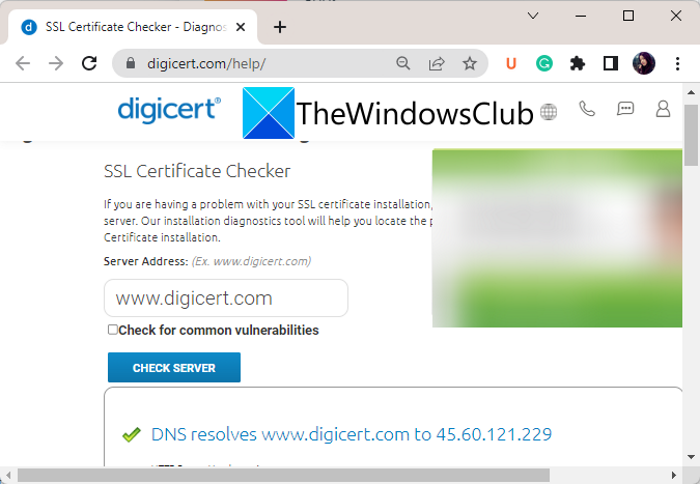
digicert.com is a free online SSL certificate checker tool. It lets you verify whether an SSL certificate is correctly installed on a web server. You can also check whether an SSL certificate is issued by a trusted SSL provider. It also fetches and displays some useful information that includes the TSL certificate expiration date, certificate names, and common vulnerabilities.
It is very easy to use. You can simply go to its website and enter the server address. After that, press the Check Server button to check the SSL certificate and related information. It also provides some detailed SSL check information. This information includes whether the TSL certificate has not been revoked, the TSL certificate expiration date, certificate name matches, the Heartbleed vulnerability, names of protocol support, TLS ciphers supported by the server, etc.
You can also find some additional tools on this website. Some of these tools are Secure Secure Site SSL, Secure Site Wildcard SSL, Secure Device Use Case, Solutions for Code, etc.
It is a simple yet effective SSL checker tool that you can use for free. You can use it here.
Read: How to create Self-signed SSL Certificates in Windows 11?
2] geocerts.com
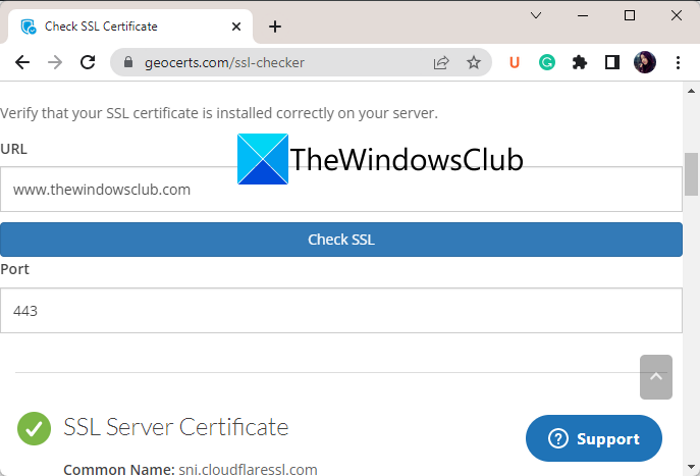
geocerts.com is a free web service to check SSL certificates online. With this online tool, you can quickly verify whether the SSL certificate is installed properly on a website. It shows various SSL information including common name, issuing CA, Subject Alternative Names, certificate expiration date, certificate common name and hostname match, etc.
This website offers more SSL-related tools. These tools are CSR Decoder, Certificate Decoder, SSL Labs Server Test, Certificate Key Matcher, and more.
Want to check the SSL certificate on a server? Try it here. Just enter the website URL and port number, and then press the Check SSL button to get SSL certificate information.
RELATED: How to fix common SSL Connection errors in your browser?
3] ssllabs.com
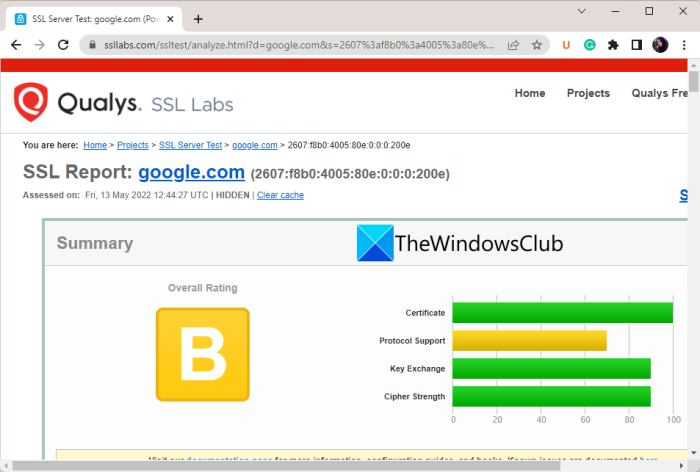
ssllabs.com is another free online SSL certificate checker tool. This web browser enables you to verify and analyze the installation of SSL certificates on a server. To use it, type the website URL, then tap the Submit button to view the SSL certificate information.
It provides a full SSL Report that shows grades and ratings for an entered website between A Plus to C. A Plus rating basically means there is no problem with the SSL certificate as well as Protocol Support, Key Exchange, and Cipher Strength. However, a lower grade suggests issues with the installed SSL certificate.
You can view SSL Certificate Information such as common names, alternative names, serial numbers, issuer names, signature algorithms, etc. You can also use other tools on this website, such as Browser Test for SSL implementation, SSL Pulse and Documentation.
It is a really good SSL certificate checker website, as it shows you a full report and lets you know about issues with the SSL certificate’s implementation.
See: FIX SSL_ERROR_HANDSHAKE_FAILURE_ALERT error.
4] sslshopper.com
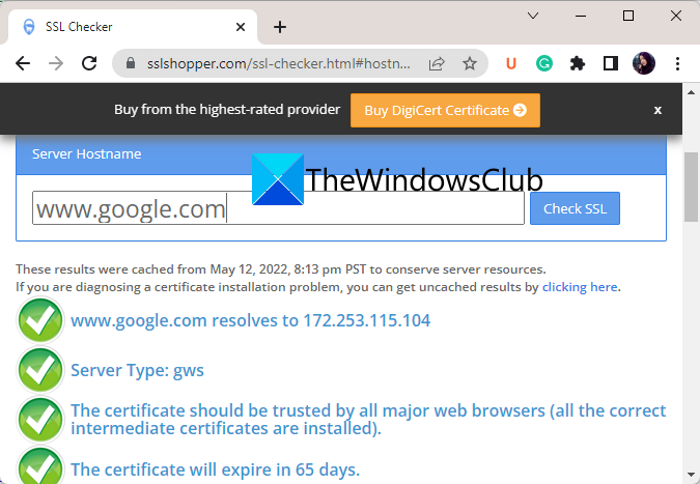
You can also try sslshopper.com to verify the SSL certificate online. It basically lets you find out if there is an issue with SSL certificate installation on a server. Also, it lets you check whether the SSL certificate is valid and trusted, etc. This tool also highlights the correct configurations.
You can simply type the website name into the Server Hostname field, then press the Check SSL button. It will then start verifying the SSL certificate and display the relevant information. It also displays various SSL Information including Server Type, SSL Certificate Issuer Name, Certificate Expiry Date, and more. This free online tool also offers a feature to compare SSL service providers’ servers. Plus, tools like CSR Decoder, SSL Converter, Certificate Decoder, and more are also available on it.
It is a good free online SSL certificate checker tool. Head over to its website to use it.
Read: Fix ERR SSL VERSION OR CIPHER MISMATCH error.
5] sslchecker.com
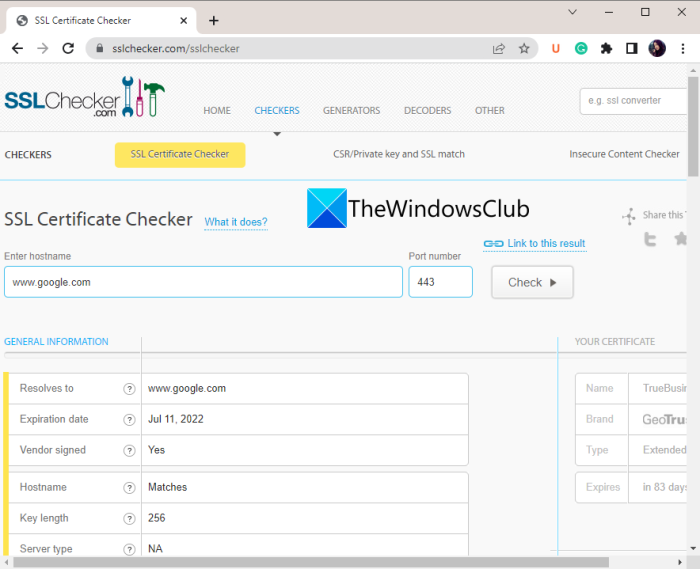
sslchecker.com is yet another free online tool to check SSL certificates for websites. It highlights issues with the SSL certificates and shows you various related information. You can check SSL certificate information such as Resolves To, Expiration Date, Vendor Signed, Key Length, the website’s common name, associated names, country of origin, etc. Plus, it provides a handy feature to remind you of SSL certificate expiry.
It also displays certificates’ names and you can also download them. You can find additional useful features on its website, such as Insecure Content Checker, Private Key, SSL Match, CSR Generator and Self-Signed SSL Generator.
Go to its website and start checking the SSL certificates of web servers. For that, simply enter the hostname and port number, and hit the Check button.
Read: Fix ERR BAD SSL CLIENT AUTH CERT error in Chrome.
6] thesslstore.com
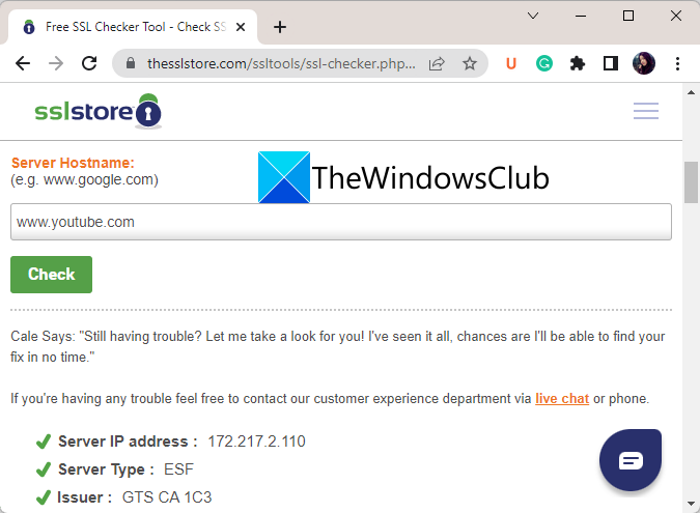
Another free online SSL checker tool that you can use is thesslstore.com. It lets you check and verify SSL certificate installation. You can even find out if the SSL certificate on your server is installed correctly or not.
To use it, visit its website in a web browser and enter the server hostname. Then, press the Check button. It will show you SSL certificate information in a blink of an eye. The information it displays includes Server IP Address, Server Type, Issuer Name, Expiring Date, Alternative Names, etc. Plus, it also highlights issues with SSL certificate installation in Red.
You can also find more useful tools on it like Website Security Solutions, Code Signing Certificates, Email Signing Certificates, and more.
RELATED: Secure Time Seeding in Windows reduces errors due to incorrect time.
7] comodosslstore.com
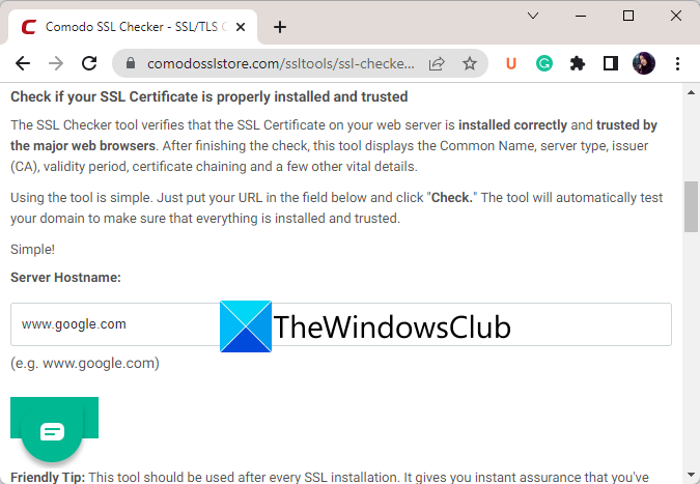
Try comodosslstore.com to check SSL certificates online without any hassle. It shows SSL certificate information like Server IP Address, Server Type, Issuer, Expiring In, Common Name, Alternative Names, Signature Algorithm, etc. You can verify the installation of an SSL certificate on a web server. Plus, additional tools like SSL Types, Code Signing, Web Security Tools, and more can also be used.
Use it here.
8] sectigostor.com
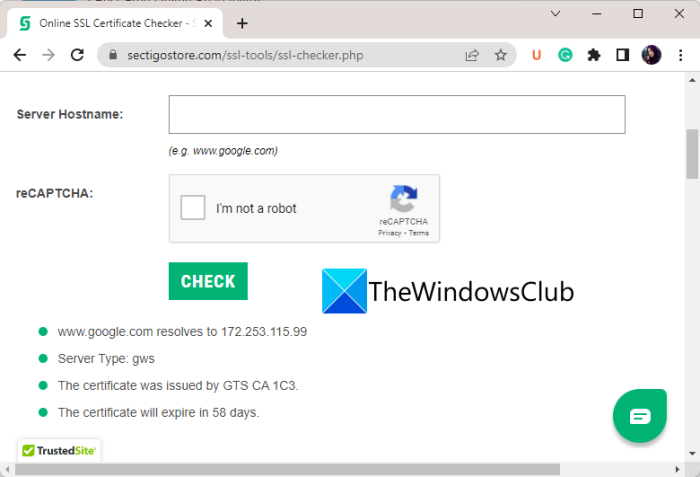
One more free online SSL certificate checker tool on this list is sectigostor.com. It verifies the installation of an SSL certificate on a website and displays various related details. Just enter the web address, verify reCAPTCHA, and press the Check button to check the SSL certificate. You can view the server type, other associated server names, the signature algorithm, the issuer name, etc. Additionally, Sectigo SSL, Instant SSL, Enterprise SSL, Extended Validation SSL, and Organization Validation SSL are additional features you can use on this website.
That’s it! Hope this list of free SSL checkers helps you.
How do I check if my SSL is valid?
To check whether your SSL certificate is valid, you can use these free online tools. These let you verify and analyze the SSL certificate on a web server. To name some, you can try free online tools like digicert.com, thesslstore.com, and sslchecker.com.
What is SSL checker?
An SSL checker is a tool that verifies and analyzes the proper installation of an SSL certificate on a server. For example, web services like geocerts.com, ssllabs.com, and sslshopper.com act as an SSL checker tool as these allow you to verify whether an SSL certificate is properly installed on a web server or not.
How can I check a website is secure?
One of the most common ways to check whether a website is secure is to verify its SSL certificate. A secure website’s URL always starts with “HTTPS”. If you are on the Edge browser, you can check whether to trust a website or not.
Now read:
- HTTPS sites not opening in any browser on a Windows computer.
- Secure your Browser against the Poodle Attack; SSL 3.0 is Dead.
