
When it comes to creating spreadsheets, the software that comes to most people’s minds is Microsoft Excel. Microsoft Office is a complete suite that lets users create documents, spreadsheets, slide presentations and more. But you have to purchase a Microsoft Office license to use Microsoft Excel. If you are wondering how to make a spreadsheet for free, this article will be helpful. In this article, we will list some best free Online Spreadsheet Maker software and tools. Using these free online tools, you can create spreadsheets for free and download them in different formats.
An advantage of using online spreadsheet maker tools is all your data is saved on the cloud. Hence, you need not carry your projects in a Pendrive. Simply log in to your account on any device and create a new project or edit the existing one.
Free Online Spreadsheet Maker software and tools
We have included the following Online Spreadsheet Maker software and tools on our list:
- Google Sheets
- Excel for the Web
- Zoho Sheet
- Spreadsheet
- Arcane Office
- WPS Cloud
- EtherCalc
Let’s see what features do these free online spreadsheet maker tools offer.
1] Google Sheets
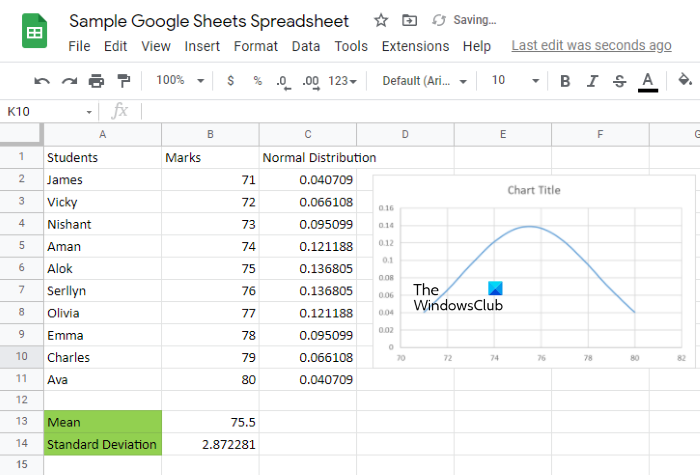
Most of you may be aware of Google Sheets. Google Sheets is a product of Google that lets users create spreadsheets online for free. To use Google Sheets what you need is:
- A Google account
- An active internet connection
Google Sheets offers almost all the features of spreadsheet-making software. Google Sheets is free for all users, but you can purchase a Google Workspace subscription for advanced features beyond the regular Google Sheets product. Google Workspace subscriptions are better suited to organizations.
Like Microsoft Excel, you can use formulas in Google Sheets, automate tasks by recording macros, apply filters, add colors to cells, increase or decrease the size of the cells, add and delete rows and columns, insert a chart, etc. Google Sheets comes with add-ons support. You can install add-ons in Google Sheets to make your work easier. You probably do not know that you can pull all your data from Google Sheets into Excel by connecting it to Microsoft Excel.
You can access Google Sheets by clicking here. Alternatively, you can also open Google Sheets from your Gmail account. The steps for the same are as follows:
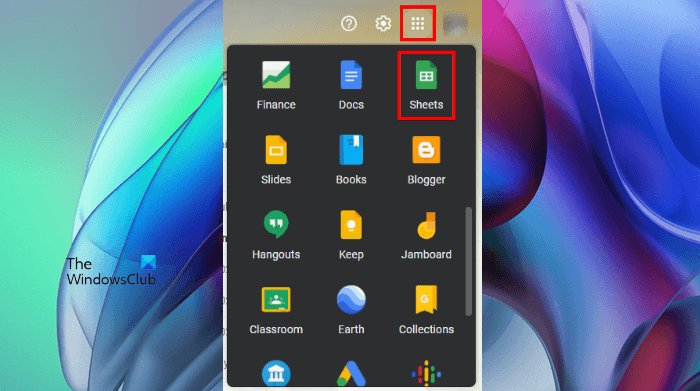
- Open your Gmail account in your web browser.
- Click on the Google apps icon on the top right side in Gmail.
- Scroll down and click Google Sheets.
After creating a spreadsheet, you can download it in different formats, like Microsoft Excel (.xlsx), OpenDocument format (.ods), PDF, Web Page (.html), etc.
2] Excel for the Web
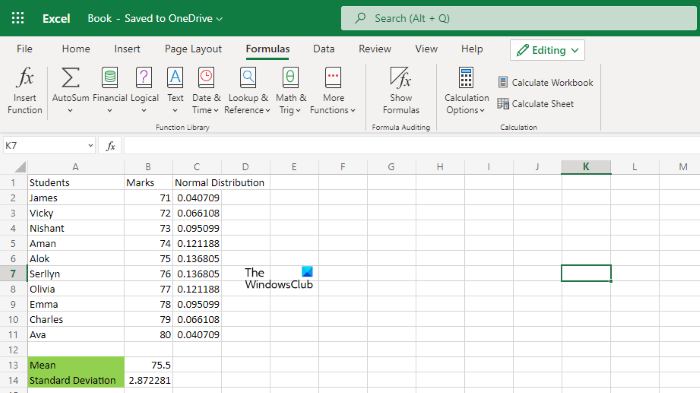
Excel for the Web is a web-based version of Microsoft Excel software. You can use this tool to create spreadsheets for free. To use Excel for the Web application, you need a Microsoft account and an active internet connection. It saves all your data in a spreadsheet on the cloud, and you can access all your spreadsheets by signing in to OneDrive.
All the tools required to create a spreadsheet are available on its toolbar. Excel for the Web also has the Editing and Viewing mode. The Viewing mode does not let you edit a spreadsheet. Hence, you can switch from the Editing mode to the Viewing mode if you are reviewing a document in order to prevent editing by mistake.
The Formulas tab shows formulae in different categories, including sum, average, financial formulae, logical formulae, date & time functions, etc. It also has a search bar on the top which you can use to search a text in a spreadsheet, formulae, etc.
Click here to use Excel for the Web app.
3] Zoho Sheet
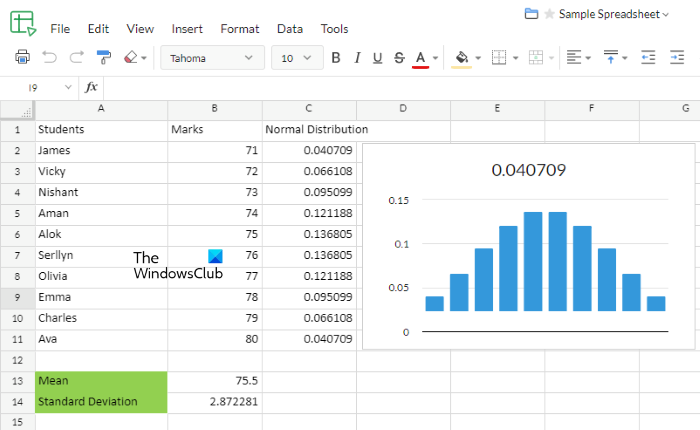
Zoho Sheet is part of the Zoho Office Suite, which includes Zoho Writer, Zoho Sheet, and Zoho Show. It offers users both free and paid plans. In the free plan, you will get up to 5 GB of cloud storage space, sync with the Zoho desktop app, 1 GB of file upload limit, two-factor authentication, source file collaboration, email notification, etc.
Like Microsoft Excel, you can also record and create Macros in Zoho Sheet. You can access the advanced tools in Zoho Sheet by clicking on the Tools menu. Some of the advanced tools are VBA Macros, Custom Functions, Spell Check, Solver, etc.
It also lets you import Microsoft Excel files from your computer and from the cloud, like Google Drive, OneDrive, Dropbox, etc. You can insert different charts and images into your spreadsheet, apply filters, sort data in increasing and decreasing orders, use formulae, like Sum, Average, Count, etc. To view all the functions, Click on the Auto-sum drop-down and select More Functions.
Zoho Sheet has light and dark modes. You can turn on the Dark mode to reduce strain on your eyes. To toggle the light and dark modes, click Appearance on the bottom right side of the interface.
Zia is an AI-powered data assistant in Zoho Sheet. It automatically creates a graphical representation of the selected data. First, select your data in the Zoho spreadsheet, then click Zia in the bottom-right corner. After that, you will get the graphical representation ready. You can insert that chart simply by using the drag-and-drop method.
You can use Zoho Sheet by visiting its official website zoho.com.
4] Spreadsheet
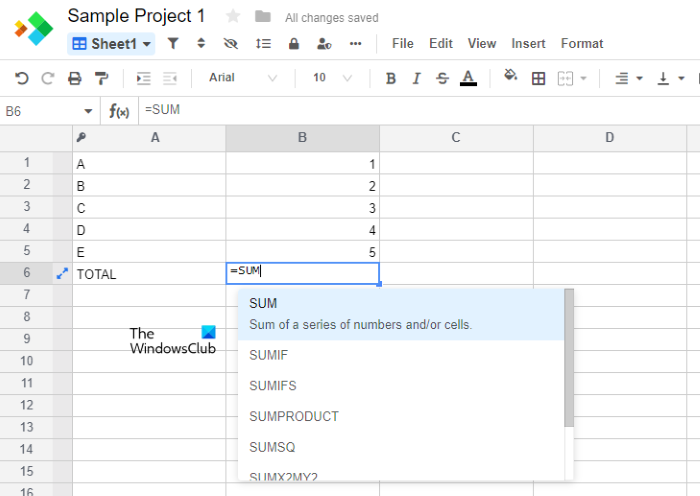
Spreadsheet is a free online spreadsheet-making tool from spreadsheet.com. Its free plan offers you the following features:
- Unlimited workbooks
- 2000 rows per workbook
- 3 GB of cloud storage space
- Sheet, Kanban, and Form views
- Real-time collaboration and sync
It comes with predefined templates you can use as a base for your projects. An option to create a blank project is also available in Spreadsheet. You can import Microsoft Excel files, Google Sheets files, and CSV files to the Spreadsheet online tool.
It comes with almost all the features that are required to create a spreadsheet. You can also use formulae to calculate data. To use a formula, simply type its function and then select the required formula from the list that appears.
5] Arcane Office
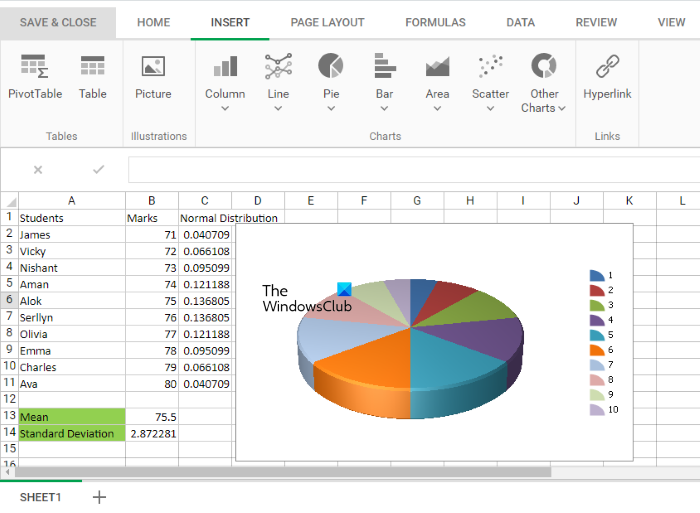
Arcane Office is another free spreadsheet maker on this list. It comes with almost all the features that a user requires in spreadsheet software. When you create a free account on its official website, you will receive a secret code. You have to save that code on your computer because it is required every time you sign in to your Arcane Office account.
Like Microsoft Excel, Arcane Office also has a number of features that help you create spreadsheets ranging from simple to complex. In the Insert tab, you will get options to create a simple table, Pivot table, different types of Pie charts, Column charts, Bar graphs, Line charts, Area graphs, etc.
All the formulae required for calculation in a spreadsheet are available in the Formulas tab. After clicking on that tab, you will see that the formulae are arranged in different categories, including AutoSum, Financial, Logical, Text, Math & Trigonometry, etc. Like normal spreadsheet software, it lets you sort data in ascending or descending order and apply filters to your spreadsheet data. It also features Data Visualization tools.
All the formatting options are available in the Home tab of Arcane Office. Your data will be saved on the cloud. After creating a spreadsheet, you can export it to XLSX and CSV file formats. Apart from that, the Print option is also available. If you want, you can also share your spreadsheet by generating a shareable link.
You can use Arcane Office by visiting the official website, sheets.arcaneoffice.com.
6] WPS Cloud

WPS Cloud is a cloud-based version of the WPS Office Suite. With WPS Cloud, you can create documents, spreadsheets, and slide presentations online. You need an active internet connection to use WPS Cloud. It comes with a number of free spreadsheet templates. All the templates are arranged by category so that a user can quickly select the desired template. WPS Cloud also has a Template Store where you will find both free and paid templates.
You can use either the spreadsheet templates or create a blank spreadsheet project. Autosave feature remains active by default, which saves all your data in a spreadsheet to the cloud automatically. All the basic formatting tools are available in the Start tab. In the Insert tab, you will get the options to insert Pivot table, drop-down list, hyperlinks, signatures, different types of charts and graphs, etc.
In the Formulas tab, you will find different formulae required for calculations in a spreadsheet. All the formulae are arranged category-wise. Some of these formulae include Financial, Logical, Math & Trigonometry, Engineering, Database, etc.
After creating a spreadsheet project, you can export it as a PDF and image file and download it as a Microsoft Excel file. The export options are available in the Special Function tab. To download your spreadsheet, go to “File (the three horizontal lines on the top left side) > Download.”
To use WPS Cloud, you have to visit drive.wps.com.
7] EtherCalc
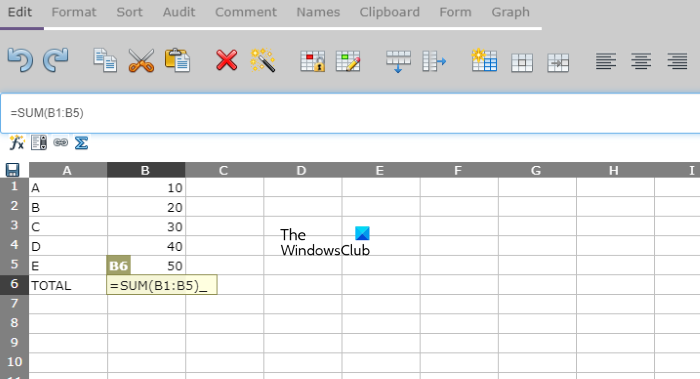
EtherCalc is a basic online spreadsheet maker tool. You do not need to sign up for using EtherCalc. Simply visit EtherCalc’s official website and start creating your spreadsheets. You can share your spreadsheet with other users by sending them the link of your spreadsheet. The changes made by other users will be reflected on all shared screens in real time.
Like other online spreadsheet maker tools on this list, EtherCalc also lets you use formulae for calculation in the spreadsheet. You can view the list of all Functions by clicking on the fx button just above the spreadsheet. All the functions are arranged category-wise, like Statistics, Date & Time, Financial, Math, etc.
You can also generate a graph of the data you have entered in a spreadsheet. For this, first, select the range of the cells and then click on the Graph tab. Now, select the Graph type from the drop-down menu and click OK. You can download your project in ODS, HTML, CSV, and EXCEL file formats by clicking on the Save button.
Visit ethercalc.net to use EtherCalc, a free online spreadsheet maker tool.
That’s it. Which of the above free spreadsheet maker tools is your favorite? You can tell us in the comments below.
What is the best free spreadsheet program?
There are many free programs that you can use as Office alternatives. These free Office alternatives offer a complete suite of tools that let users create documents, spreadsheets, and slide presentations. If you are searching only for online spreadsheet maker tools, you can use some popular tools like Google Sheets, Excel for the Web app, Zoho Sheet, etc.
Is there a program like Excel for free?
If you are looking for some free programs that let you create spreadsheets like Microsoft Excel, you can use WPS Office Suite, Libre Office, Apache Open Office, Softmaker Free Office, etc. Apart from this, the web version of Microsoft Excel, known as Excel for the Web app, also lets you create Microsoft Excel spreadsheets for free in your web browser.
Does Google have a free spreadsheet?
Google Sheets is a free spreadsheet maker tool developed by Google. It is free for all users. You can create simple to detailed spreadsheets in Google Sheets. It also supports Macros. Hence, by implementing Macros, you can automate your tasks in Google Sheets.
Read next: 5 best free alternatives to Google Docs.
