
If you use Adobe Creative Cloud for image editing, video production, or other creative tasks, you are probably familiar with its subscription-based pricing. But what if you could access a range of similar creative tools without paying for a subscription? ArtCraft is an application suite that aims to make this possible. It brings together a collection of free, open-source tools for image editing, graphic design, video production, audio, and more. Interestingly, the suite also supports AI-agent integration, allowing users to automate creative workflows. In this guide, we’ll take a closer look at what ArtCraft offers and how it works.
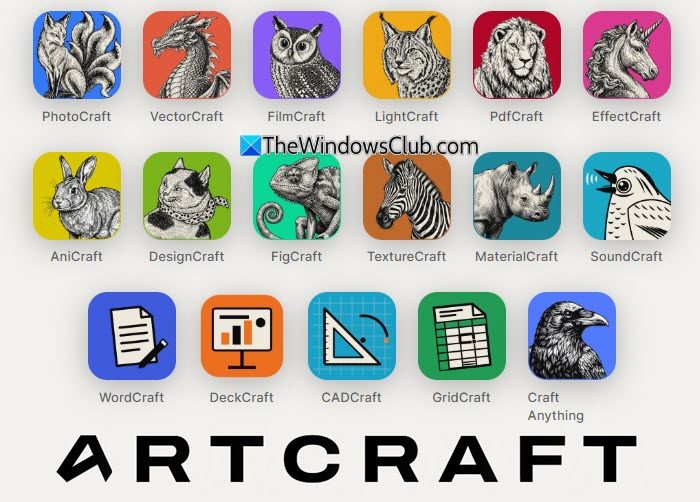
ArtCraft suite of apps: Free alternative to Adobe and Creative Cloud, Microsoft Office and Figma
ArtCraft is newly coded in Rust and open-source, but it is not original in concept or design. It is meant to replace popular software like Adobe Creative Cloud, Microsoft Office, and Figma. Its collection of applications has continued to expand since its initial launch. The suite started with 7 applications and has grown to 17 as of this review.
A] Creative apps – Free Adobe alternatives
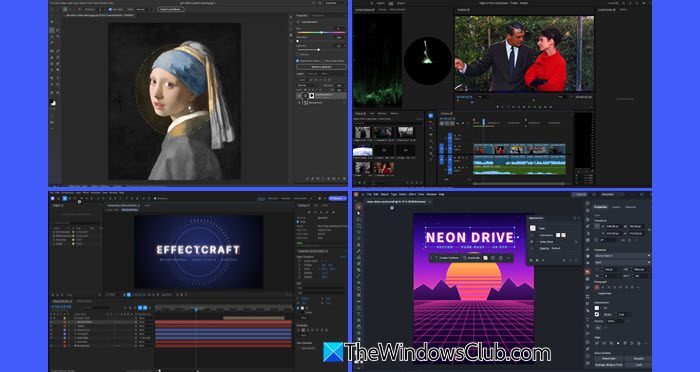
- PhotoCraft: An image editor for working with photographs and other visual content, similar to Adobe Photoshop.
- VectorCraft: A vector illustration application for creating and editing scalable graphics, similar to Adobe Illustrator.
- FilmCraft: A video-editing application for creating and editing video projects, similar to Adobe Premiere Pro.
- LightCraft: A photo library and RAW development tool for organizing and processing photographs, similar to Adobe Lightroom.
- EffectCraft: A motion graphics and visual effects application that aims to offer functionality similar to Adobe After Effects.
- PdfCraft: A PDF management and editing application, similar to Adobe Acrobat.
- AniCraft: A 2D vector animation application for creating and editing animated content.
- DesignCraft: A page layout and publishing application for designing documents and preparing them for publication, similar to Adobe InDesign.
- SoundCraft: A digital audio workstation (DAW) for recording, editing, and mixing audio.
- TextureCraft: A 3D texture-painting application for creating and editing textures.
- MaterialCraft: A node-based application for creating procedural materials used in 3D workflows.
B] Office and productivity apps
- WordCraft: A word-processing application for creating and editing text documents, similar to Microsoft Word.
- DeckCraft: A presentation application for creating and delivering slide-based presentations, similar to Microsoft PowerPoint.
- GridCraft: A spreadsheet and data-analysis application for organizing information and working with tabular data, similar to Microsoft Excel.
C] Specialized design and development tools
- FigCraft: An interface design and prototyping application for designing user interfaces and interactive layouts, similar to Figma.
- CADCraft: A computer-aided design and drafting application for creating technical drawings and designs.
- Craft Anything: An app that helps users explore and create their own software using AI.
ArtCraft Studio – An AI-powered creative workspace
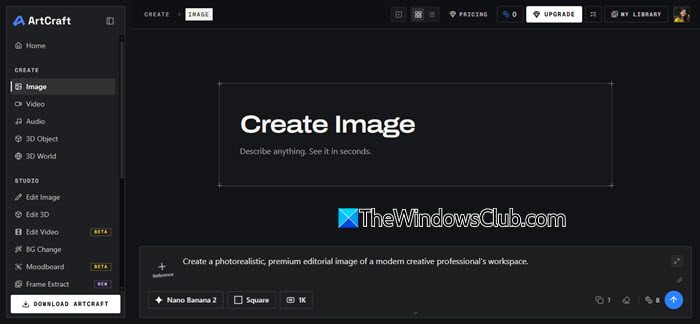
Apart from the 17 Crafting Apps, ArtCraft offers a separate application called ArtCraft Studio that focuses on generative AI and AI-assisted content creation. Unlike conventional AI generators that primarily rely on text prompts, ArtCraft Studio provides 2D and 3D composition tools that let users arrange visual elements, position characters, and set camera angles before generating the final output. It is available as a desktop application and through a web browser.
Download ArtCraft for Windows PC
You can download the ArtCraft Launcher from its official website. It lets you install individual apps and automatically update them. Alternatively, you may download standalone installers if you don’t want the Launcher.
Once downloaded, run the installer and launch the application. You will see all available apps listed on the main interface.
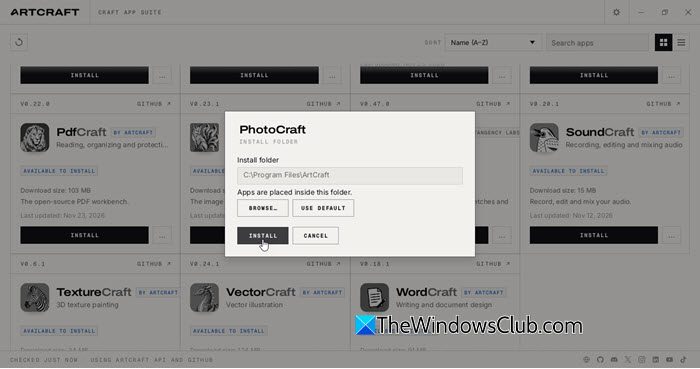
Click Install next to the app you want, and then click Open once installation is complete.
You can now use the app as you normally would. Its interface and options will feel familiar if you have used similar software. If you need help, refer to ArtCraft’s knowledge base for guidance.
Automate creative workflows with ArtCraft
One of ArtCraft’s most interesting features is its support for AI-agent integration. Instead of limiting users to manual editing, ArtCraft allows compatible AI agents to interact with its Crafting Apps and execute supported operations. The interaction can happen through a command-line interface (CLI), a JSON control channel, or an MCP server. The idea is to let AI agents handle repetitive operations while you focus on reviewing the results and making creative decisions.
Is ArtCraft worth trying?
ArtCraft is an interesting suite of applications, especially if you want free alternatives to expensive creative software or want to automate repetitive tasks with AI agents. However, there is one important limitation. Most of ArtCraft’s applications are still in early alpha or active development. Some tools may lack features, have bugs, or have incomplete workflows. If you are comfortable experimenting with early-stage software, ArtCraft is worth a try.
Read: Best free Adobe Photoshop alternatives for Windows PC.
Is ArtCraft legal?
Yes. ArtCraft is a legitimate open-source software project. Its Crafting Apps are published under open-source licenses, so you can download, use, and modify them under the applicable license terms.
Does ArtCraft cost money?
ArtCraft’s Crafting Apps and Launcher are free to download and use, with no subscription required. ArtCraft Studio is also free to download, but generating images and videos using its hosted AI models requires paid credits.
Read Next: Free alternatives to paid software for Windows 11.
