
We all know how bad it is to stare at our computer screens constantly. In this day and age computers form an essential part of the workspace, and instead of avoiding the screens, we should take some precautionary steps.
Why should you take a break from the computer?
Most of us might be wondering why we need to take a break from the computer screen. To begin with, our eyes are not used to staring at an artificial light source for long periods. Moreover, increased use of computers and smartphones has been linked to Digital Eye Strain. Research has also found that unchecked computer screen usage will have a direct effect on physical and mental health as well. So, below are a few reasons why you should take a break from computer screens,
- Avoid Digital Eye Strain
- Stay Productive
- Improves body posture
- Help stay healthy
- Helps prevent injuries in the hands, arms, and neck.
Free Break Reminder software for Windows PC
In this article, we will walk you through a handful of apps that remind you to take a break from computer screens:
- Break Reminder 10
- Stretchly
- Breaker
- Micro Breaks
- Tomato Timer
- And more!
1] Break Reminder 10
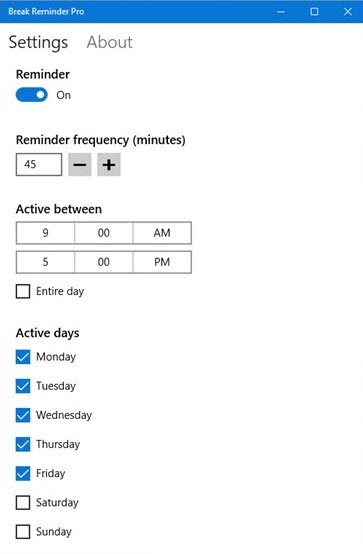
With Break Reminder 10 app, you will never forget to take a break again. Its features include:
- Reminder notifications for when it’s time to take a break
- Customizable reminder frequency
- Customizable active hours
- Customizable active days
- Dynamic background accent.
You can download it from Microsoft Store free.
2] Stretchly
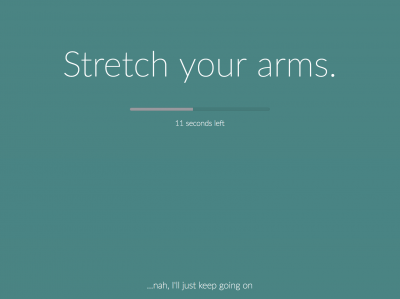
Stretchly is a comprehensive tool that offers multiple features. Stretchly offers features that help you take micro-breaks and long breaks. I like how you can control your breaks. The app lets you skip the break or push it to the next available slot. The micro breaks are set to 10 minutes, and the app advises you to stretch before slipping back into work mode.
The app is open-source and cross-platform. Furthermore, the app also lets you choose between different tunes for reminders. Overall a good tool that helps schedule micro-breaks and freshens up your mind.
3] Breaker
Breaker is a Windows software that helps you take a break from the computer screen and prevent health complications. Breaker is mainly meant for those who heavily work on computers and tend to forget to take breaks within working hours. The program is equipped with two timers, one for your work time and the other for your break time. When your working hours are completed, Breaker announces you and starts the break timer.
Read: How to sit in front of the computer.
4] Micro Breaks
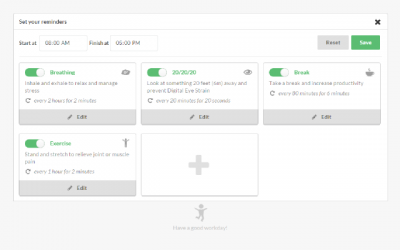
Micro Breaks is yet another Chrome extension that promises to be better than the other Standup reminders. Firstly, Micro Breaks also includes healthy habits that will help you become more productive. The breathing feature is aimed at helping reduce stress, and this program lasts for 2 minutes and is spread across 2 hours.
We have all heard about the 20/20/20 rule, but how many of us follow this? The Micro Breaks remind you to stick to the 20/20/20 rule and push you to look at an object at least 20 feet away for 20 seconds, then repeat the exercise once every 20 minutes.
Micro Breaks also allows you to customize the breaks. For me, the 20/20/20 rule works best when I look at greenery across my workplace. You can download the Micro Breaks Chrome extension from here.
5] Tomato Timer
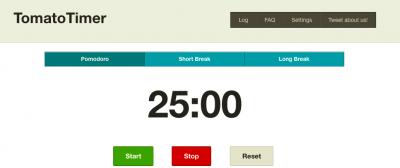
The Pomodoro technique is a time management method that uses a set of steps to break tasks into smaller parts. This technique is based on the fundamentals of planning, tracking, recording, processing, and visualizing. Tomato Timer is one such app that is based on the Pomodoro technique.
Tomato Timer is a web app that offers features such as customizing audio alerts and setting work and break times. You can use Tomato Timer from here.
Other Break Reminder software that will interest you:
Work Rave | FadeTop | Eyes Relax | Pause4Relax | CareUEyes | Iris Eye Protection Software.
How do you take a break from a computer?
It is difficult to remember to take breaks from the work when you are engrossed n your work, so using a break reminder on your PC is the best way to go. Use one of the free apps mentioned in this post.
Also read: Prevent Repetitive Strain Injury by using Big Stretch Reminder on your Windows PC.
