
Windows 11/10 includes a feature called Work Folders. If you have to work from anywhere on your different devices, then Work Folders are just what you would be looking for.
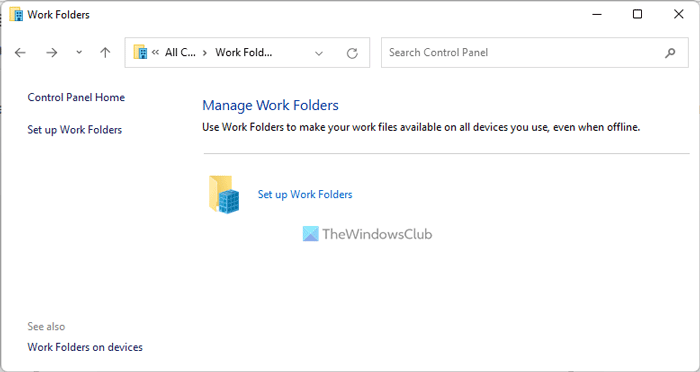
Work Folders in Windows 11/10/8.1 and Windows Server is a Bring Your Own Device Enhancement that will enable IT administrators to provide Information Workers the ability to sync their work data on all their devices. This is done by syncing user data from devices to on-premise file servers. In short, you can look at is as a free synced-storage alternative to OneDrive, that any business can self-host for their employees. Think of it as OneDrive hosted on your own server.
How to set up Work Folders in Windows 11/10
To set up Work Folders open Control Panel\All Control Panel Items\Work Folders.
Click on Set up Work Folders. You will be asked to enter your domain email address or the Work Folders URL.
Once you have entered these details, click on Next. You will see a message saying Finding your data on the Work Folders server.
You will also find the settings for Work Folders in Group Policy under:
Users > Policies > Administrative Templates > Windows Components > Work Folders
Here you have to enable the Specify Work Folders settings and configure it.
Work Folders features:
- Provide a single point of access to work files on a user’s work and personal PCs and devices
- Access work files while offline and sync with the central file server when the PC or device next has Internet or network connectivity
- Maintain data encryption in transit as well as at rest on devices and allow corporate data to wipe through device management services such as Windows Intune
- Use existing file server management technologies such as file classification and folder quotas to manage user data
- Specify security policies to instruct user PCs and devices to encrypt Work Folders and use a lock screen password, for example
- Use Failover Clustering with Work Folders to provide a high-availability solution
Right now Work Folders is available on Windows 11/10/8.1 only, but Microsoft will soon be releasing an add-on client for Windows 7 and an App for the iPad too.
UPDATE: Windows 7 users may see this post on how to set up Work Folders in Windows 7.
How do I create a Work folder in Windows 11/10?
You can create a Work folder in Windows 11 and Windows 10 by following the aforementioned guide. That said, you need to open the Control Panel first and click on the Work Folders option. Then, click on the Set up Work Folders option, enter your Work email address, and click the Next button. It will fetch the folder details automatically from the Work Folders server. Once done, you can use the folder on your computer.
Read: How to deploy Work Folders in Windows Server
What are Work Folders in Windows?
Work Folders help system administrators allow workers to synchronize their work across all connected computers in real time. They are like shared folders but with more flexibility. They are mainly used in various organizations, such as offices and businesses.
Related read: Work Folder sync Error 0x8007017C, The cloud operation is invalid.
