
If, for some reason, your Windows 11/10 online activation fails completely, you may see an Activate by Telephone option in the wizard. You can always use the Product Activation Wizard and use the Activate by phone or Contact customer support for help options to activate your Windows copy.
Troubleshoot Windows Activation States
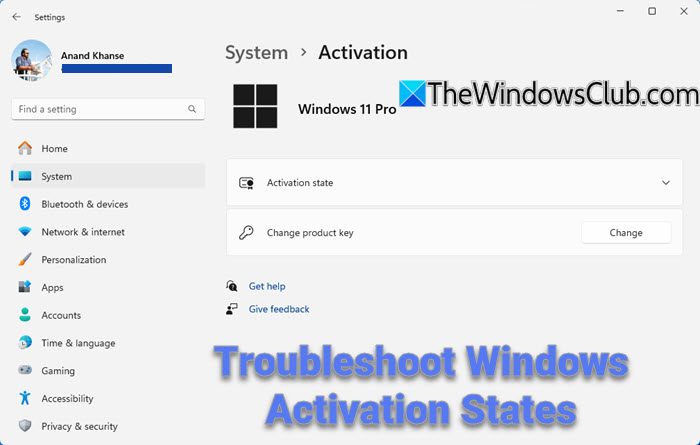
In case a connection to the Internet is not available or if you get any of the following message, in spite of having a genuine key, phone activation is then the best choice:
The Windows product key you typed is invalid for activation
Windows has many license states, from Licensed to Unlicensed and many in between:
- Licensed: You see this status after a successful activation.
- Initial Grace Period: This is the state after you have installed Windows, but have not activated it. You will be reminded to activate, or Windows will attempt to activate it online automatically.
- Additional Grace Period: If major hardware changes are made to your computer, Windows may prompt you to reactivate Windows.
- Notification Period: Once the grace period expires, you will see a message that Activation is required.
- Non-Genuine Grace Period: You may see this after Windows Genuine Advantage has determined that your Windows copy is not genuine.
- Unlicensed: This appears for unlicensed copies.
To check the Windows Activation & Licensing State, open C:\Windows\System32\slmgr\ and right-click slmgr and open with Notepad.
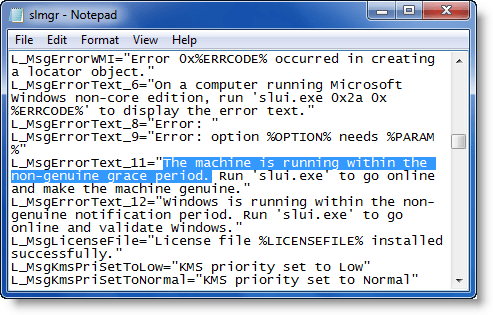
Here, you can see many license states and what to do if you get these messages. Of course, the relevant messages are always displayed during Activation, but here you will be able to see all of the Windows Activation states.
For example:
L_MsgErrorText_11=”The machine is running within the non-genuine grace period. Run ‘slui.exe’ to go online and make the machine genuine.”
If in spite of having a genuine Windows license, you are having problems activating your copy, use this command (As an Admin) to reinstall the license file:
cscript slmgr.vbs -rilc
At the end, you should be able to see a message:
License files re-installed successfully.
Related read: The product key you typed cannot be used to activate Windows on this computer
This post will show you how to troubleshoot Windows Activation Errors.
How do I fix an invalid product key?
To fix an invalid product key, ensure there are no extra spaces or characters when inputting the key. Manually type the hyphens (“-“) between segments, rather than copying them. Double-check for typos and confirm the key matches your license requirements. If issues persist, contact customer support for further assistance.
Why wont my Windows product key activate?
Your Windows product key might not activate due to a mismatch between the key and your Windows version, an outdated system, or an error. Ensure your internet connection is stable, check the version compatibility, and use a valid key. Running the Activation Troubleshooter in Settings can help resolve these issues automatically.
Further related Help articles:
- Rebuild the Tokens.dat file in Windows.
- You get to see a This copy of Windows is not genuine message on the bottom right side of your black Windows desktop?
- Go here if your Windows Activation Fails
- Microsoft Genuine Advantage Diagnostic Tool or MGADiag.exe helps analyze problems with Activations and Validation.
