
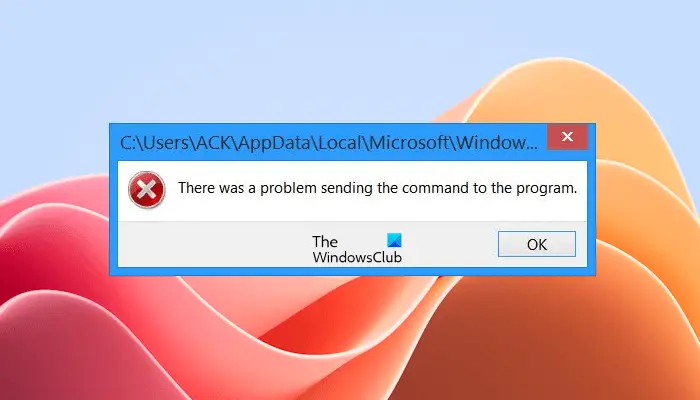
If you receive an error “There was a problem sending the command to the program” on Microsoft Word or Excel, the solutions provided in this article will help you. Usually, this error occurs while launching Microsoft Excel or Word applications, or opening an existing Word or Excel file. This error prevents users from editing or creating new documents.
There was a problem sending the command to the program
Use the following suggestions to fix the “There was a problem sending the command to the program” error in Excel or Word.
- Disable the Dynamic Data Exchange (DDE) feature
- Disable Add-Ins
- Delete a key in the Windows Registry
- Repair or reinstall Office
Below, we have explained all these fixes in detail.
1] Disable the Dynamic Data Exchange (DDE) feature
Windows provides several methods for transferring data between applications, Dynamic Data Exchange (DDE) protocol is one of them. The DDE protocol is a set of messages and guidelines. It sends messages between applications that share data and uses shared memory to exchange data between applications. The components inside Microsoft‘s productivity suite, i.e., Office, use the DDE protocol.
This fix is only for Microsoft Excel because the DDE feature is not available in Microsoft Word. Therefore, if you receive this error message in Microsoft Word, you can skip this fix. We suggest you disable the DDE protocol in Microsoft Excel and see if it works. The following instructions will guide you on this:
- Open Microsoft Excel.
- Go to File > Options.
- Now, select the Advanced category from the left side.
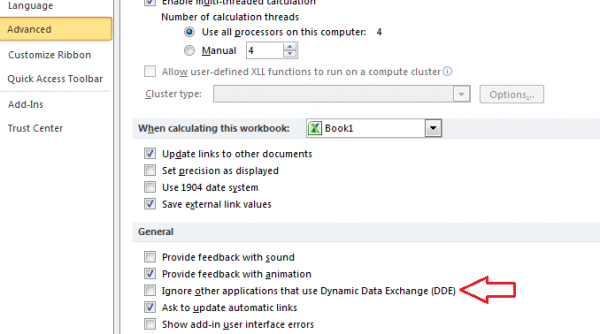
- Uncheck the “Ignore other applications that use Dynamic Data Exchange (DDE)” checkbox.
- Click OK to save the changes.
When the above-mentioned option is enabled in Excel, it ignores the DDE messages sent to it by other programs. Therefore, Excel ignores the DDE message that is sent to Excel by Windows Explorer. Hence, Excel does not open the file on which you double-click.
2] Disable Add-Ins
An installed add-in can also cause this type of problem. Sometimes, add-ins in Microsoft Office applications create a conflict and prevent the Office applications from functioning normally. You can troubleshoot this by disabling the installed add-ins.
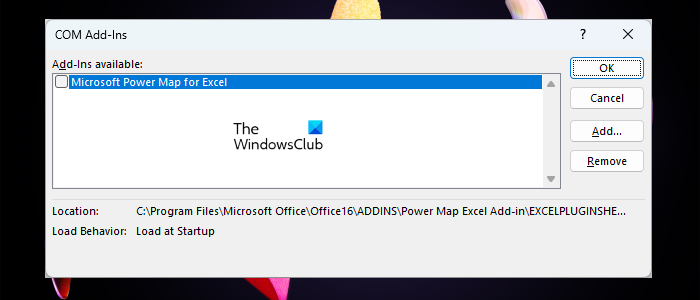
Follow the steps provided below:
- Open Microsoft Excel or Microsoft Word.
- Go to File > Options.
- Select Add-ins from the left side.
- Select COM Add-ins in the Manage drop-down on the right pane. Click Go.
- Uncheck an Add-in to disable it and click OK. Now, see if you can open the Excel file by pressing the Ctrl + O keys.
If the problem still persists, disable another add-in and then try opening the file again. Repeat this process until you find the culprit or disable all the add-ins. Once you find th culprit, look for its alternative.
3] Delete a key in the Windows Registry
Above, we have explained a method to disable the DDE feature in Microsoft Excel via the UI. If disabling DDE via the UI does not work for you, try the following method using Windows Registry. This method includes the modifications in the Windows Registry. Therefore, we recommend you create a System Restore Point and back up your Registry before proceeding. This will allow you to revert the changes if any problem occurs. Also, follow the steps carefully, as incorrect modifications in the Registry can make your system unstable.
Press the Win + R keys to launch the Run command box. Type regedit and click OK. Click Yes in the UAC prompt. This will open the Registry Editor.
Now, navigate to the following path.
HKEY_CLASSES_ROOT\Excel.Sheet.12\shell\Open\ddeexec
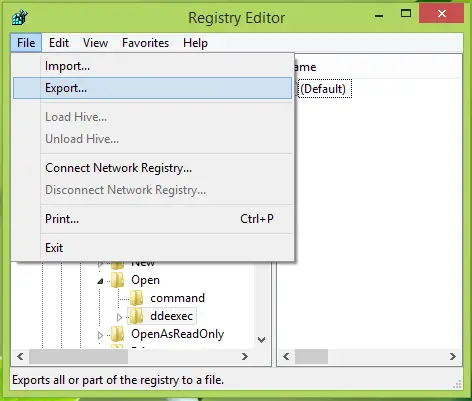
First of all, export the ddeexec key. Right-click on it and select Export. This will you to restore it by double-clicking on it.
After exporting it to a convenient place, you can right-click over the same key and select Delete:
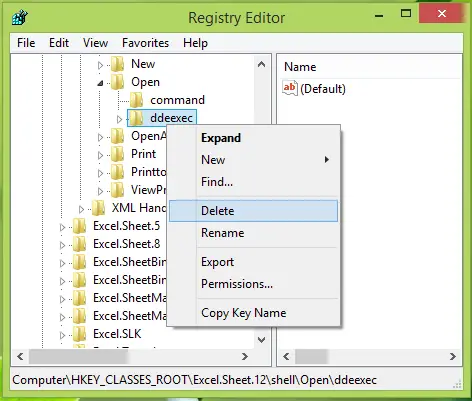
After deleting the key, you can close the Registry Editor. Restart your computer for the changes to take effect. After restarting your computer, the error should not occur.
4] Repair or reinstall Office
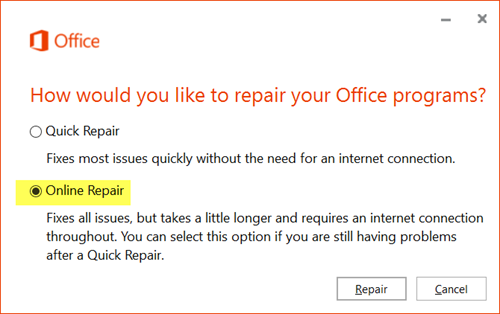
If the error still persists, might be the Office installation is corrupted, We suggest you repair your Office installation. Run an online repair and see if it helps.
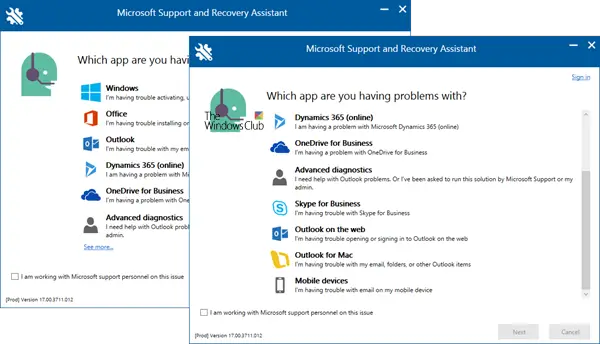
If repairing Microsoft Office does not work, uninstalling and reinstalling Office can help. You can use the Microsoft Support and Recovery Assistant (SaRA) tool to completely uninstall Microsoft Office from your system. Before you uninstall Office, make sure that you have the product key because it will be required to reactive your Office license. If Microsoft Office is added to your Microsoft account, you can download it from there and install it on your system.
Microsoft Fix It
Microsoft has also released Fix It solutions to help resolve this issue:
- Windows 8 users may download Microsoft Fix it 20074.
- Windows 7, Windows Vista, Windows XP, Windows Server 2008, and Windows Server 2003 users may download Microsoft Fix it 50392.
- If you receive this error message while using Microsoft Excel, use Microsoft Fix It KB21149. It will Turn off the Ignore other applications that use Dynamic Data Exchange (DDE) setting.
If you face this problem when you click on any program shortcut, you might want to consider deleting the old shortcut and creating a new one in its place. This is known to work many times.
That’s it. I hope this helps.
How do I ignore other applications that use the DDE?
You can ignore the applications that use DDE in Microsoft Excel by enabling the Dynamic Data Exchange feature. Open Microsoft Excel and go to File > Options. Now, select the Advanced tab from the left side. Scroll down to the General section on the rightside and select the DDE checbox.
How do you fix Microsoft Excel is waiting for another application to complete an OLE?
If you receive the “Microsoft Excel is waiting for another application to complete an OLE action” error in Microsoft Excel, you can try soe fixes, like enabling the DDE feature, troubleshooting installed add-ins, etc. If one of the solutons work, you can uninstall and reinstall office.
Read next: This Workbook contains links to one or more external sources that could be unsafe.
