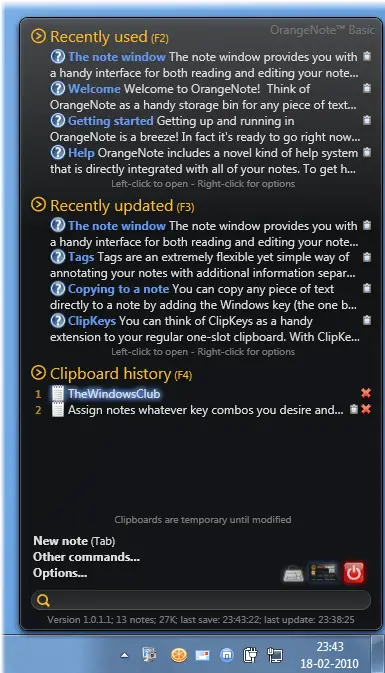
OrangeNote is a Sticky Note and Clipboard Manager program, wrapped up in one. It is a free WPF-based text clipping manager for Windows that allows you to store an unlimited number of fully-indexed and taggable text clippings in its database and pull them up at any time with a quick full-text search.
OrangeNote for Windows PC
You can assign clippings custom hotkeys and paste them into any running program, so commonly-typed things (like an address or bank card number) become as quick as a single keystroke!
OrangeNote is a simple application that allows users to write and manage notes. OrangeNote allows you to store an unlimited number of fully-indexed text clippings in its database and pull them up with a quick full-text search, or assign global hot-keys to clippings and paste them into open documents.
Features:
- Auto-save means your text data is sure to be safe.
- Color your notes to suit your mood, or make important notes stand out. Note text auto-sizes according to how much you type.
- Assign notes whatever key combos you desire and use them to instantly paste notes into other applications.
It also features a history of all clipboard activity so you can paste previously-copied texts and never lose something on the clipboard again.
Visit its Home Page for details.
The Windows Clipboard is very basic in nature and does not offer many features. As a result, many free Clipboard alternatives like ArchiveClipboard, Enhanced Clipboard Manager, CopyCat, Clipboardic, Ditto, Clipboard Magic, etc, are available on the internet.