
Do you download a lot? If you are looking for a free download manager with some advanced features, you might want to check out this list of what we think are among the best freeware in this category. Check them out and let us know which is your favorite for Windows 11/10.
What do download managers do?
It accelerates download speed and ensures downloads can resume from the same point where they were interrupted. It helps save a lot of time and ensures that parts of the file can be downloaded in parallel to speed up the process.
Free Download Managers for Windows 11/10
Here are some of the best free Download Managers for Windows 11/10:
- Free Download Manager
- GetGo Download Manager
- Flash Get Download Manager
- EagleGet
- uGet Download Manager
- JDownloader 2
- Internet Download Accelerator
- DownThemAll
- Xtreme Download Manager
- Free Rapid Downloader.
Let us take a look at them in brief.
1] Free Download Manager
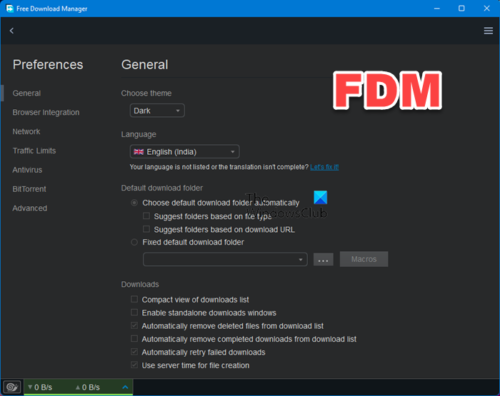
Free Download Manager, also known as FDM, is a very good free download manager and download accelerator program for Windows OS. It is a handy and easy-to-use tool. With its user-friendly GUI, you will find it very easy to manage and track your downloads. It even has a built-in uploader that supports uploading any content, which you can share with your friends. You would be surprised to know that FDM also supports HTTP/HTTPS/BitTorrent downloads by using BitTorrent protocols.
Here is a list of its features in brief:
- Built-in file uploader
- Download Accelerator
- HTTP/FTP/BitTorrent support
- Safely download the files
- Supports remote downloads
- Broken downloads can be resumed
- Support for adjusting traffic usage
- Available in many languages.
2] GetGo Download Manager
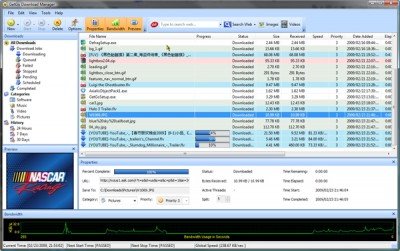
GetGo Download Manager is another free download manager with some interesting and cool features. It offers integration with different browsers and allows you to track and completely manage your downloads from an interesting UI. Check out the features of this program:
- Batch downloads
- Schedule your downloads
- Accelerates your downloads
- Can resume your broken downloads
- Easy downloading option for Facebook and more.
Do remember to uncheck the option to install the Ask Toolbar in the case of GetGo, if asked.
3] Flash Get Download Manager
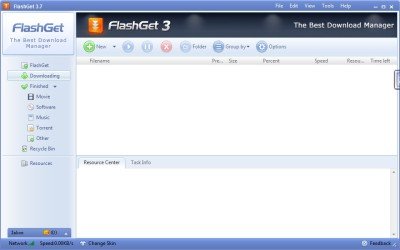
FlashGet utilizes multi-server hyper-threading transportation techniques and optimization algorithms to split and simultaneously download files. It supports HTTP, BitTorrent (BT), FTP, eMule, and other protocols, and allows downloading from many websites. Check out the other features of the program before you decide to download it.
- Fast UI
- Easy to use
- Customize the skins
- Accelerates the downloads
- Supports various protocols
- Tracks and Manage your downloads.
4] EagleGet
EagleGet is a freeware that uses multi-threaded technology to accelerate downloads by splitting files into several parts and then transferring them simultaneously, thus increase download speed scientifically. In case you require additional options to manage your files/resources, you can access them through the right-click context menu. For downloading online videos you just need to move the mouse cursor over the video player and click ‘Download’.
5] uGet Download Manager
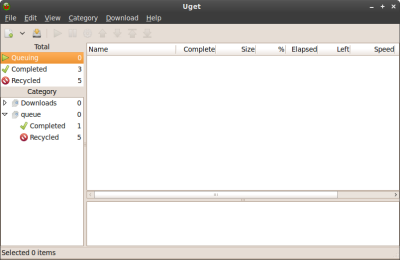
All open-source lovers, this one is for you. uGet is a free and open-source download manager with many features. As it is open-source, you can get the code and customize it to your needs. uGet is a relatively simple and easy-to-use application. It can be used from the command-line interface; programmers would love to do so. Here is its features list:
- Open Source
- Light Weight and Easy to use
- Can resume your broken downloads
- Categorized download option
- Queue downloads
- Import downloads from HTML files
- Batched Downloading
- Can be used from a command-line interface.
Please note that it requires the GTK+ Runtime Environment, which must be downloaded separately during installation if it is not already on your Windows computer. You can download it here.
6] JDownloader 2
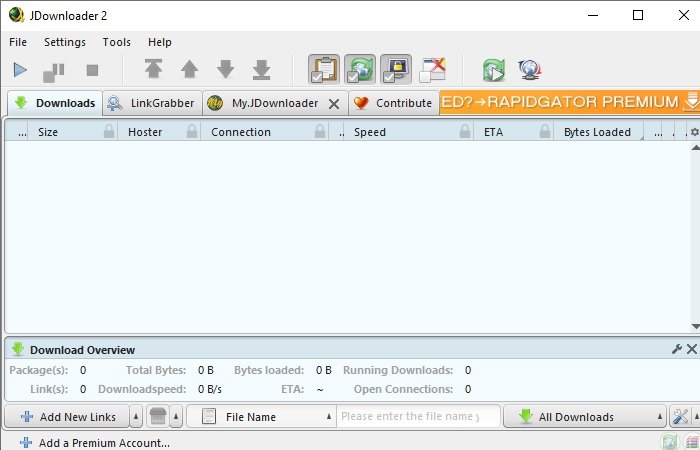
JDownloader 2 is one best download managers in the market. It is a simple interface that might not have all the Bells and Wessels as compared to IDM, but you will find all the essential features such as the ability to pause and resume your download, set bandwidth limit, change its look with different themes, and more.
Another underrated feature of JDownloader is its ability to automatically fill out CAPTCHAs. So, if you visit a website that requires you to fill out the CAPTCHA, this app will do that for you and save you time.
It also fixes one of the biggest cons of IDM, that’s its unavailability on platforms other than Windows, with JDownloader you can manage your downloads on Windows, macOS, Linux, and other Java-Based platforms.
7] Internet Download Accelerator
Internet Download Accelerator is a free app that can replace IDM for you. It is a perfect replacement for IDM as it packs features such as multilingual support, the ability to download both video and audio, scheduling download, and more.
It has two versions a free and paid one, but in this section, we are going to talk about its free version. If you want a download manager for your personal use, then the free edition is good enough; you just have to deal with some ads, and you will be good to go.
8] DownThemAll
DownThemAll is an add-on for Firefox that helps you manage your downloads. It may not have all the features of IDM, but it can be a great tool for someone who does not want to install a third-party application.
It allows you to accelerate the download by 4 times, filter your downloads, and more. So, if you use Firefox, then you can always use this add-on irrespective of the platform you are working on.
You can use this add-on from here.
9] Xtreme Download Manager
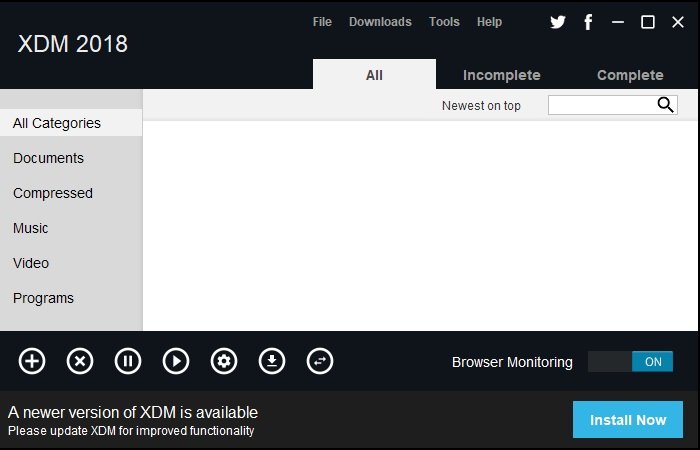
If you don’t want to compromise any feature of IDM but don’t want to spend a single penny then Xtreme Download Manager is the application for you.
It is one of the best download managers on the market, competing with some paid competitors. According to the company, their download accelerator can amp up your speed by 500%. They have integrated data compression, connection rescue, and segmentation algorithm to achieve this level.
So, if you want a perfect download manager then go for Xtreme Download Manager for free. Get it here.
10] Free Rapid Downloader
Built on Java, Free Rapid Downloader is a simple downloader that can help you download files from YouTube, Facebook, Picasa, and RapidShare.
It simplifies the process. You simply need to select the download URL and drop it into the application, and FRD will automate the process.
Another two features that make this software a perfect IDM alternative are auto-shutdown and CAPTCHA recognition.
You can download the application from here.
BONUS: Also check out Neat Download Manager
Go here if you are looking for a free Download Manager for Windows Home Server.
