
You can edit the Windows Registry with the help of Console Registry Tool or reg.exe. Reg.exe is a command-line utility with which you can perform almost all the tasks you otherwise can with regedit.exe. Reg.exe in Windows 11/10/8/7 can be useful when you want to quickly make a change to the Windows Registry without opening the registry editor. Moreover, it has the additional facility of being directly usable in scripts.
How to use Reg.exe command line
To run the reg.exe, open cmd, type reg /? and hit Enter. This will show you the parameter list, syntax & the return codes.
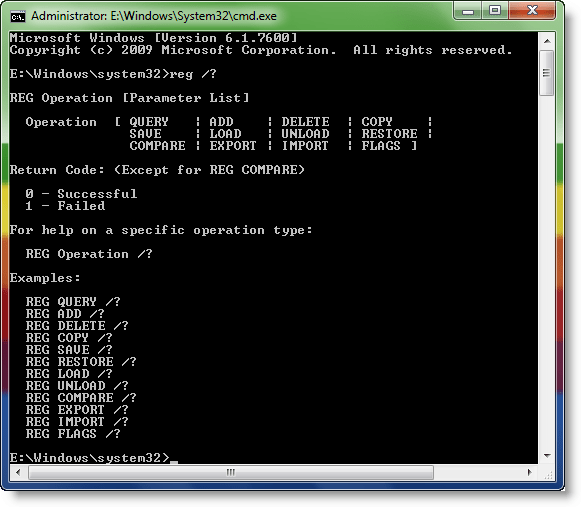
The reg commands include:
- Reg add
- Reg delete
- Reg compare
- Reg copy
- Reg export
- Reg import
- Reg load
- Reg query
- Reg restore
- Reg save
- Reg unload.
For instance:
To add a new subkey or entry to the registry use:
reg add <KeyName> [{/v ValueName | /ve}] [/t DataType] [/s Separator] [/d Data] [/f]
Examples:
To add the key HKLM\Software\MyCo on remote computer ABC, type:
REG ADD \\ABC\HKLM\Software\MyCo
To add a registry entry to HKLM\Software\MyCo with a value named Data of type REG_BINARY and data of fe340ead, type:
REG ADD HKLM\Software\MyCo /v Data /t REG_BINARY /d fe340ead
To add a multivalued registry entry to HKLM\Software\MyCo with a value name of MRU of type REG_MULTI_SZ and data of fax\0mail\0\0, type:
REG ADD HKLM\Software\MyCo /v MRU /t REG_MULTI_SZ /d fax\0mail\0\0
To add an expanded registry entry to HKLM\Software\MyCo with a value name of Path of type REG_EXPAND_SZ and data of %systemroot%, type:
REG ADD HKLM\Software\MyCo /v Path /t REG_EXPAND_SZ /d ^%systemroot^%
TIP: You will need to compress the registry key if the size of registry key exported using Reg.exe is very large.
To delete a subkey or entries from the registry use:
Reg delete <KeyName> [{/v ValueName | /ve | /va}] [/f]
Examples:
To delete the registry key Timeout and its all subkeys and values, type:
REG DELETE HKLM\Software\MyCo\MyApp\Timeout
To delete the registry value MTU under HKLM\Software\MyCo on the computer named ZODIAC, type:
REG DELETE \\ZODIAC\HKLM\Software\MyCo /v MTU
For a full read and details, visit Microsoft. You may want also to read this post on how to edit the Registry for another User.
These Windows Registry Basics and this post on Windows Registry Tips may also interest you.
