
The Microsoft Paint application, displays a maximum of nine entries in the “Recent images” list, in Paint software. It displays only the file name – and not the full path. If you happen to load a tenth file, it automatically displaces the first listed file. Files loaded in the program are listed by access date, with the most recent displayed first.
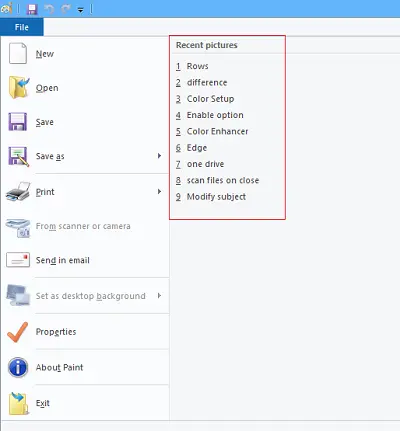
If for some reason you wish to delete these items you can do so by editing the Windows Registry as follows.
Delete Recent Pictures list from Microsoft Paint
Press Windows + R to open the Run dialog box.
Type regedit, and press Enter. When prompted by UAC, click ‘Yes’.
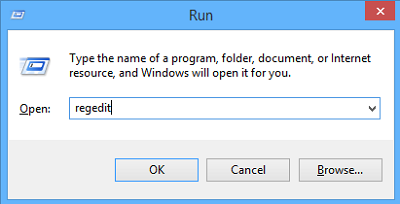
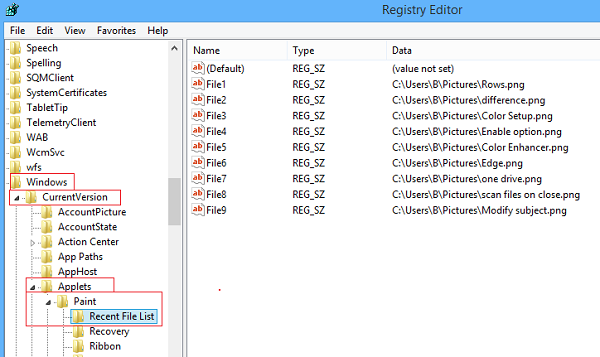
Then, in the Registry Editor, locate the following:
HKEY_CURRENT_USER\Software\Microsoft\Windows\CurrentVersion\Applets\Paint\Recent File List
Now, from the right pane of Recent File List, look for a listed File string value that has the recent picture path that you wanted to delete. When you find it, right-click File and select Delete.
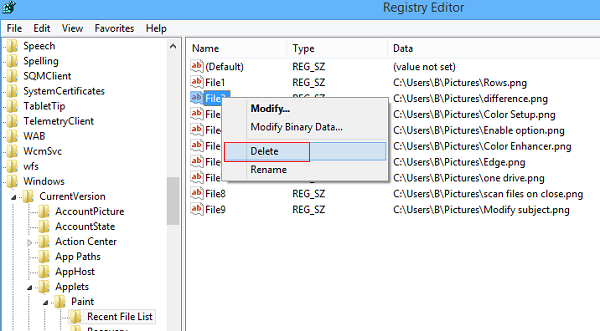
Chose ‘Yes’ to authorize the command.
Repeat the above steps for deleting other “Recent pictures” from the list in Paint.
When completed, close regedit.
Now reopen your Microsoft Paint. You will not see these entries.
Read: How to clear Recent Files and Folders in Windows.
Microsoft Paint is a built-in Windows application you can use to create drawings on a blank canvas or edit existing pictures. You might want to check out these tips on how to use Paint in Windows.
