
So you have used the Disk Cleanup utility and have cleared out your browsing history, cache and cookies. Now no one can see where you’ve been on the web, right? Wrong! Flash Cookies are stored separately and most junk cleaners do not clean them!
They are normally stored in:
C:\Users\[Username]\AppData\Roaming\Macromedia\Flash Player\#SharedObjects\[Random Name]
Delete Flash Cookies in Windows 10
Flash applications store their own Flash cookies which are entirely separate from normal cookies. They can be used to see what sites you’ve visited even if you’ve deleted all your history and normal cookies. There is no way to delete or even view these cookies in your web browser.
Update: Now Delete Flash Cookies via Delete Browsing History in Internet Explorer
Some sites even use Flash cookies as a “backup” for normal cookies. What this means is that these sites are able to restore your regular cookies even after you’ve deleted them. The site simply reads your Flash cookies, notices that your regular cookie has been deleted and then proceeds to reinstate the normal cookies using the data stored in the Flash cookies, says Mischel Internet Security Blogs.
So how do you delete the Flash Cookies too?
1) You can manually empty or delete the directories
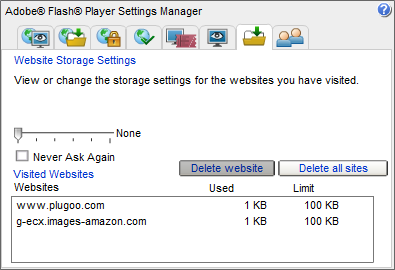
2) Go to the Flash Player Settings Page at Adobe. This will start a small Flash application that allows you to delete Flash cookies, but this will delete only the .sol files.
3) Or you can use Flash Cookie Remover.
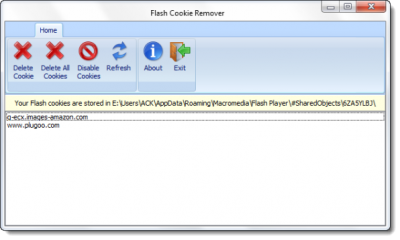
Flash Cookie Remover is a portable app that removes all of the cookie information, including the names of the sites.
This tool is released by Mischel Internet Security, the publishers of TrojanHunter. While my NOD32 did not detect it as malware, you may want to read the comments below. VirusScanJotti also does not detect is as malware.
PS: This tool seems to have been taken offline now.
