
Despite being able to view Internet Cookies the standard way from within the Google Chrome, Firefox, and Edge web browsers, there are still third-party options that work just as well, and even better in some cases. If you’re the type of person who would prefer to use a standalone cookie viewer for your web browser, then you’re in the right place.
Today, we’re going to look at four tools that were designed for viewing and managing Chrome cookies. From our point of view, these tools are very easy to use; therefore, folks should not experience a steep learning curve at all, even if you’re the biggest novice around.
OK, so the tools we’re going to talk about are as follows:
- ChromeCookiesView
- MZCookiesView
- EdgeCookiesView
View & delete Cookies in Chrome with ChromeCookiesView
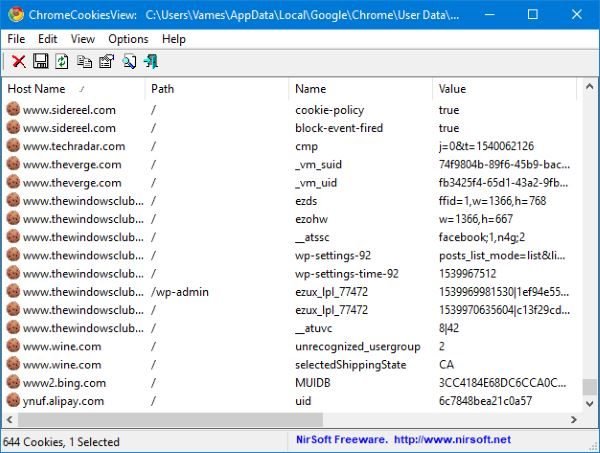
This tool is portable, so there’s nothing to install. Just unzip it, locate the file, and open it. Once it’s up and running, users will see a blank screen, but in a moment, it should be populated with all the cookies from their Google Chrome web browser.
You don’t have to launch Chrome to see your cookies, and that’s one of the reasons why we like this tool. Not only that, it shows how many cookies there are and the number selected if you’re planning to delete just a few.
The user interface is old-school, but we’re not too concerned because it likely means the software will perform well rather than eat up a lot of system resources.
At the top, you’ll see named tabs and seven buttons designed for various tasks. The first button deletes the selected cookies, which is why it’s a red X. The other is for saving selected cookies; you know if that’s something you want to do.
Since ChromeCookiesView does not show new cookies in real time, you’ll have to click the refresh button to see what’s up.
View & delete Cookies in Edge with EdgeCookiesView
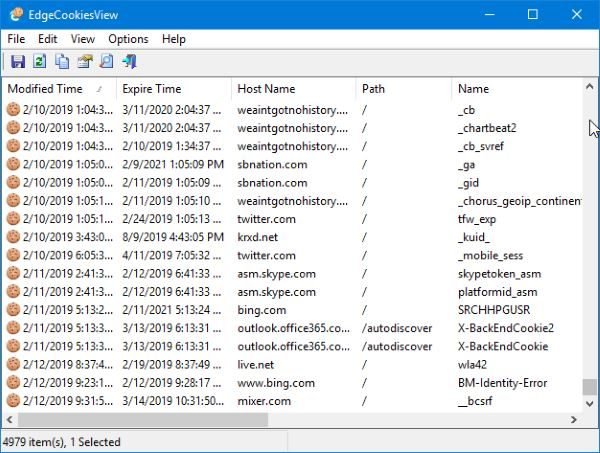
Here’s the thing, we’re not going to talk much about this tool because it’s the same as the Google Chrome version, and we’ve talked about that one already. Just know for a fact that EdgeCookiesView, which is designed for the Microsoft Edge web browser, tends to work quite well from our testing, which is good enough.
View & delete Cookies in Firefox with MZCookiesView
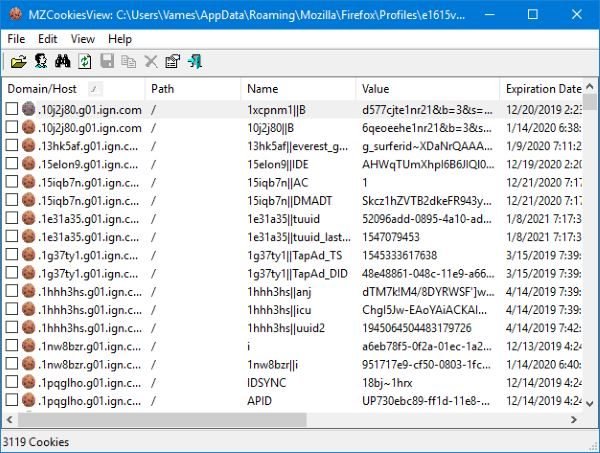
When it comes down to MZCookiesView, it’s designed for Mozilla Firefox, and since it’s designed by the same folks who are behind ChromeCookiesView, you’ll find that most things are the same, so don’t go in expecting a huge difference in terms of features and the overall looks.
Probably the main difference is the ability to choose a user profile and select cookies file and folder. From what we can tell, the Chrome version lacks these features, and that’s fine.
As it stands, then, if you follow the same steps above, you’ll have no problem in mastering MZCookiesView.
You can download all these tools from nirsoft.net.
