
Having too many broken shortcuts on your Windows can be messy, and it is a good idea to scan for and remove broken shortcuts every once in a while – just a matter of good housekeeping! While most junk cleaners do remove them, if you are looking for free Broken Shortcut scanner & remover software, then this post will help you.
Every time we install software on our Windows PC, a shortcut is automatically created. While we uninstall and remove the unwanted software from our PC, the shortcuts could still remain there. These unwanted, useless, and broken shortcuts not only clutter your PC but can be dangerous too. Eavesdroppers may use these broken shortcuts to transmit malicious codes on their PC. Thus it becomes very important to keep an eye on the broken shortcuts and remove them as soon as possible.
What are broken shortcuts in Windows?
If you have deleted or uninstalled programs, deleted bookmarks, or moved files or folders to another place, then once-valid shortcuts may point to now non-existent files. Such shortcuts are called bad or invalid or broken shortcuts, and you should remove them. In short, these are the residual files left after the uninstallation of software. Broken shortcuts are not harmful but should be removed as they unnecessarily occupy the space on your PC.
Remove Broken Shortcuts in Windows 11/10
As I mentioned, having broken shortcuts on your desktop or start menu can be messy and irritating at times. Imagine clicking on a shortcut and receiving an error message and finding that it points nowhere!
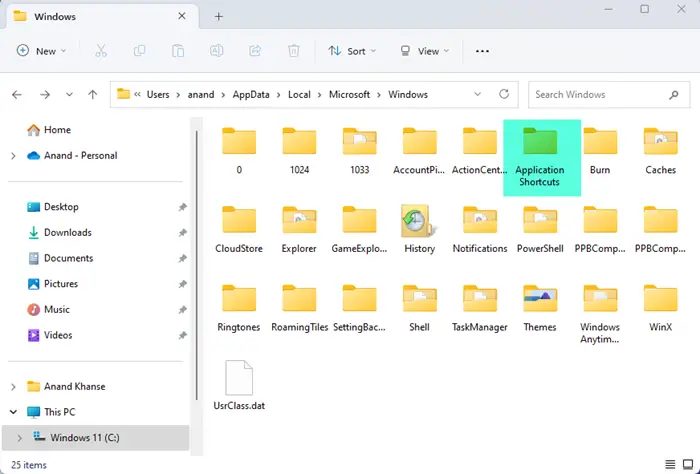
- To remove Broken Shortcuts on your Windows computer, navigate to the following folder location:
- C:\Users\<username>\AppData\Local\Microsoft\Windows\Application Shortcuts
- This folder contains the names of the apps installed on your PC.
- Open the app folder, which has a broken shortcut.
- Remove the Shortcut that is not working
- Follow this step for every broken shortcut.
Since this can be tedious, we suggest using a tool. Here are a few Broken Shortcut Fixer Tools that can help remove broken shortcuts in Windows 11/10/8/7.
Free Broken Shortcut Fixer Tools for PC
Locating the broken and useless shortcuts on your PC is practically not an easy job and this is where we need a Shortcut scanner & remover software. Shortcut scanners are third-party software that scans your PC, trace and detects all the hidden shortcuts which can be dangerous.
1] Broken Shortcut Fixer
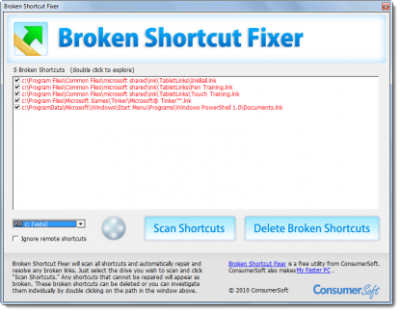
Broken Shortcut Fixer scans your Windows computer for broken shortcuts and automatically repairs any shortcuts that it can find using the Windows link resolve method. To use this broken shortcut remover:
- Click “Scan Shortcuts” to repair and find broken shortcuts.
- Double-click broken shortcuts to view them in Windows.
- Hover over a broken shortcut to see the broken path.
- “Delete Broken Shortcuts” will send the selected shortcuts to the Recycle Bin.
It can be downloaded from its Softpedia.
2] Bad Shortcut Killer
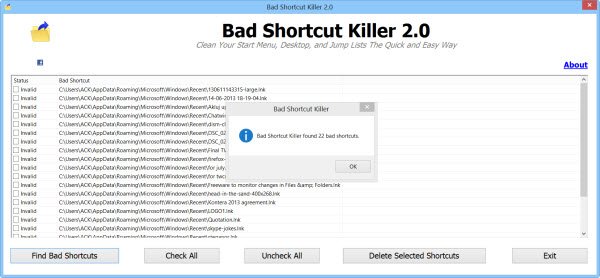
Bad Shortcut Killer is a freeware that will scan your Windows start menu, jump lists, and desktop and fix or delete them easily. To fix the broken shortcuts, run Bad Shortcut Killer. Click on the ‘Find Bad Shortcuts’ button and the tool will search for invalid shortcuts. Once the scan is completed, you will be presented with a list of broken shortcuts.
Select the shortcuts that you think are broken and click on the ‘Delete Selected Shortcuts’ button. The broken or invalid shortcuts will be deleted. This freeware can do the following:
- It searches Start Menu, Desktop, Jump Lists & Startup Folder for broken shortcuts.
- It can remove the invalid shortcuts
- It keeps your start menu & desktop tidy and free from broken shortcuts
- Help keep invalid shortcuts off of your start menu and your desktop.
You can download from xp-smoker.com.
3] Fix Shortcuts
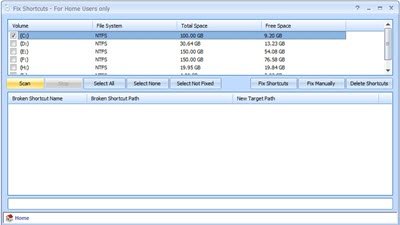
Puran Fix Shortcuts is another utility that can help you find and delete broken shortcuts on your computer. Its main features are:
- It scans and deletes broken shortcuts.
- Automatically fixes all the broken shortcuts in a click.
- You can change the broken target path to a valid path.
It is available for download here.
4] Fix It to remove broken desktop shortcuts
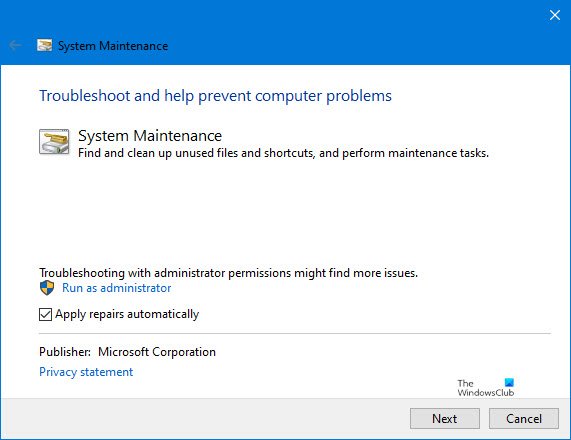
This Fix It from Microsoft will remove broken shortcuts. Specifically, it will fix:
- Problems with desktop shortcuts and icons
- Shortcuts on the desktop don’t work or are broken
- Desktop icons are broken or have not been used in 3 months
- Startup items don’t work or are broken
Apart from removing broken shortcuts, it will also carry our certain other system maintenance tasks. [Update: Microsoft has taken down this tool]
5] Shortcut Scanner
PhrozenSoft has developed a simple and straight Shortcut Scanner which comes with a very easy and user-friendly interface and works well on your Windows PC. You can delete dangerous shortcuts using Shortcut Scanner.
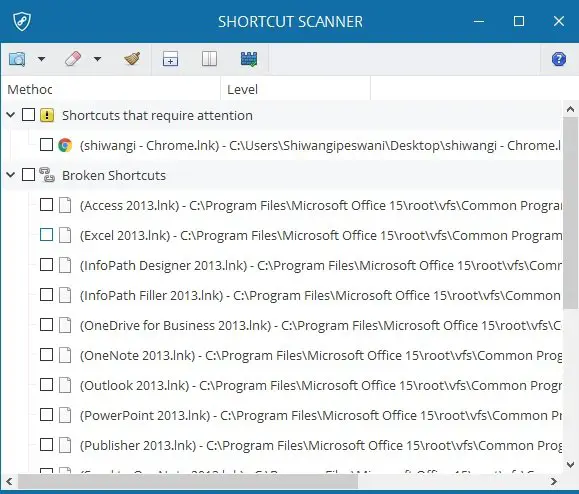
This software scans all your PC drives and detects broken as well as dangerous shortcuts – both removable and local ones. The program also lets you select a specific drive for a detailed scan. It takes less than a minute to scan your entire PC and detects dangerous shortcuts. The shortcuts are listed as
The shortcuts are listed as .Ink files along with their location on your PC. It categorizes the detected shortcuts into three categories, namely- Dangerous Shortcuts, Suspicious Shortcuts, and Broken Shortcuts.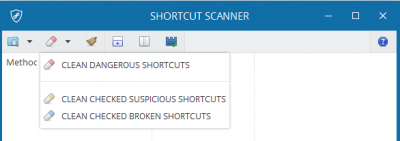
Dangerous shortcuts are displayed with a title saying, “Shortcuts that require attention”. While you may or may not overlook the broken shortcuts, you should immediately delete the dangerous ones.
Download Shortcut Scanner here from phrozen.io and check if some dangerous or suspicious shortcuts are hidden somewhere on your PC.
What are Dangerous Shortcuts?
Dangerous shortcuts denote the shortcut virus on your PC, where the malicious codes are turned into shortcuts that are otherwise impossible to locate or detect. The shortcut virus, once entered into your PC, infects the boot-up segment and gets activated once your PC starts. The virus multiplies and gets worse with every illegal download from the internet. These viruses are dangerous and should be removed from PC instantly. In short, shortcuts that contain arguments or malicious codes are sent into the dangerous category.
Check this if you find that your desktop shortcuts go missing in Windows.
