
Sometimes normal troubleshooting steps just won’t cut it. We might need to go above and beyond – more like forensic troubleshooting. Today I’ll write about a tool that will help us do that. Dependency Walker is a tool to find DLL dependencies and analyze the dependencies of a Windows application – like functions, modules, etc. It builds a hierarchical tree of all the dependent modules of an exe, dll, sys, etc.
How to find DLL dependencies
Dependency Walker is a free utility that scans any 32-bit or 64-bit Windows module (exe, dll, ocx, sys, etc.) and builds a hierarchical tree diagram of all dependent modules. It can help you in troubleshooting application errors, file registration errors, memory access violations and invalid page faults.
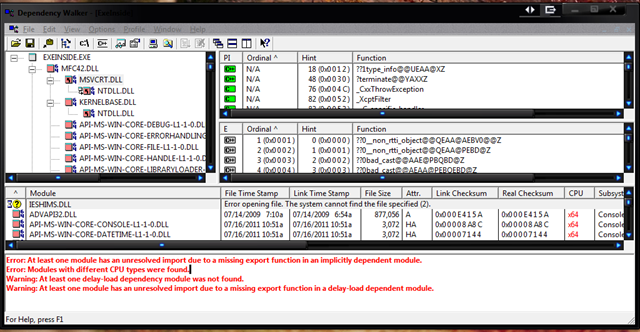
Dependency Walker becomes especially helpful if a specific program of yours is not loading, or a service is failing to start with an error pointing to a specific dll. In such cases you can load that program or dll in Dependency Walker, to see which file is failing to load or what module is causing the problem – and then fix it.
The program does not just load the modules, but it also scans for potential errors. According to the Help file, it performs the following jobs:
- Detects missing files. These are files that are required as a dependency to another module. A symptom of this problem is the “The dynamic link library BAR.DLL could not be found in the specified path…” error.
- Detects invalid Files. This includes files that are not Win32 or Win64 compliant and files that are corrupt. A symptom of this problem is the “The application or DLL BAR.EXE is not a valid Windows image” error.
- Detects import/export mismatches. Verifies that all functions imported by a module are actually exported from the dependent modules. All unresolved import functions are flagged with an error. A symptom of this problem is the “The procedure entry point FOO could not be located in the dynamic link library BAR.DLL” error.
- Detects circular dependency errors. This is a very rare error but can occur with forwarded functions.
- Detects mismatched CPU types of modules. This occurs if a module built for one CPU tries to load a module built for a different CPU.
- Detects checksum inconsistencies by verifying module checksums to see if any modules have been modified after they were built.
- Detects module collisions by highlighting any modules that fail to load at their preferred base address.
- Detects module initialization failures by tracking calls to module entry points and looking for errors.
- Dependency Walker can also perform a run-time profile of your application to detect dynamically loaded modules and module initialization failures. The same error checking from above applies to dynamically loaded modules as well.
For example, I was helping a client the other day – she was loading her browser, but it kept crashing without any specific errors. We had done most of the basic troubleshooting – but still, it kept crashing. This meant that one or more files required were creating a problem. It’s always hard to troubleshoot such cases but with Dependency Walker, we can see if something is wrong with one of the dependent files.
So I loaded the browser’s process in Dependency Walker.
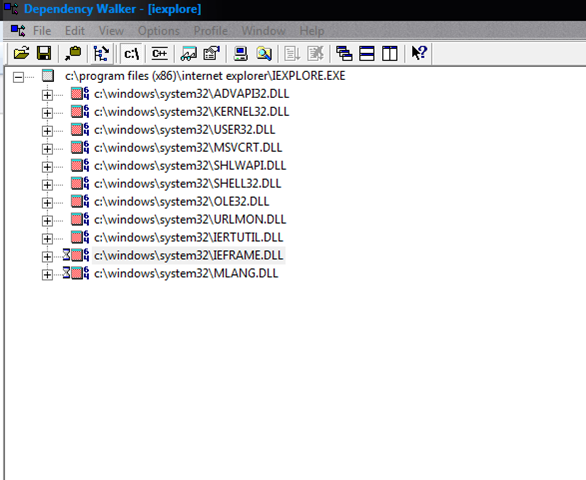
Next, I expanded the list one by one.
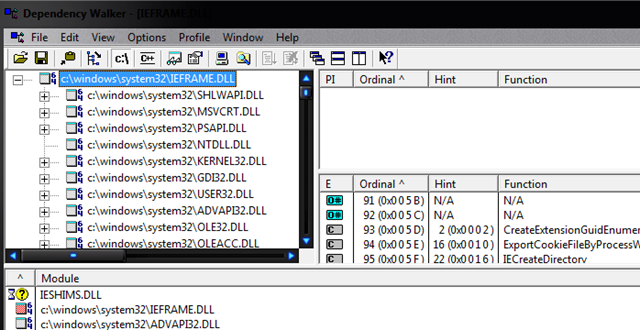
Then I went through each of the modules, to see if I could find something suspicious there. I scrolled through the module and was lucky enough to find the problem.
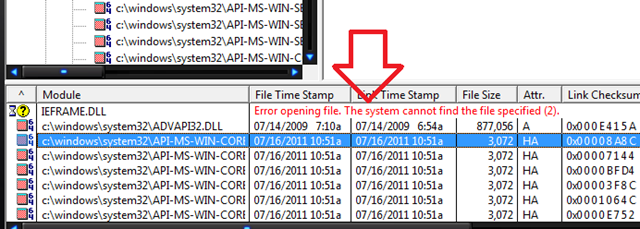
I found that a particular dll file was missing. So I went and replaced the file from the Windows Installation DVD. That solved the problem. Now the browser no longer crashed.

I hope this will tell you how easy it’s to use the tool to discover possible dependency errors.
How to use Dependency Walker on Windows systems
To use Dependency Walker to investigate errors, you can follow these steps:
- Start Dependency Walker
- Click Open on the File menu to load the problem file
- In the View menu, click Start profiling. The Profile Module dialogue box appears
- Type any switches, program arguments, other options you want, and then click OK.
Dependency Walker will inject dwinject.dll before the error occurs and will log the events taking place at the time of the error.
Dependency Walker download
You can download Dependency Walker from here.
