
The best thing about using a Windows computer is that you can customize it or do almost anything – for free. I recently bought a new Dell XPS laptop. I was finding its screen a bit too bright for my liking, in spite of having reduced its Screen brightness to the minimum via the Power Options.
How to dim the brightness in Windows 11?
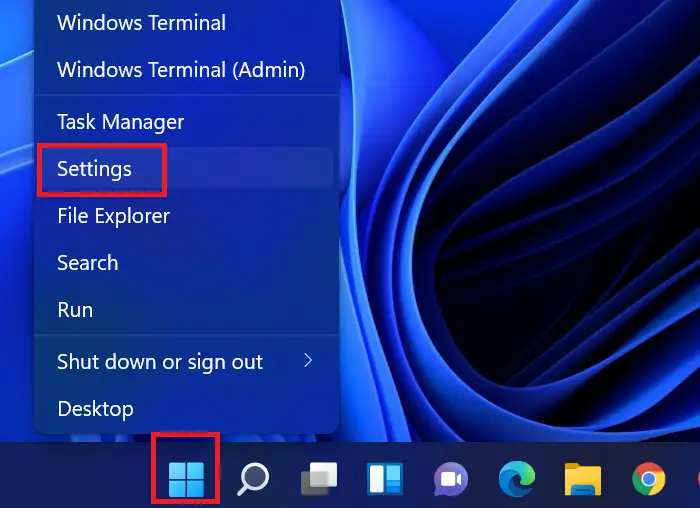
In Windows 11, System is a tab instead of a menu. The Display menu still is a subset of the System tab. The procedure to dim brightness in Windows 11 is as follows:
- Right-click on the Start button in your Windows 11 system.
- Then, select Settings from the right-click menu.
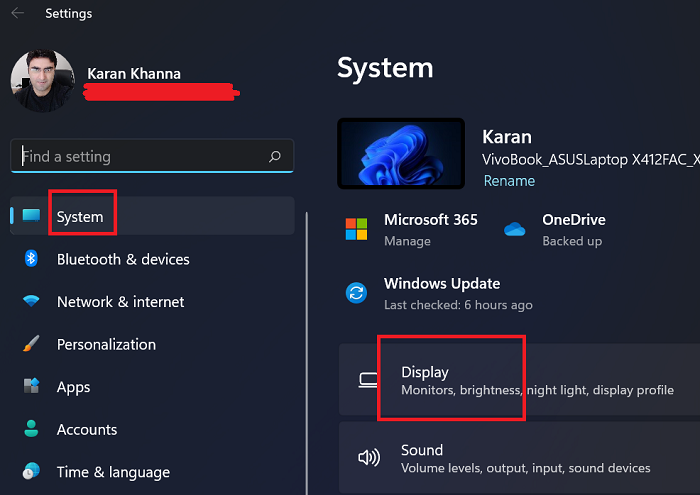
- In the Settings menu, click on System on the list on the left-hand website.
- On the right-pane, select Display.
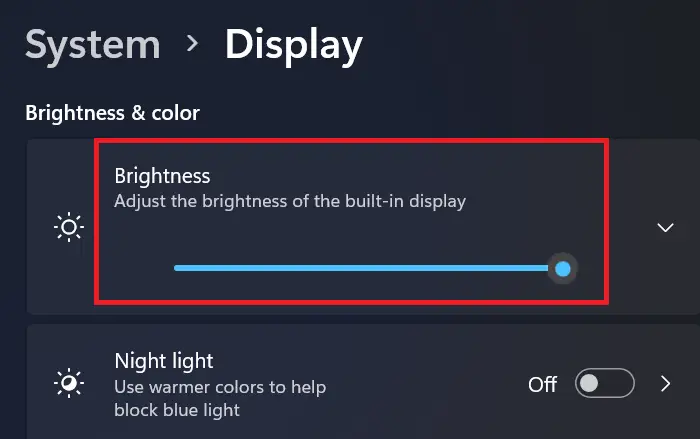
- The first option is Brightness. You will find the brightness slider there.
Feel free to use it to increase or decrease the brightness.
Dim or reduce the brightness of computer screen
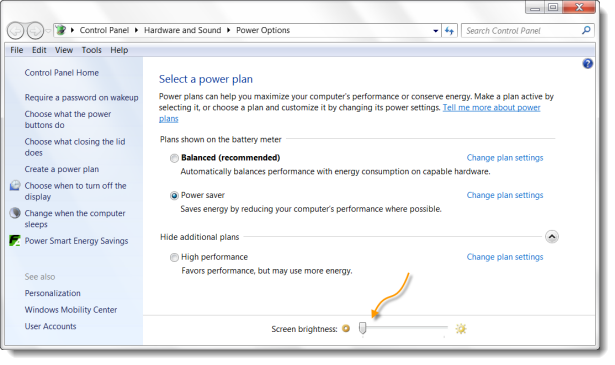
Normally one clicks the battery icon sitting in the notification area, selects Adjust screen brightness, and then moves the slider to the left to reduce the screen brightness.
In Windows 10 you can open Settings > System > Display and change the brightness here and also set Night Light if you wish.
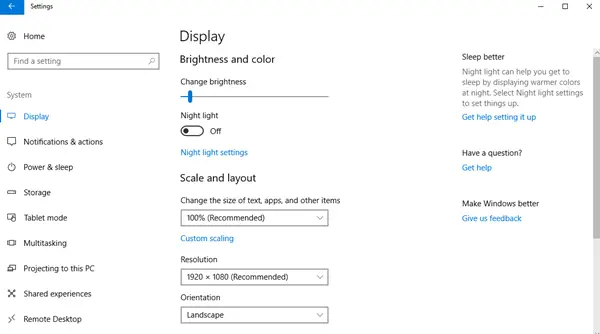
In spite of having done this, I felt that the screen was too bright and I was getting slight headaches due to regular use. So I thought I had two options now – either get a shaded screen for the laptop or wear shades myself (just kidding) while working on the computer.
If you work at night with minimum ambient lighting in the room, it could hurt your eyes. Looking around a bit, I came across two portable freeware which can help you dim your screen brightness further.
Freeware to change the brightness of screens
1] DimScreen
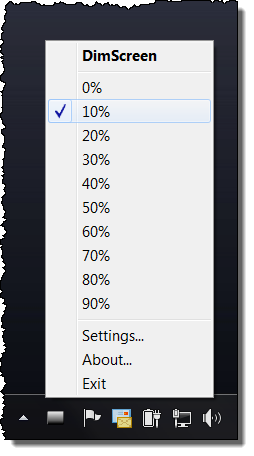
DimScreen lets you dim the whole screen. You can change the brightness easily in terms of percentage directly from the notification area by right-clicking on the program icon. You can get it here.
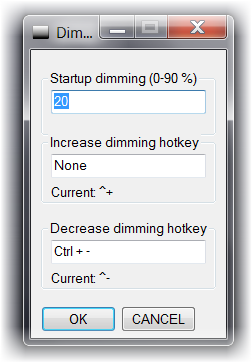
You can also dim or increase screen brightness by using hotkeys Ctrl+- and Ctrl++. You can also configure it further to suit your requirements via its Settings.
2] Dimmer
Dimmer is another such effective free brightness control software. Once you set the brightness, you cannot change it easily by right-clicking the notification area program icon. You have to open its Settings. But both do the job well. You can download it here at mylittlehost.com.

This is how your screen brightness would look if you were to reduce the brightness by 10-20%. Much cooler for the eyes, in my opinion!
If you want it to start every time Windows starts, you can place its shortcut in the Startups folder situated a:
C:\Users\username\AppData\Roaming\Microsoft\Windows\Start Menu\Programs.
You might also want to have a look at another freeware f.lux and SunsetScreen, which makes the color of your computer’s display adapt to the time of day, warm at night and like sunlight during the day.
Can I change the brightness of the system using shortcut keys?
Yes, but this option isn’t fixed for Windows. It depends on the brand of the computer you use. Eg. In the case of Dell, the F11 and F12 keys are used to change the brightness. For Asus computers, we use F4 and F5 keys. These keys need to be pressed along with the Fn key.
In some computers, the computer has dedicated buttons on the keyboard to change the brightness of the system.
What should I do if reducing the brightness of my computer screen in dark doesn’t help?
A better option in comparison to reducing the brightness of the system in a dark room or at night is to use the Night Mode on your system. This mode makes the background dark and text white. The screen is more readable in comparison to that with dimmed brightness and it helps save much more power.
Can I reduce strain to my eyes without using the night mode or reducing the brightness of the screen?
Yes, you can reduce strain on your eyes by using external filters on your computer screen.
