
Are you overwhelmed with planning a holiday itinerary or making a shopping list? Are you worn out managing multiple projects at work? A to-do list is an easy way to get all your tasks done, whether personal or professional. Time management skills are essential to maximize work efficiency. When you have overwhelming tasks and too many deadlines, it is important to list everything that needs to be done on time and organize your task lists by priority. To manage time effectively, one is required to prioritize the tasks so that one can plan the order in which the tasks have to be completed. The most important task is given high priority and it is placed at the top of the To-Do list. The least important task can be listed at the bottom.
To-Do list apps for Windows 11
Nowadays the digital way of framing a to-do list is preferred over paper and pen. Well, the reason is, the digital way of forming a to-do list is more structured and reliable. Additionally, it is the most efficient way of organizing tasks while staying productive. In this article, we have rounded up some of the best to-do list apps for Windows 11/10.
1] Microsoft To-do
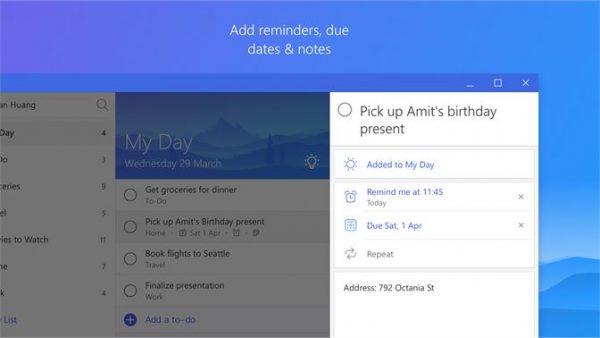
Microsoft To-do is a simple app for keeping the to-do task list. The app was designed relatively after Microsoft took over Wunderlist and hence, it imbibes most of the features from Wunderlist. The app lets the user easily create a list, set reminders and set deadlines. Users can also create a new task and, inside the task, one can write the notes of different ideas captured. The app has a standard interface and users can choose from different inbuilt themes and colors for the list. Additionally, users can import a list from Todoist or Wunderlist. Microsoft To Do is available for iOS, Android and Windows.
2] Todoist
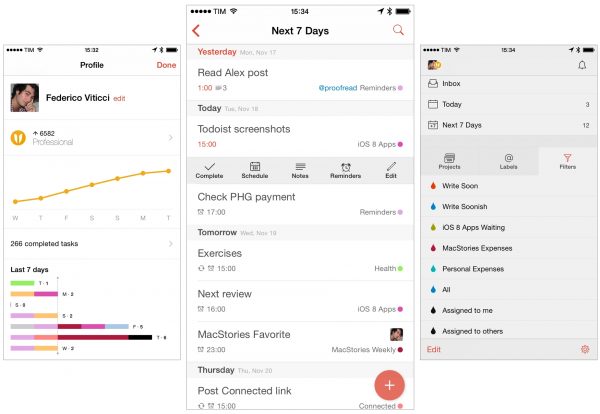
Todoist is a free app packed with many features. It helps you organize a to-do list, create notes, attach files and collaborate with others by sharing lists. Users can easily prioritize important tasks and break them into subtasks to build a more structured list. The app works across all devices and is available for Android, iOS, Mac and Windows. One can also upgrade the app to enjoy more features but users will be charged a premium amount in order to avail the services. Get the app here.
3] Wunderlist
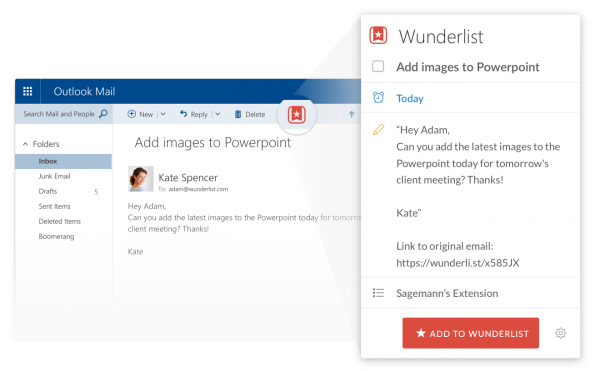
Wunderlist is a free to-do list app that helps a user to plan anything from small tasks to big tasks. This to-do list app is super handy to use which assists in organizing your to-do list; be it a personal household list or work-related list. The app allows users to set reminders and due dates so that, there is no way of you missing the deadline. Wunderlist also lets you share to-do lists with your family, friends, and colleagues. The app can be accessed from anywhere and it works on all the devices like Android, iPad, Mac OS X Windows, and web. With Wunderlist, you can also take notes so your ideas are captured. Additionally, the app lets you create folders to group related to-do lists for easy access. Users can make use of hashtags and print a to-do list with just a click.
4] Microsoft OneNote
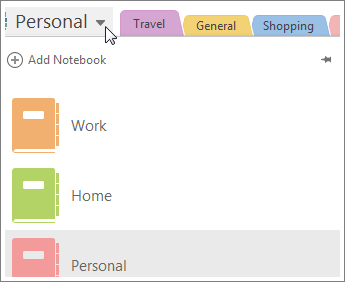
Microsoft OneNote notebook is a popular program for gathering and saving information in order to make notes and also share it with family, friends, and colleagues. Basically, it is a digital form of a material notebook. Although it is not exactly a to-do list app, it is a free version of an app that comes with Windows and can be used to capture ideas and increase productivity. This app automatically syncs all the notebooks to users’ OneDrive account. It also offers several other benefits, such as letting you edit and read notes on any device, regardless of location. Users can also share notes with friends, family or colleagues for effective collaboration.
5] Trello
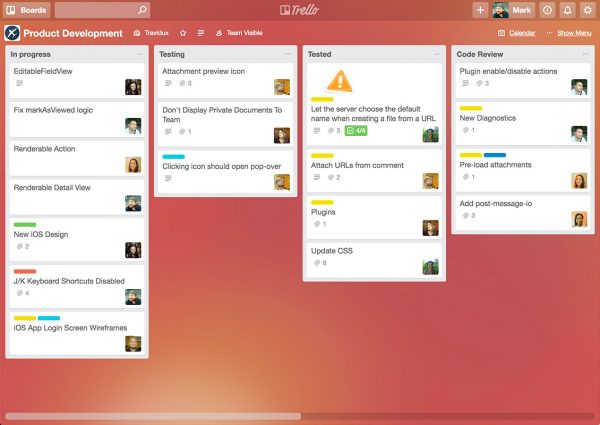
Trello is an application that helps the user work productively and even more collaboratively. While it’s not exactly a to-do list app, users can create a card, boards, and lists that help to organize the work. Users can also add labels, attach files and notes to different Trello cards, and can place them into columns. One can also prioritize important tasks with the help of Trello. The Trello app works across all devices, regardless of location, and supports easy collaboration with colleagues, family, and friends. The app works on Android, iOS and Windows.
Let us know if we missed any.
