
The Panther folder is a folder where you will get installation, setup, or upgrade log files. Windows setup log files are in different locations on the hard disk. These locations depend on the setup phase.
What is the Panther folder?
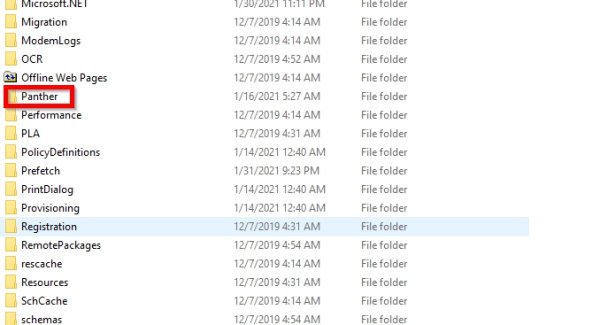
The Panther folder may be located at different locations depending on the setup phase:
Down-level phase
C:$WINDOWS.~BT\Sources\Panther
Windows Preinstallation Environment phase
X:$WINDOWS.~BT\Sources\Panther
Online configuration phase or first boot phase
C:\WINDOWS\PANTHER
Windows Welcome phase
C:\WINDOWS\PANTHER
Rollback phase
C:$WINDOWS.~BT\Sources\Panther
Inside this folder, you will find:
- Setupact.log – Records detailed actions taken during setup.
- Setuperr.log – Captures errors that occur during installation.
- Unattend.xml – Stores unattended installation settings if used
- Other diagnostic logs that help troubleshoot installation or upgrade issues.
You can use Notepad to read the log files.
These log files are most useful for troubleshooting each phase of the Windows 11/10 installation process. Renaming or Deleting then has no negative effects.
If you performed an upgrade installation, then the Panther folder size can be in GBs.
Why is the Panther folder name in blue?
In some Windows versions, the folder name is blue. This means that the folder has been compressed.
Is it safe to delete the Panther folder
If you are sure that the installation has gone well, then you may delete the Panther folder.
Information about some other Windows folders:
$SysReset folder | $Windows.~BT & $Windows.~WS folders | $WinREAgent folder | WinSxS folder | REMPL folder | ProgramData folder | System32 and SysWOW64 folders | Sysnative folder | Catroot & Catroot2 folders. | FOUND.000 folder.
