
One of the most common struggles amongst the Manga lovers community is the language barrier, especially when the titles are not officially translated. Thanks to AI, this issue has been resolved as translating manga has become faster, easier, and more accessible. Several AI-powered websites translate Korean, Chinese, or Japanese Manga into English and many other languages while preserving the artwork. In this article, we explore the best AI Manga translator websites to enjoy manga without language barriers.
What are best AI Manga Translator websites?
If you are looking for the best AI Manga Translator websites, check out the list we have curated below.
- Manga Translator
- Transmonkey Manga translator
- Torii Image Translator
- Mokuro
- Scan Translator
Let’s get to know the details about these websites.
1] Manga Translator
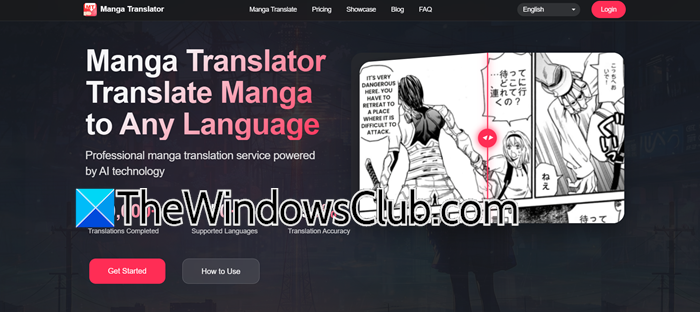
Mangatranslator.com is a web-based platform that is designed to make reading manga accessible across languages. It boasts a clean, intuitive interface that allows users to translate manga without much fuss. Users can upload images in formats such as JPG, PNG, and WEB up to 5 MB, and then the tool will translate them without disrupting the original aesthetic of the artwork.
The platform offers more than 50 languages with a reported accuracy rate of 99 percent, and combines OCR for accurate text detection and smart typesetting in panels and speech bubbles. Users can try this for free translation per week, or go for a credit-based system, and the best part is that it doesn’t require subscriptions. The overall focus is simplicity, accessibility, and precision while keeping the reader experience as close to the original as possible.
2] Transmonkey Manga Translator
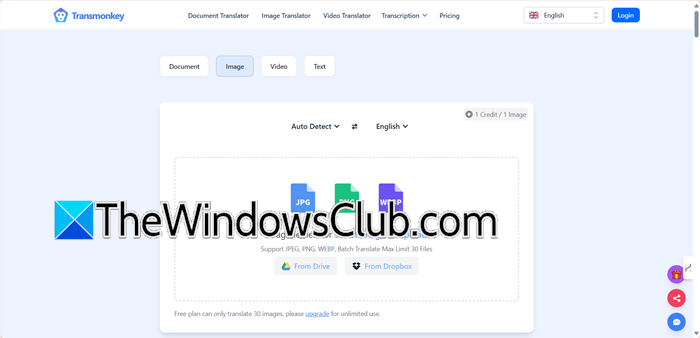
Transmonkey.ai is a versatile manga translation tool available for desktop and mobile. It is well-suited for readers who want accuracy, speed, and control in one place. At its core, it uses an AI pipeline that makes detecting text and translating it easier. It uses the help of larger language models like ChatGPT, Gemini, and Claude to inpaint and typeset the new dialogue without affecting the original artwork.
One thing that makes this stand out is its ability to handle scale, from single pages to entire chapters or volumes, even huge files up to 10k pixels. There are over 130 languages that users can enjoy, along with additional features like batch uploads and a Chrome extension for in-browser image translation. While there’s a free tier, heavy usage requires subscription plans based on credits.
3] Torii Image Translator

Torri Image Translator combines convenience with depth and offers both a web extension and a free, open-source desktop app for Windows. It allows users to quickly auto-translate images directly on websites or process entire chapters locally on a desktop. Its AI pipeline covers everything from OCR-based text detection and translation to inpainting and typesetting. For those who prefer hands-on editing, it also includes erasure and paint tools to redraw speech bubbles. Users can also choose fonts and styles to fine-tune the final look.
The desktop version runs offline, providing privacy and unlimited use, whereas the browser extension adds convenience with one-click page translations. Moreover, users can access a wide range of language pairs and free credit tiers online with robust offline functionality. You can access it from an extension as well. However, to get the full experience, go to toriitranslate.com.
4] Mokuro
Mokuro is a free, open-source desktop tool that preserves the artwork as it is while making the text accessible across various languages. What we mean is that Mokuro, instead of editing images, processes entire volumes in formats like CBZ, CBR, or PDF, and generates an HTML file. When a user opens it in a browser, they can simply click on speech bubbles to reveal AI-powered translations, while the original text remains untouched beneath it.
Behind the screens, it uses OCR to detect texts and export them into JSON format, mapping speech bubbles and panel arrangements. Due to this, it is not only a good reading tool but also a resource for hobbyists and scanlation groups. Mokuro ensures privacy and gives users complete control over their files as it runs fully offline. It is an ideal choice for readers who value authenticity as much as the value accessibility.
To use Mokuro, you will have to install it locally on your computer using PiP. You need to go to pypi.org to see how to install it.
5] Scan Translator

Scan Translator is a web-based platform that delivers professional-quality manga and comic translations directly through the browser. It runs a full automated pipeline that, like any other alternatives, detects text areas with OCR, and translates them via engines like DeepL. It then carefully in-paints speech bubbles so that the new text blends seamlessly into the artwork. The standout feature includes clean and immersive panels, as the inpaint minimizes visual artifacts even on a complex background.
The tool supports both vertical and horizontal, making it equally suitable for manga, manhwa, or any other scanned comics. Moreover, users can preview the before and after results to ensure smooth reading and verify authenticity. Although it is credit-based, it offers flexibility as users can access a free plan, which provides 30 credits per week. However, the larger one-time bundles never expire, thus giving something to both casual readers and heavy users. Go to scan-translator.com to access this.
That’s it!
Read: How to translate Manga Comic using AI Manga Translator?
Can ChatGPT translate Manga?
ChatGPT cannot translate manga panels or images since it does not have built-in OCR (Optical Character Recognition) or image-to-text translation for comics. However, it can translate text if users provide extracted text from the manga. Additionally, it also explains cultural nuances, idioms, or wordplay. To achieve the best results, combining ChatGPT with other translation tools is the ideal solution.
Read: Best free Language Translation websites
What is the best Manga Translator tool?
Determining the best manga translator tool is not straightforward, as the ideal choice depends entirely on specific needs and priorities. For users seeking complete privacy and the ability to work with entire volumes, Torii is the ideal solution. For quick free translations, users can consider MangaDay.ai’s extension or IsManga. To learn more, check out the article mentioned above.
Also Read: Free Manga Downloader apps to read Manga on PC.
