
Some users encounter an error when they start Windows 11/10: “Unknown NT Operating System Code 10 Detected, Read Config File Failed.” If you face this error message, this post will help you.
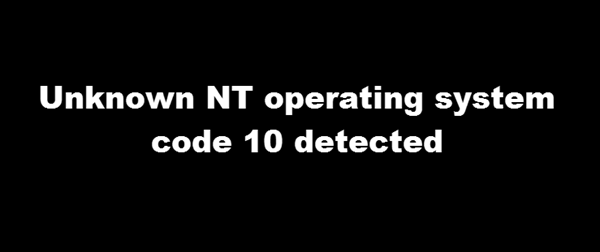
Unknown NT operating system code 10 detected
Unfortunately, Microsoft provides little information about this error. But if you are facing this issue, here are a few steps you can take to resolve it. If you cannot boot Windows normally, start in Safe Mode or a Clean Boot State so you can follow these steps.
1] Update Windows & Drivers
Make sure you have the latest Windows Updates and device drivers installed. Go to Windows Settings > Update, and check if an update is available. If yes, then install it. For drivers, the best way to install them is to download them from the OEM’s website.
2] Run System File Checker
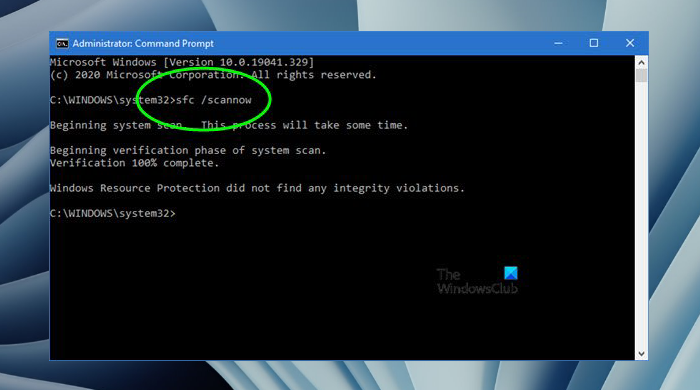
SFC, or System File Checker, can find and replace corrupt system files with a fresh copy. However, you can run the command only in an elevated Command Prompt or Windows Terminal.
In an elevated Command Prompt window, run sfc /scannow to start the System File Checker. This will replace corrupted system files and apply the changes on restart.
When checking the System Drive, the system may reboot and then check for issues.
3] Run DISM Check
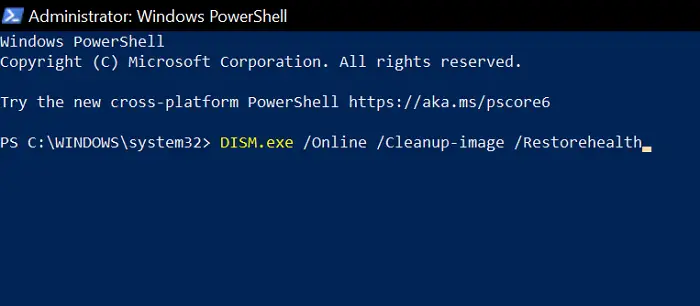
In an elevated command prompt window, run Dism /Online /Cleanup-Image /RestoreHealth to repair a corrupted Windows System Image. Restart your computer when the run is completed. This tool can check if the Windows installation has issue, and fix the files.
Now check whether the problem is gone.
4] Clean Boot State
If nothing works, perform a Clean Boot. This will start your Windows 11/10 with a minimal set of drivers and startup programs. If you don’t get any error messages, it means a startup program or driver is causing the problem. Then you’ll have to identify the offending startup or driver through trial and error.
5] Reset This PC
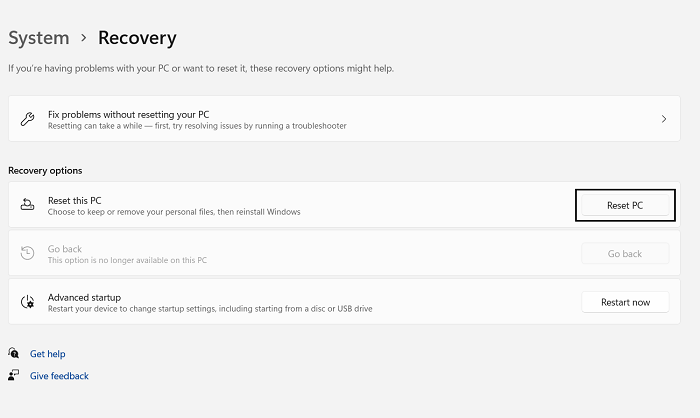
If nothing else, I suggest you backup your data and Reset Windows 11/10. You will see this button in Settings > Update & Security > Recovery > Reset This PC. Make sure to take a backup of all the files on an external hard drive or back it up to the cloud.
I hope something helps!
Is Windows NT 10 used in Windows 11 or Windows 10?
Microsoft has kept the NT kernel at 10.0 since Windows 10, and all versions of Windows 11 still run on NT 10.0 internally. The progression looks like this:
- Windows NT 6.x used for Vista, 7, 8, 8.1
- Windows NT 10.0 introduced with Windows 10 (2015)
- Windows NT 10.0 continues with Windows 11 (all releases up to 2026)
What is Windows 11 Home N mean?
The “N” edition of Windows 11/10 differs from other editions only in media-related technologies. Some preinstalled media apps (Music, Video, Voice Recorder) are not included in the N editions.
