The Windows Defender Advanced Threat Protection service is a critical security component in Windows. When this service fails to start, your system becomes vulnerable to advanced threats and malware, as real-time protection and monitoring are disabled. You may have noticed that when you try to start it manually from the Services Manager, you ar unable to start Windows Defender Advanced Threat Protection Service. In this post, we will discuss this issue and explore potential solutions to resolve it.
The Windows Defender Advanced Threat Protection Service service on Local Computer started and then stopped. Some services stop automatically if they are not in use by other services or programs.
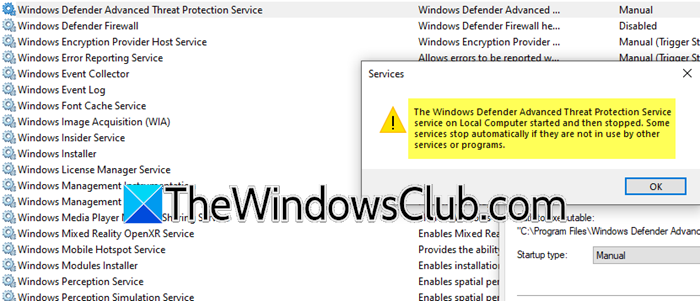
Unable to start Windows Defender Advanced Threat Protection Service
This problem typically occurs when a third-party antivirus conflicts with or disables Defender, or due to corrupted system files that break the service. It can also be caused by Group Policy settings explicitly turning off Defender, outdated platform components, or corrupted registry entries that prevent the service from initializing properly.
If you are unable to start the Windows Defender Advanced Threat Protection Service in Windows 11/10, follow the solutions mentioned below.
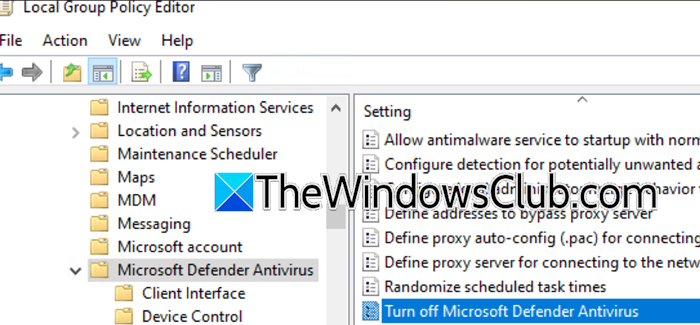
- Check Group Policy
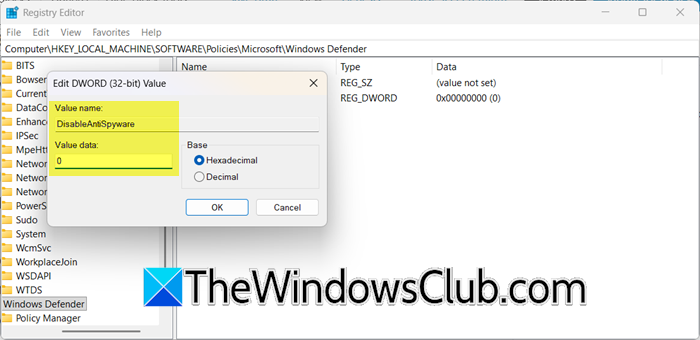
- Enable via Windows Registry
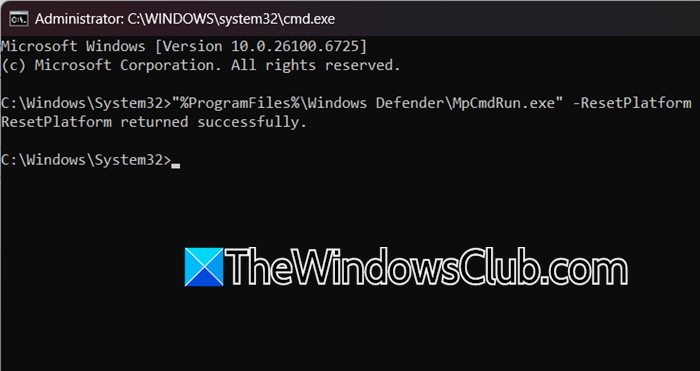
- Reset with Microsoft Defender Platform
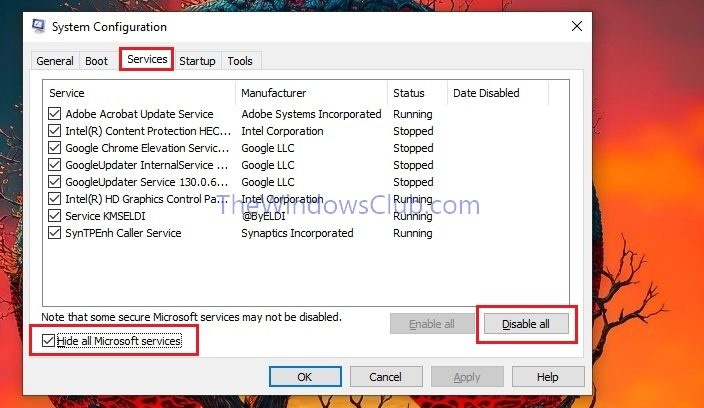
- Perform a Clean Boot to isolate Software Conflict
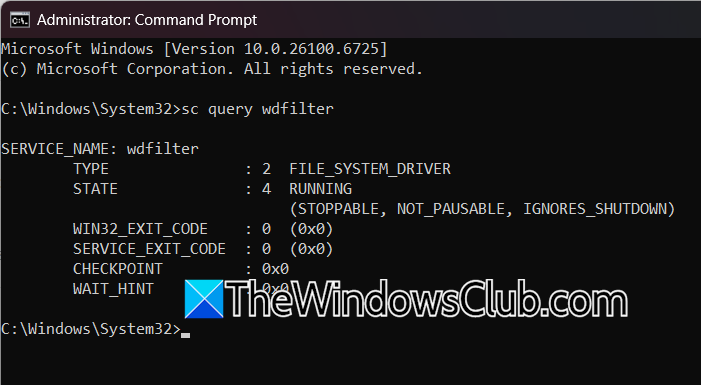
- Check for a Corrupted Filter Driver
Windows Defender Advanced Threat Protection Service service on Local Computer started and then stopped
1] Check Group Policy