
What happens when your X (Twitter) account is hacked? The hacker may start sending malicious links, spam, and direct messages to your followers. She or he may start spamming others’ followers with tweets you wouldn’t even dare to send. In other words, a hacked Twitter account may damage your reputation.
X (Twitter) account hacked
When my Twitter account was hacked a while back, my account sent out tweets saying, “Check out this link for easy money <link here>”. I never indulge in such activities, so it was a tough time explaining those tweets to people whose timelines were spammed.
This article talks about what to do when your Twitter account is hacked and how to prevent people and/or apps from hacking your Twitter account
If You Can’t Sign In To X (Twitter)
If you cannot sign in because a hacker changed your password, you can click Forgot Password. Clicking on the link will send you an email to the email ID registered with Twitter. This email will contain instructions on how to reset your Twitter password.
If Twitter is not recognizing the email ID you entered, you need to notify Twitter about the account being hacked. On the page, you will be asked for your Twitter username, the email ID that was associated with your Twitter account, whether you associated a phone number with your Twitter account, and the date/time when you last signed in.

Based on this information, Twitter will attempt to retrieve your login credentials so you can log in and reclaim your account.
You can check out some more Twitter Sign in help tips here.
Change Your X (Twitter) Password
If you can access your account, log in to Twitter, and change your password. Go to More > Settings & Privacy > Account > Password > Change Password.
Enter a new password that is at least 8 characters and includes numbers and special characters. Also, do not set passwords you have used on Twitter before. This is because the apps authorized to use Twitter on your behalf may remember the old passwords, and if one of those apps is responsible for the hacking of your Twitter account, the account will again be compromised.
Clean Up X (Twitter)
After changing the Twitter password, delete all tweets and DMs sent from the hacked account. Once this is done, you may also want to apologize to people who were affected by spam from the hacked account.
The next step is to review the apps authorized to use Twitter on your behalf.
Go to More > Settings & Privacy > Account > Data and Permissioms > Apps and Sessions.
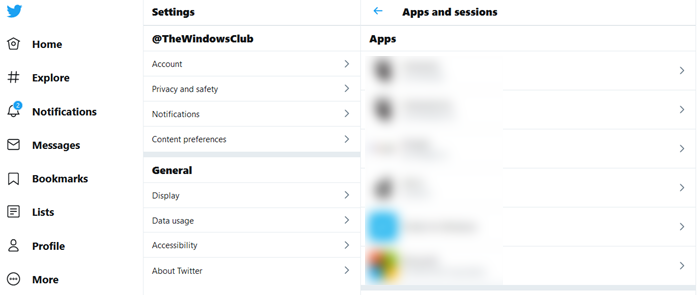
Remove any app that you do not remember authorizing. While you are there, you may also want to remove apps you are no longer using.
Scan Your Computer For Malware
One reason why your account may be compromised may be malware residing on your computer. It is better to scan your computer with an anti-malware program. You may use a good antivirus software to check the computer for malware.
Prevent Your Account From Being Hacked
You can prevent your Twitter account from being hacked by taking some precautions. First of all, you need to keep your password strong. No company will ever ask you for your password. If you receive an email or phone call asking for your credentials, never provide them.
Do not click on suspicious links. You may be receiving several links a day. Before clicking a link, make sure the link leads to a clean website. Often, people use URL shorteners on Twitter, making it difficult to guess which site the links are leading to. You can check out the link details using third-party applications. For example, wheredoesthislinkgo.com tells you the destination of shortened links. You can bookmark one of the link expanders and check the links before clicking on them.
When providing apps with Twitter details, make sure the apps are safe and do not have malicious intent. If you are not familiar with any app, you may research it on the Internet. Almost every app on the Internet has reviews. You may choose to allow or block apps based on their reviews.
The above answers the question of what to do when your Twitter account is hacked. It also talks about how to prevent your account from being hacked. If you have any tips, please share it with us.
You may also be interested in knowing:
- Have I been Hacked? Was my online account Pwned?
- What to do when Google account is hacked?
- What To Do When Facebook Account Is Hacked.
- Microsoft Account hacked? Help is here!
