
Copilot Cowork supports a plethora of AI models, allowing us to choose the one that best fits each task. This flexibility allows teams to optimize performance without sacrificing productivity. Therefore, understanding where each model performs best helps organizations build efficient workflows while keeping operational costs under control. In this article, we will explore how to choose the right AI model for Copilot Cowork tasks.
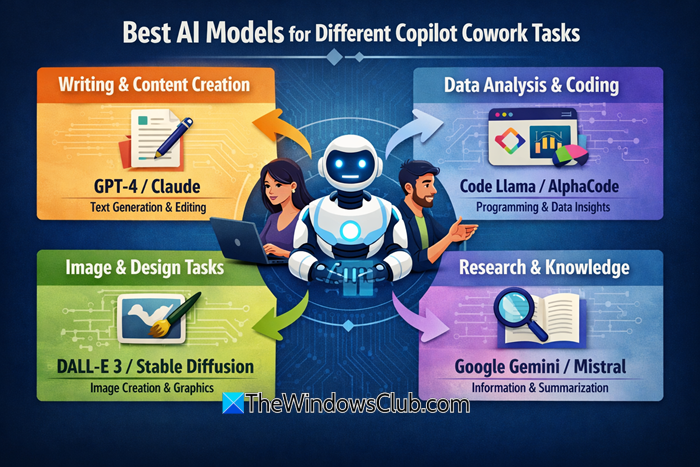
Best AI Models for different Copilot Cowork Tasks
Not every AI task requires the same level of reasoning. Simple activities such as summarizing documents, rewriting content, answering routine questions, or generating emails prioritize speed and consistency. However, more advanced workloads such as software development, technical research, contract analysis, strategic planning, or complex troubleshooting demand stronger reasoning capabilities. The first step in selecting an AI model is identifying the complexity of the work. Once the workload is understood, choosing the appropriate model becomes much easier. Let us talk about a few metrics to keep in mind.
Balance Performance With Cost
Selecting the most capable model for every request can increase operational costs without providing measurable business value. Routine tasks rarely require the highest level of reasoning. A practical strategy assigns lightweight workloads to efficient models while reserving advanced models for tasks that genuinely require deeper analysis. This approach improves productivity while controlling AI operating expenses.
Consider Response Speed
Some business processes depend on rapid responses. Customer support, collaborative workspaces, internal productivity tools, and interactive assistants benefit from models that provide quick answers. Other activities such as technical analysis, software architecture reviews, research projects, or compliance evaluations can accept slightly longer response times if they receive more accurate and comprehensive outputs. Evaluating response speed alongside reasoning capability ensures that users receive the right level of performance for each business process.
Test Models Using Real Business Scenarios
Benchmark results provide useful guidance, but production environments often present different challenges. Organizations should evaluate AI models using actual business tasks before making deployment decisions. Testing should include common workloads such as document summarization, report generation, code review, research analysis, technical troubleshooting, and customer communication. Comparing output quality, consistency, reasoning accuracy, and response time helps identify the most suitable model for each workload.
Build a Flexible Multi Model Strategy
Modern AI platforms enable the use of multiple models within the same environment. Instead of relying on a single model for every request, organizations can create workflows that assign tasks based on each model’s strengths. Routine activities can use fast and cost-efficient models, while specialized projects can rely on models with stronger reasoning capabilities. This strategy improves resource utilization, reduces unnecessary costs, and ensures that employees always have access to the most appropriate AI assistance.
Copilot CoWork offers various models, but we will focus on these four.
- Claude Sonnet
- Claude Opus
- GPT Models
- Auto Model Selection
Let’s compare them in detail.
1] Claude Sonnet

Claude Sonnet offers a strong mix of good reasoning, quick responses, and low operating costs. It works well for many everyday business tasks, such as drafting documents, generating reports, assisting with coding, summarizing meetings, communicating with customers, and retrieving information. For companies that handle many AI requests each day, Sonnet usually offers the best balance of performance and efficiency.
Read: How to Build, Share, and Import Custom Skills in Copilot Cowork
2] Claude Opus

Claude Opus focuses on advanced reasoning and analytical accuracy. It performs particularly well when solving difficult programming problems, reviewing lengthy technical documentation, conducting detailed research, analyzing contracts, or supporting strategic decision-making. Although it typically requires more computing resources than Sonnet, the additional reasoning capability makes it valuable for highly complex workloads.
Read: Beginner’s guide to using Copilot Cowork.
3] GPT Models
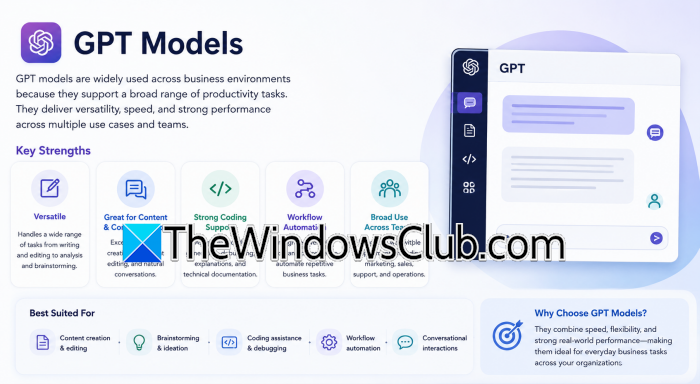
GPT models are widely used across business environments because they support a broad range of productivity tasks. They perform well in content creation, brainstorming, document editing, coding assistance, workflow automation, and conversational interactions. If your organization requires versatility across multiple departments, it would often incorporate GPT models into its AI strategy.
4] Auto Model Selection
Some Copilot Cowork deployments include an automatic model selection option. Instead of requiring users to manually select a model, the platform determines which available model best suits the request. This approach simplifies the user experience and helps organizations maintain consistent performance across different workloads.
Now, let us compare these models on several parameters.
When evaluating your choices across key performance metrics, Claude Sonnet stands out as the most balanced option, delivering high cost-efficiency and fast speeds that make it ideal for everyday document drafting and basic coding. For deep-dive analytical tasks like complex troubleshooting or strategic planning, Claude Opus trades speed and cost for advanced reasoning capabilities, serving as the platform’s powerhouse. Meanwhile, GPT Models offer rapid, versatile performance that shines in collaborative environments, content brainstorming, and general workflow automation. If you prefer to skip manual configurations entirely, Auto Model Selection provides a dynamic, hands-off approach that automatically balances these variables to optimize resource use and output quality based on your active request.
Read: Best AI tools for Developers
When should I choose a specific model Manually versus using Auto Model Selection?
You should manually select a specialized model like Claude Opus when tackling highly complex, single-focused technical workloads, such as deep software architecture reviews or intricate contract analysis, where maximum reasoning depth is crucial. For standard daily workflows, mixed-department tasks, or when you want to minimize operational decision-making, leaving the picker on Auto Model Selection allows the platform to dynamically optimize for speed, cost, and accuracy behind the scenes.
Also Read: Best Free Artificial Intelligence software for Windows 11
Will switching to a higher-performing model significantly slow down response times?
Yes, there is typically a direct trade-off between reasoning depth and execution speed. While lightweight models like Claude Sonnet and standard GPT models provide rapid, near-instant answers perfect for interactive tools or quick summaries, advanced models, like Claude Opus, process data with much greater analytical intensity, meaning complex workflows may take slightly longer to complete in exchange for higher accuracy.
