
Artificial Intelligence has become a part of our everyday lives. From answering questions and writing content to generating AI images and automating tasks, AI is changing the way we work and think. And the best part? You don’t need to spend a fortune to access powerful AI tools. If you are on Windows 11 or Windows 10, there are some excellent free AI software that you must have installed on your PC right now.
Best Free Artificial Intelligence Software for Windows 11
These are some of the best free artificial intelligence software for Windows 11 and 10 to improve productivity, creativity, and everyday tasks. From AI writing and image-generation tools to smart assistants and automation apps, these programs offer powerful features with a basic free tier to get you started.
- Microsoft Copilot
- ChatGPT
- Claude
- Cursor AI
- Perplexity AI
1] Microsoft Copilot
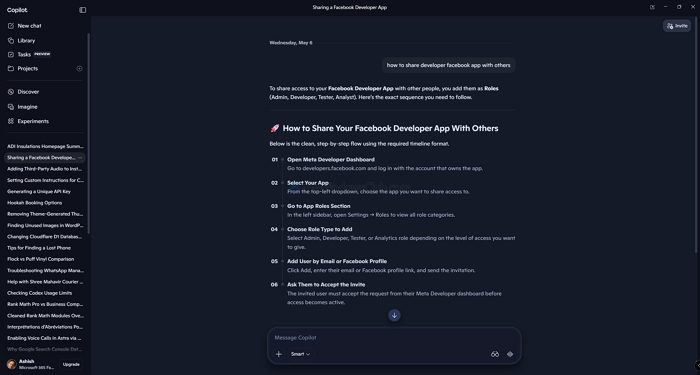
If you are on Windows 11, you don’t need to download any tool, as Microsoft Copilot is already available on your PC. It is built directly into the operating system and can be accessed from the taskbar.
With Copilot, you can do basic tasks like generating content, summarizing content, and even controlling certain Windows settings using plain language. It is powered by GPT-4 and integrated with Microsoft Edge and Microsoft 365 apps. You can even use Copilot inside apps like Word or Excel.
2] ChatGPT
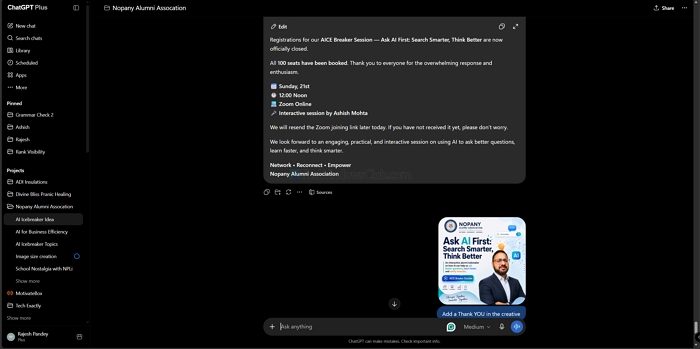
ChatGPT is undoubtedly the most popular AI tool out there. Developed by OpenAI, it offers many features. It can write content, summarize documents, help you code, and much more. While the AI is available on the website, there is also a dedicated Windows app for easy access to the tool.
The free version offers fast, almost accurate, and good-enough results for everyday tasks. You can further upgrade to its premium versions for additional usage and capabilities.
3] Claude
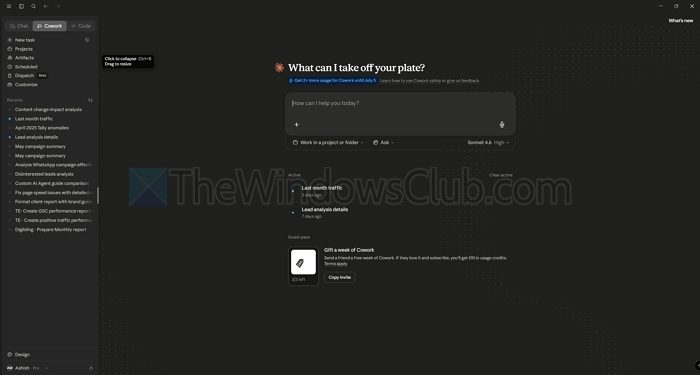
Claude is another popular AI tool developed by Anthropic, and it is quickly becoming a favorite among many users. It is known as one of the best AI tools for content writing. Plus, you can use it for other tasks like coding, summarizing long documents, and answering detailed questions.
While you can access it via a browser, it also comes with a free desktop app for a faster, distraction-free experience. The free plan gives you access to Claude Sonnet, which is fast and highly capable for everyday tasks. However, you can upgrade to a premium plan to access additional models.
4] Cursor AI
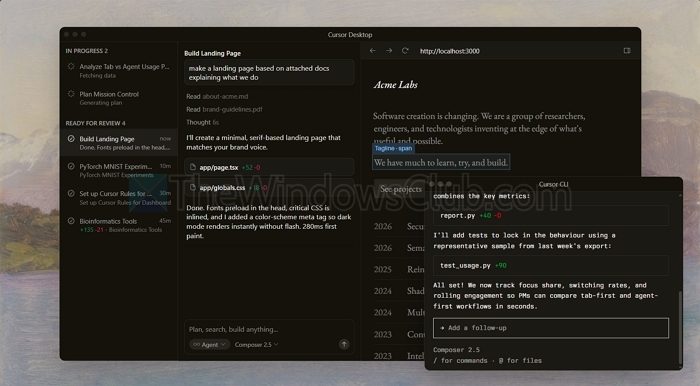
Cursor AI is one of the best AI tools for developers. If you are into coding, this tool should be your best friend. Cursor AI is an AI-powered code editor built for developers. It looks and feels like VS Code and comes with powerful AI features built right into the editor. You can write code, fix bugs, or ask questions about your codebase using plain English.
Plus, it helps you save a lot of time in your day-to-day coding. Also, the free plan is good enough for most individual developers and students. And just like any other AI tool, you can always upgrade to a premium plan.
5] Perplexity AI

Perplexity is an AI-powered search engine that gives you direct answers instead of a list of links. It is a conversational version of Google. You can ask your questions, and it collects information from the internet and presents the information in an article format. Plus, you can check all the sources to verify everything.
This tool is particularly useful for research, staying up to date on current topics, and getting quick factual answers. The free plan works very well for daily use, and you can access it via both a browser and the dedicated Windows app.
These free AI tools can make everyday tasks faster and easier on Windows 11 and 10. However, they are designed to assist you, not do everything for you, so the best results still depend on your ideas, judgment, and creativity.
Some more AI tools for Windows PC
We have jotted down some more AI tools for Windows PC that may interest you:
- Braina Lite
- Apache Prediction Lite
- Open NN
- TensorFlow
Let us talk about them in detail.
Braina Lite
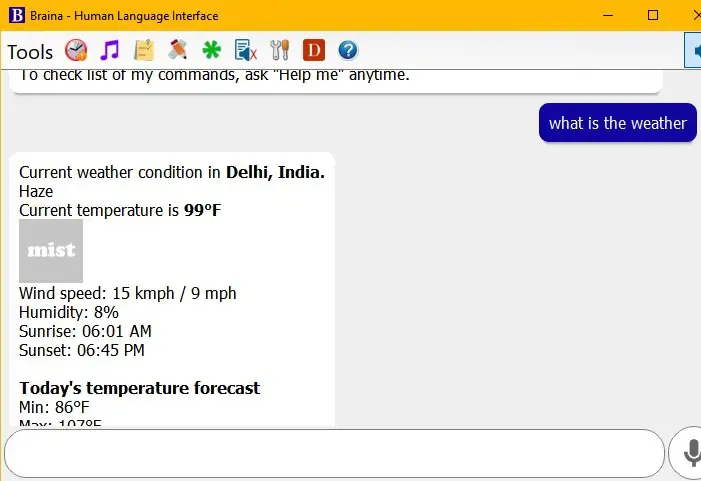
Braina Lite is a must-check out. Its intuitive virtual assistance is the best out there for getting work done faster. Braina is software with the best voice recognition, a human language interface, and support for more than 100 languages, enabling you to convert your speech into text. You wanna communicate with your Windows? Braina Lite is the one, thanks to its advanced voice command features.
If you want to open a file, folder, or any other item on your PC, contact Braina. The best part about Braina is its voice recognition, so if you are a person of few words and do not want to repeat umpteenth times, then go for Braina. Braina has two versions, but we recommend the Lite version, as it is free and a good starting point to enter the AI world. You can download Braina Lite from here.
Read: AI-based Meme Generator tools
Apache Prediction Lite
Apache Prediction Lite is a futuristic AI software that is not just an AI software but also an open-source Machine Learning server.
Due to it being an Open Server, it is more secure, and more stable, on top of that, a developer can create advanced engines for machine learning tasks.
It is high-tech AI software that lets you modify, implement, and download the Apache PredictionIO code to your Windows machine; therefore, it is a great deal for developers. You can download the free version of Apache Prediction from here.
OpenNN
A free, open-source AI software, OpenNN, is written entirely in C++. It has a great machine learning algorithm and a fast processing speed. It helps you with classification, regression, association and forecasting. It is brilliant AI software and can also serve as a free neural network library, so if you are looking for these features, go give it a try. It has one thing that can force you to use it: its high performance.
It is considered to perform well in offering technology evaluation, proof of concept, implementation, and design. It has a virtual assistant that includes a digital assistant, speech recognition and support for several languages to ensure flexibility. You can download OpenNN from here.
Read: Guide to OpenAI and its Products and Services
TensorFlow
TensorFlow is an open-source AI software. It is a great tool for learning and developing Machine Learning models. TensorFlow allows easy deployment of computation across a wide variety of platforms. If you are a developer, then check out TensorFlow as it has a Predictive Modeling application and can be helpful in understanding perception, prediction, creation, and classification.
When it comes to voice recognition, text-based applications, voice detection, image recognition, and time-series data, it can be a one-stop shop for you.
If you have a large enterprise, TensorFlow’s time series algorithm is ideal for you, and it is used by many companies and products such as Dropbox, eBay, Uber, Twitter, and Intel for time series analysis and other AI tasks. You can download TensorFlow from here.
Is there an AI in Windows 11?
Yes. Windows 11 has built-in AI features, most notably Microsoft Copilot, which acts as your AI assistant across the operating system. Copilot can help you write, summarize, search, and even interact with apps using natural language or voice commands. Other AI-powered tools, such as Paint (for image generation and background removal), Clipchamp (for video editing), and Microsoft 365 integrations, also bring AI into everyday tasks.
Which AI app is free?
Several AI apps are completely free to use, though most offer optional paid upgrades. Here are some popular ones you can try right away without spending anything: Copilot, ChatGPT, Google Gemini, Notion AI, Perplexity AI and Canva AI tools. If you are looking for a free virtual assistant Android app with artificial intelligence support, Google Assistant is a good choice.
Read Next: How to set up Google Assistant on PC.
