
Google Chrome is a popular web browser used today. It is known for its simple design and super fast web experience. Compared to other browsers, Chrome is extremely fast in loading and displaying web pages. When it comes to working life, we all appreciate the opportunity to execute diverse tasks simultaneously. This kind of multitasking skill is essential for increasing productivity and accomplishing a large number of tasks within a limited period.
Tab Manager extensions for Google Chrome
If you are a working professional, you’ll likely appreciate having multiple tabs open. While Chrome efficiently manages multiple tabbed browsing, slow browsing performance and browser crashes are quite possible in case of tab overload. Also, if you have a large number of tabs open, it is troublesome to switch between the tabs, which might hamper your work productivity and may even consume a lot of time. However, if you love to keep several tabs open while working, there are a few amazing extensions for effectively managing tabs. In this article, we round up some of the best tab manager extensions for Google Chrome to increase your work productivity.
1] Tabs Outliner
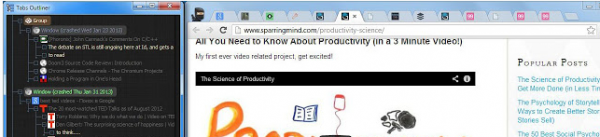
TabsOutliner is a simple tab manager that features an overview of open tabs and open windows along with a total overview of saved tabs. It allows the user to add texts from the web pages to the tab list in order to quickly make notes. The Tabs Outliner paves the way for effective management and organization by displaying open tabs in a tree-like structure. It allows users to organize information in logical hierarchies and delimited groups, along with specifying priorities. Users can organize tabs and open windows by using annotations. It allows users to add comments and to-do items in the tree by a simple drag and drop. Tab Outlier is a crash resistance feature that doesn’t consume any resources and allows users to keep hundreds of tabs open with no more browser crashes
2] Toby for Chrome
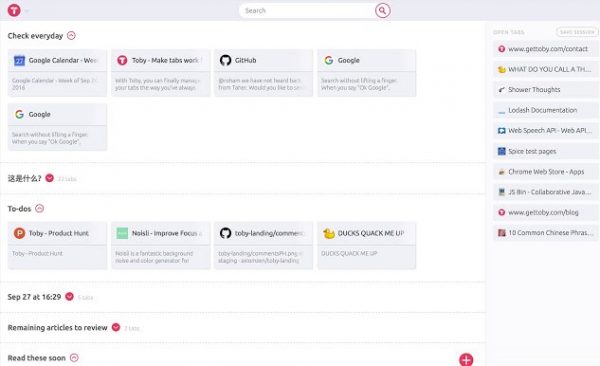
Toby is a quick way to organize browser tabs. In addition to managing tabs, it can take the place of bookmarks. Toby features its own user interface design on the new tab page, making it easy to organize and manage tabs. It has a section called Collections that lets you organize your favorite tabs, save your browser session and open it for later use. It also displays the list of all the open tabs in a separate section. Toby offers a hassle-free interface that allows you to easily switch between tabs and work more efficiently by saving time. Toby automatically syncs all tabs in the collections across any desktop for easy accessibility.
3] Workona
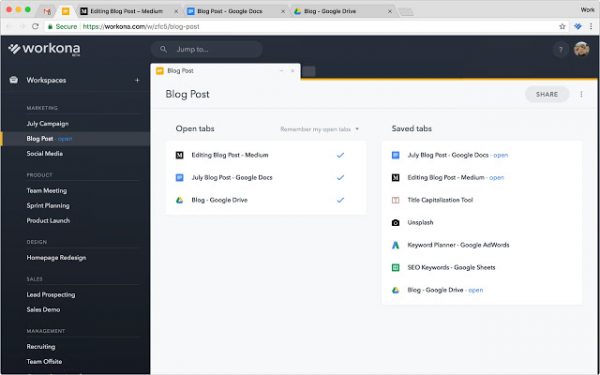
Workona is a simple tab manager that features a powerful search that aids in finding your tabs faster. Workona can be used to organize work-related projects, workflows, and dashboards. The browser window can be saved as a workspace by simply clicking the Workona button, which stores all the tabs for later use. Workona is crash-resistant, which will autosave all windows and tabs sessions and automatically resume your sessions in case your browser crashes. The Workona search tool helps open all tabs simultaneously in the workspace. Additionally, it allows users to speed dial into the saved windows right from the new tab.
4] Tabli
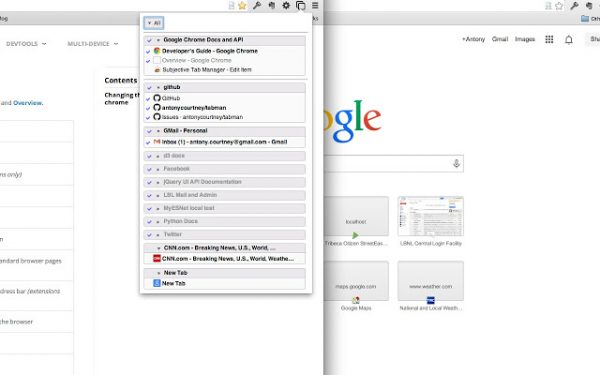
Tabli is a powerful tab manager that increases productivity by saving your time spent switching between the multiple tabs. It is a simple tool that displays all your browser windows and tabs in the Tabli popup. Moreover, Tabli allows users to save multiple tabs related to a similar topic to view later and resumes them as saved windows. It is a free tool that doesn’t make outbound data connections and doesn’t pass any data to external extensions.
5] The Great Suspender
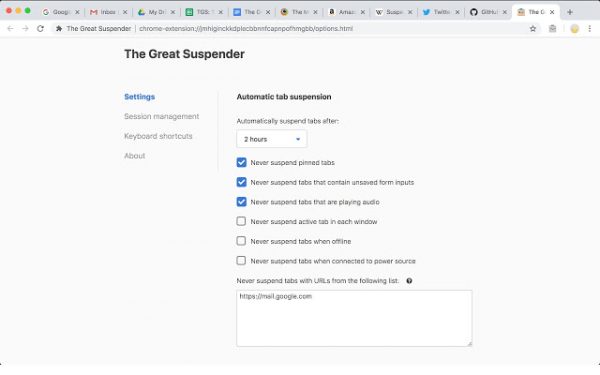
The Great Suspender is a powerful and lightweight extension that is useful if you want to keep hundreds of tabs open at the same time. It increases system performance by suspending tabs that are not in use, freeing up memory space and CPU resources consumed by those inactive tabs. Tabs that are not in use for a particular set of time will be automatically suspended in the background. Hence the name Great Suspender. Additionally, it detects tabs that are playing audio and tabs that contain a form with user inputs to prevent them from being suspended. Users can also whitelist the address that they don’t wish to suspend.
6] Quick Tab
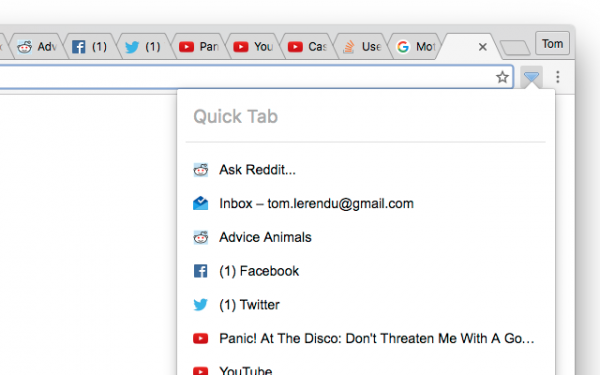
QuickTab is a simple tab management tool based on a recent file’s quick selector. It lists the tabs in the most recently used (MRU) order and saves time for users with its quick tabs that allow you to switch easily between the recently used tabs within no time. Get the extension here.
7] Session Buddy
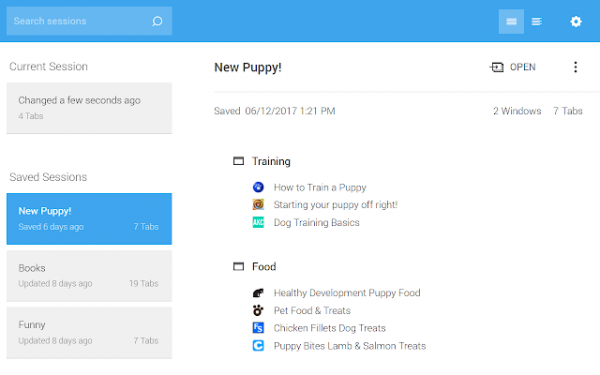
SessionBuddy is an easy tab managing tool that manages open tabs and windows. In addition to managing the tabs, it also provides an easy way to access the bookmarks. With Session Buddy, one can easily organize, save the related tabs in one place, and easily recover the open tabs after a system crash.
What are the best Chrome extensions for productivity?
There are so many Google Chrome extensions to improve your productivity. For example, you can use Noisli, Strict Workflow, StayFocused, Any.Do, etc. Apart from that, you can also use Timewarp, Be Limitless, Extensify, Pocket, etc. However, it is highly recommended to decide what you want to do and install the extensions accordingly.
What is the best Chrome extension to put tabs to sleep?
If you want to put tabs to sleep in the Google Chrome browser, you must take the help of a third-party extension. That said, you can start using Tab Suspender. It is one of the best extensions for this purpose. The best thing is that you can download this extension from the Chrome Web Store.
Read: Best Chrome extensions to install.
