
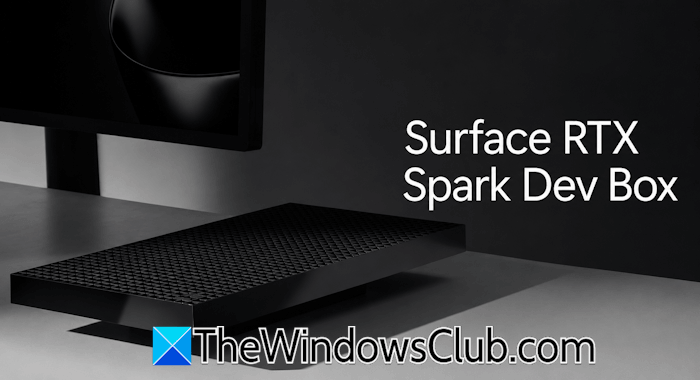
At Microsoft Build in June 2026, Microsoft unveiled its most powerful desktop PC yet: the Surface RTX Spark Dev Box. It is a compact, small-form-factor desktop PC that is built specifically for developers and data scientists who need powerful local AI computing without relying heavily on cloud infrastructure. In this article, we will talk about the Surface RTX Spark Dev Box, its features, and where to get it.
What is the Surface RTX Spark Dev Box?
Surface RTX Spark Dev Box is a compact, developer-focused desktop PC unveiled at Microsoft Build 2026. It is not like a regular PC, as it is optimized for local AI model training, fine-tuning, inference, and agentic AI workflows. Its primary purpose is to enable on-premise AI development, allowing teams to build, fine-tune, and run massive AI models locally on their devices. This will also reduce the dependency on cloud computing infrastructure.
Key features and technical specifications of Surface RTX Spark Dev Box
Let’s talk about some of the key features of the Surface RTX Spark Dev Box:
- Premium monolithic aluminium design
- NVIDIA RTX Spark Superchip
- Massive 128 GB unified memory architecture
- Pre-configured developer environment
- Wide port selection
- Enterprise-grade security
All these features are explained in detail below.
1] Premium monolithic aluminium design
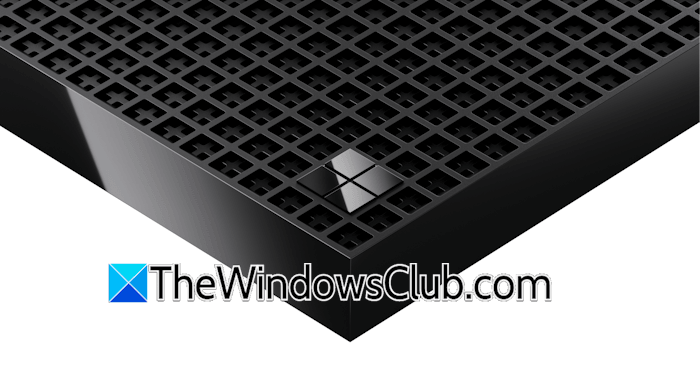
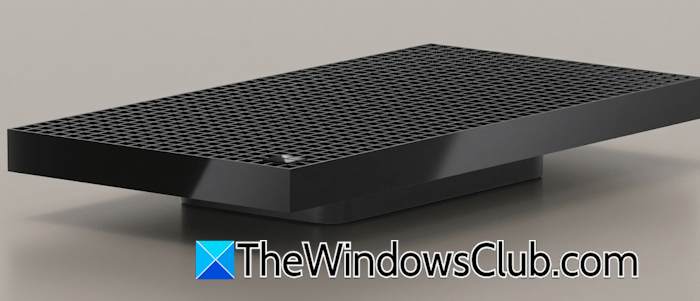
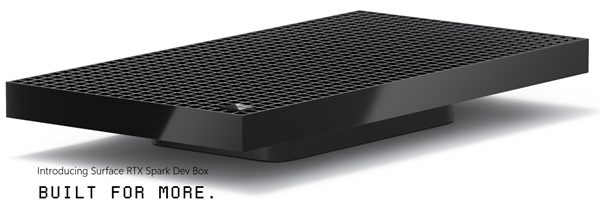
The Surface RTX Spark Dev box has a premium monolithic aluminium design which makes it highly durable and gives it a professional workstation-like appearance. The minimalist aluminium body design not only improves structural strength but also plays an important role in heat dissipation, making the system capable of managing demanding AI workloads for extended periods without getting overheated. Additionally, the aluminium chassis has thousands of ventilation holes that allow efficient airflow and keep the device temperature within a normal range during heavy AI tasks.
2] NVIDIA RTX Superchip
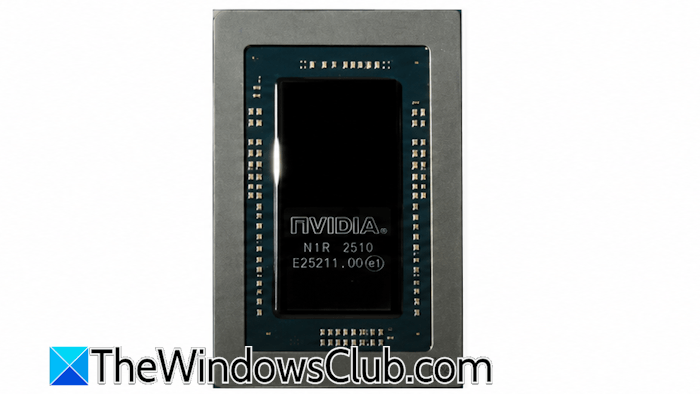
The biggest highlight of the Surface RTX Spark Dev Box is the integration of NVIDIA’s new RTX Spark Superchip. This superchip enables the Dev Box to perform petaflop-level computation. It combines the powerful NVIDIA Grace CPU with the latest NVIDIA Blackwell RTX GPU, allowing the system to handle demanding AI workloads much more efficiently than traditional developer PCs.
3] Massive 128 GB unified memory architecture
The Surface RTX Spark Dev Box’s 128 GB of unified memory allows developers to run and fine-tune large AI models locally without relying heavily on cloud-based GPU servers. Microsoft also claims that the system is powerful enough to work with AI models with more than 120 billion parameters. This makes the system highly efficient and reliable for tasks such as training and developing advanced AI agents.
4] Pre-configured developer environment
The Surface RTX Spark Dev Box ships with Windows 11 Pro preconfigured for developers. The preconfigured tools and fine-tuned settings create a default development environment from the first sign-in. This allows developers to work immediately without spending time on initial setup. Microsoft has optimized the system for developers by making further changes, such as enabling Developer Mode by default, setting PowerShell 7 as the default shell, applying the dark theme by default, simplifying the Taskbar for productivity, removing unnecessary widgets, and turning Do Not Disturb Mode ON by default.
Furthermore, the device is preconfigured with WSL2 and offers GPU passthrough and CUDA support, making the machine suitable for Linux-based projects. The machine also has some more pre-installed development tools, including VS Code, GitHub Copilot, Git, Python, and Node.js. This allows developers to use their preferred IDEs, agents, coding assistants, frameworks, and libraries seamlessly across both Windows and Linux environments.
Microsoft has also positioned the RTX Spark Dev Box as an entry point into its larger ecosystem. Tools such as AI Toolkit for VS Code will help developers with model conversion, fine-tuning, and performance evaluation directly within the code editors they already use.
5] Wide port selection
The Surface RTX Spark Dev Box offers a wide range of connectivity options, making it suitable for both enterprises and individual developers. The following are the connectivity options available on this machine:
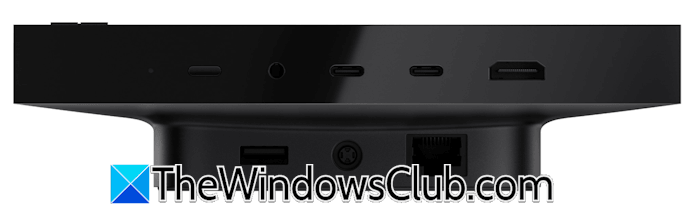
- 2 USB-C ports
- A USB-A port
- An HDMI port
- An Ethernet port
- A headphone jack
This variety of ports allows developers to connect a wide range of devices to the machine, such as multiple monitors, external storage devices, networking devices, and other peripherals.
6] Enterprise-grade security
The Surface RTX Spark Dev Box comes with advanced security features to meet the needs of developers and enterprises handling workloads with sensitive data. The machine is built on chip-to-cloud security aligned with Microsoft’s Zero Trust principles:

- BitLocker encryption to protect stored data
- Microsoft Defender for real-time threat protection
- Secured-core PC architecture, adding an extra layer of hardware-level security from modern cyberattacks
Surface RTX Spark Dev Box release date
The Surface Spark Dev Box will be available later in 2026 in the United States. Microsoft has not disclosed the exact release date. After its launch, it will be sold exclusively via microsoft.com. Microsoft disclosed that the machine is currently undergoing FCC approval and cannot begin shipping in the US until the approval is granted.
Where to buy the Surface RTX Spark Dev Box?
Microsoft has mentioned that the device will be available later this year (2026). Initially, it will be released only in the United States, and interested users can buy it directly from the official website, microsoft.com. To get more information, users can visit the official web page.
Surface RTX Spark Dev Box price
Microsoft has not officially disclosed the price of the Surface RTX Spark Dev Box. Since the machine is powered by the NVIDIA RTX Spark superchip, its price will be higher. According to some industry experts and tech blogs, the price may range from $ 3,000 to $ 3,500.
Microsoft Surface RTX Spark Dev Box specs
The following table shows the features at a glance.
| Body design | Premium monolithic aluminum design that provides structural strength |
| Ventilation | More than 1000 ventilation holes to allow efficient airflow and keep the device cool under heavy AI tasks |
| Processor | NVIDIA RTX Spark Superchip is capable of performing petaflop-level computation |
| RAM | Massive 128 GB unified memory architecture, making the system highly efficient for tasks such as training and developing advanced AI agents |
| Operating System | Windows 11 Pro Edition |
| Pre-installed tools | VS Code, GitHub Copilot, Git, Python, and Node.js |
| Connectivity | 2 USB-C ports, 1 USB-A port, 1 HDMI port, 1 Ethernet port, and 1 headphone jack |
| Enterprise-grade security | BitLocker, Microsoft Defender, and Secure-core PC architecture |
Is Surface Pro 7 still good in 2026?
Surface Pro 7 is powered by a 10th-generation Intel Core processor, with configuration options up to 16GB of RAM and a 1TB SSD. The device is available in different hardware configurations, including 10th-generation Intel Core i3, i5, and i7 processors, Intel UHD Graphics (i3), and Intel Iris Plus Graphics (i5 and i7). These hardware configurations make it suitable for general tasks. However, if your tasks require heavy graphics rendering, this machine is not good for you in 2026.
Does Surface have a GPU?
Different Surface models come with different hardware configurations. The answer to this question varies with the specific model and variant you select. All Surface laptops have an integrated GPU. If you are searching for specific hardware configurations, visit the official Microsoft website.
Read next: Microsoft Surface Diagnostic Toolkit helps you run Hardware Diagnostics.
