
Over time, unfinished downloads, remnants of earlier installations, and other junk files accumulate, consuming your disk space. While removing these unwanted materials can be cleaned up using Disk Cleanup or Storage settings, the empty file and folders may continue to exist. So, is it safe to delete empty folders or files in Windows? Let’s find out!
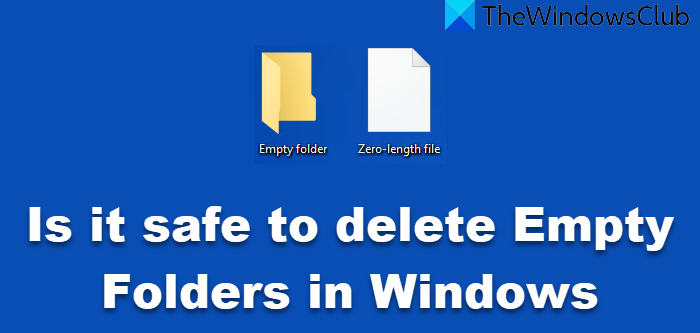
Is it safe to delete Empty Folders in Windows 11/10?
Generally speaking, it is safe to delete empty folders, although you will not make any real space savings, as they occupy 0 bytes. Nevertheless, if you are just looking for good housekeeping, you may proceed.
You will, in any case, not be able to delete system-generated folders. And even if you can delete Windows-created empty folders, they will be re-created after a system reboot.
In some cases, you may receive a dialog box stating that you require permission to proceed. It is best to skip or avoid forcefully deleting such folders.
Again, if Windows asks for administrative permissions to delete any folder, I recommend that you decline or choose Skip.
If the folders are from uninstalled Program Files folders, you can proceed safely.
If they are from current Program folders, you could still delete them. However, if the particular program requires them at any time, they will be recreated.
As a matter of abundant precaution, I suggest you empty your Recycle Bin, create a system restore point, and then, if the software allows, opt to delete the empty folders to the Recycle Bin rather than directly deleting them.
Safe to delete Empty, zero-length, or 0-byte Files?
No, it is best not to delete such zero-byte files.
Zero-length files may be used by certain Microsoft installation and uninstallation processes, as well as email programs, among others.
Deleting all blindly may cause your Windows or your installed programs to function incorrectly.
So, unless you know which zero-length file to delete, it’s best NOT to delete them, as they don’t occupy any disk space as such!
Related: What are tw tmp folders in System32 folder and Can you delete them?
How to delete empty files & folders in Windows?
Microsoft offers a one-line batch script to delete empty directories:
for /f "usebackq" %%d in (`"dir /ad/b/s | sort /R"`) do rd "%%d"
But if you are looking for an easy way, check out these free software to delete empty folders in Windows 11/10. Find Empty Files and Folder freeware mentioned there will also find and remove 0-byte files for you.
This post will show you how to delete Empty 0-byte files in Windows manually.
Read: Folder is Empty but has Files and Shows Size
I hope that helps!
