
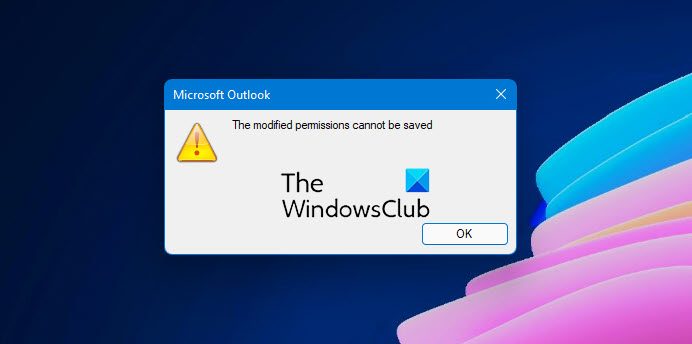
Like any other calendar, Outlook Calendar can be shared, and when trying to change the permission, if you receive an error—The modified permissions cannot be saved, then this post will help you resolve the problem.
What causes The modified permissions cannot be saved error?
The error occurs when edit permission on the shared calendar is changed to give delegate permission or remove an old entry from the list of users. These changes are not saved, and the error shows up. It does not happen when creating a new calendar, but the permission to copy from the old calendar into a new one doesn’t work. According to users who have reported the issue, it happened in a hybrid environment with on-premises Exchange and Office 365 sync with each other.
The modified permissions cannot be saved – Outlook Calendar error
There are two ways to fix the problem. First, change the Delegate Access, and second, change it from online and then synchronize it back.
1] Change Delegate Access:
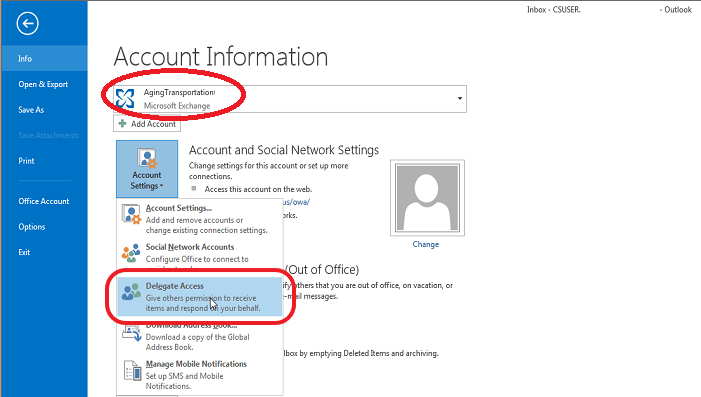
Using this method, you will force a re-write of the Access Control Lists (ACL) at the mailbox level, which propagates to the folders, i.e., grant, apply, and then remove Delegate access.
- In Outlook > File > Account Settings > Delegate Access
- Click Add and click any user in the global address list field.
- On the Permissions page, click OK, click Apply and click OK again.
- Select the File tab, click Account Settings, click Delegate Access, and remove the user you added in step 2.
2] Online Method:
If this doesn’t work, you can fix it using Outlook Web. Go to the calendar app, and check the permissions. Here, you can change the sharing permission without adding or removing anyone. Post this, you can reopen the Outlook app, and the changes will be reflected.
What does Delegate Access do?
The Delegate Access method allows users to grant permissions to create emails, messages and respond to a meeting request on someone else’s behalf. So it is not just limited to sharing access to folders but also allows managing mail and calendars. You can set different permission levels such as Reviewer, Author, and Editor.
What Do Delegate Access Permissions Do?
- Reviewer: Read items.
- Author: Read and crate items directly into the Task or Calendar folder and then send the item on your behalf.
- Editor: This role can do almost everything, including Author permissions and changing and deleting the items you created.
I hope the post was easy to follow, and you were able to fix the Outlook Calendar error The modified permissions cannot be saved issue on your computer.
Cannot edit a Shared Calendar in Outlook
If you cannot edit a shared calendar in Outlook, the issue is usually due to insufficient permissions or syncing problems. The quickest fix is to ask the calendar owner to grant you “Editor” or higher permissions, then refresh or re-add the calendar.
How to fix Outlook Calendar permissions?
To fix Outlook Calendar permissions, open Outlook and navigate to your calendar list. Right-click the calendar and select “Sharing and Permissions.” Here, modify the permissions as needed or stop sharing entirely and save the settings.
Why are my events not saving on Outlook Calendar?
If your Outlook calendar events aren’t saving, it may be due to server sync issues or corrupted data files (OST/PST). You should ensure a stable internet connection and verify Outlook’s online status. You should also try clearing the cache by starting Outlook in safe mode. I also recommend using the Inbox Repair Tool (scanpst.exe) to resolve any data file issues.
