
What is Microsoft Visual C++ Redistributable package in Windows? Why do I have so many versions of the Visual C++ Redistributable installed? How do I know which versions are for me? Where can I download the latest versions? How do I repair it to its original state? If you have these questions, this post may answer them.
Microsoft Visual C++ Redistributable
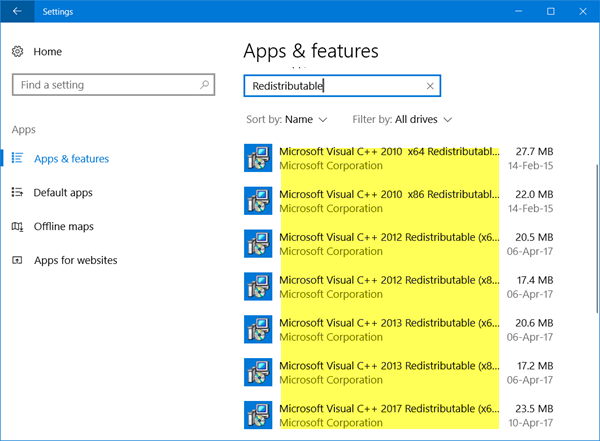
Before we proceed with your questions and their answers, let’s discuss what a redistributable package is. It is a package of Microsoft C++ components which are required to run some Windows-specific applications made with Visual C++. You can see many of these files installed on your PC. Each such package has a typical version of Visual C++, which is why we see a bundle of such files in the control panel. However, you can easily uninstall or remove these files from your PC, but you may not know which of the redistributables are used by which program. Applications and programs require a specific version of the Redistributables. Thus, deleting the files may cause some of your Windows programs or applications to crash. If any of the C++ files
However, you can easily uninstall or remove these files from your PC, but you may not know which of the redistributables are used by which program. Applications and programs require a specific version of the Redistributables. Thus, deleting the files may crash some of your Windows applications. If any of the C++ files are missing on your PC, Windows will download and install it automatically.
You can download the latest Microsoft Visual C++ Redistributable Packages here at Microsoft Download Center. Simply search for them using the search bar. To install all you may download and use Visual C++ Runtime Installer. It is available for download here. It is a batch file installer that includes all Visual C++ Libraries.
Multiple Microsoft Visual C++ Redistributable installs
Some of these come along with Windows OS itself. The rest depends on the version of Windows your PC is running on. Windows 11 gets the 2015-2022 Visual C++ Redistributables.
Again, if you are using a 64-bit version of Windows, you will get the C++ Redistributables for both 32-bit and 64-bit versions. However, the 32-bit PCs won’t get the 64-bit version of the redistributable.
Other Visual C++ Redistributables you see in the list of programs come with the application that requires them.
Whenever an application is developed in Visual C++, it requires the redistributable to run on the PC. This happens mostly with PC gamers. The next time you download a game or stream it, notice that it may install a redistributable package on your PC. Another reason for having so many redistributable files on your PC is that the main Visual C++ version typically includes many builds.
How to repair Microsoft Visual C++?
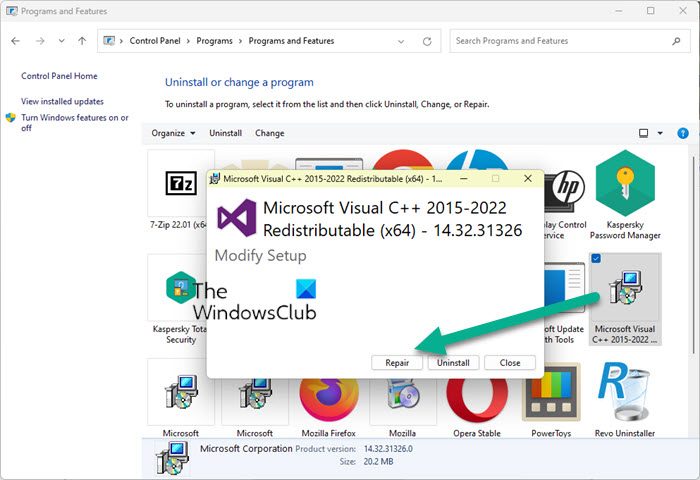
Another thing you can try is to repair the Microsoft Visual C++ installation on your computer.
Open Control Panel, select Add or Remove Programs and right-click on the Visual C++ icon and select Change. Then click on Repair to repair the installation.
I have multiple versions of Visual C++ Redistributables on my computer, Can I remove some?
Can I uninstall older versions of Microsoft Visual C++ redistributable? It’s better to keep them because most of them would have come with the programs installed on your PC and deleting them may crash the program or game. Though you can try removing the oldest versions of redistributables installed on your PC and see how it goes, it would still require a lot of checking, so it is better to let them be. It makes no sense to go through such extensive checking and testing to free up a few MB of space on your PC.
Microsoft has changed its way significantly in recent times. Now if Visual C++ 2019 Redistributable is installed you do not need to install the Visual C++ 2017 redistributable packages as earlier packages are automatically supported.
