
Microsoft Bing is one of the more private Google alternatives that we often forget. At the same time, thousands of customers still prefer Bing to Google for the former’s simple search results interface and value-added features.
On top of this, if you use all Windows features, such as the Start Menu and Recommendations, you indirectly use Microsoft Bing as well. In this article, however, we wanted to explore another reason to use Bing for web search: Microsoft Rewards and Give with Bing. We will explain how to get started with these earning/contributing opportunities.
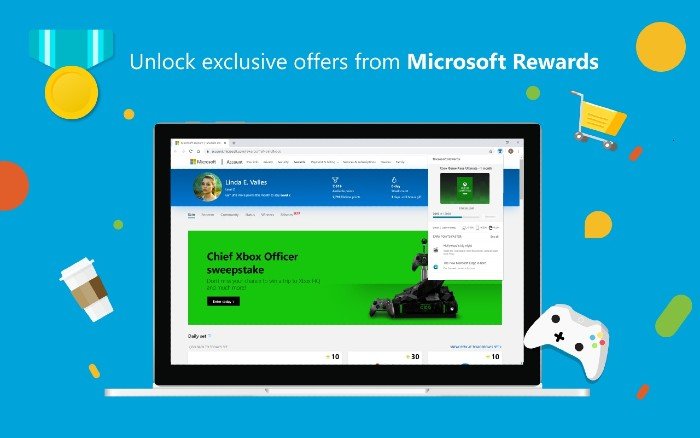
What is Microsoft Rewards?
Microsoft Rewards is a program that allows users to earn rewards by using Microsoft products, such as Windows and Bing. Depending on how you would like to use Microsoft products and services, there may be more than one way to earn or contribute. Therefore, if you are looking for a side income source while doing what you usually do, you should consider options like ‘Search to Earn’ and ‘Give with Bing.’
How does Microsoft Rewards work?
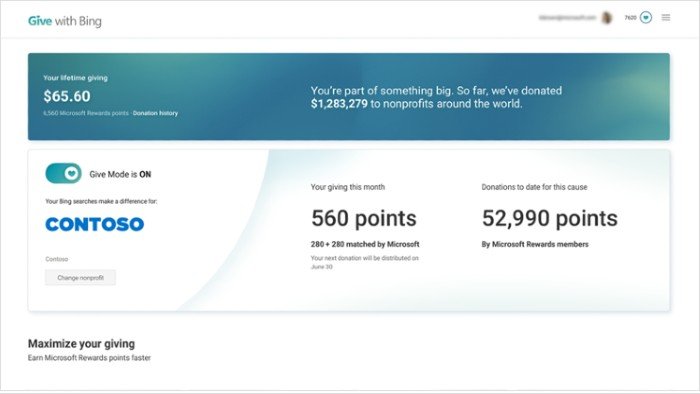
Here is the basic working principle of Microsoft Rewards.
Microsoft will pay you certain forms of rewards for using its services and purchasing its products. You would get money, for instance, by merely staying signed in to your Microsoft Account while using Bing Search. For example, when you spend money and buy hardware/software products from the Microsoft Store, you will get the corresponding amount of rewards deposited into your account.
You can then redeem Microsoft Rewards in multiple ways, such as gift cards, donations, and more. If you spend more time in the Microsoft ecosystem, these rewards come in handy. For instance, you have a simple option to redeem your rewards for gift cards that you can use for Xbox games or in-app purchases. It can also give you entries to sweepstakes.
What is Give with Bing?
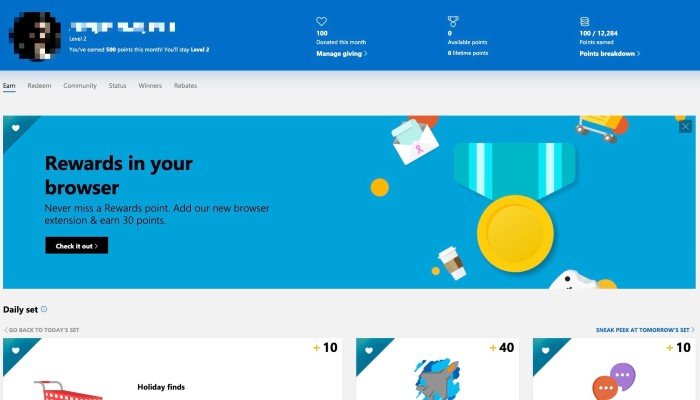
With ‘Give with Bing,’ however, Microsoft aims to help you and underprivileged communities around the world. Here is how the program works. Once you have signed up for Microsoft Rewards, you can enable Give with Bing.
After this, the Microsoft Rewards you earn through search entries will automatically be donated to a cause you have already chosen. For instance, say you want to help the thousands of children facing nutritional issues. Merely turning on Give with Bing and using Microsoft services will keep supporting them with zero effort from your side.
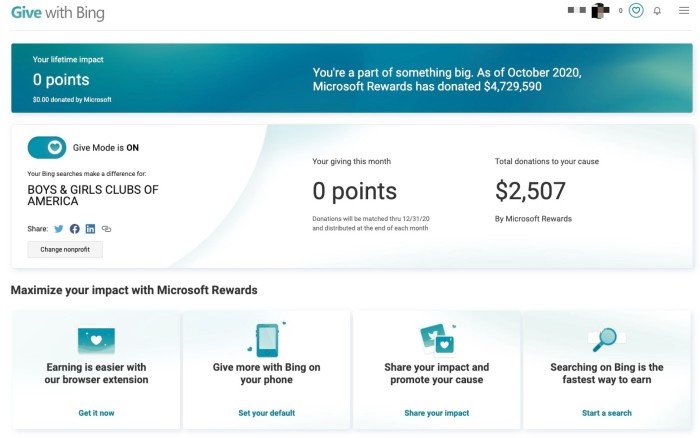
Isn’t that awesome? As you can see, Microsoft Rewards is a way to earn incentives and pay them forward at the same time. As we said, you can always check the Give with Bing Dashboard to see where your rewards are going. You can also choose between causes such as Teach for America, the National Urban League, and the American Red Cross.
Rest assured, all these non-profits work to offer a helping hand to underprivileged sections of society.
Read: How to play Bing Homepage Quiz?
How to get started with Microsoft Rewards?
The steps you need to follow to enable Microsoft Rewards and keep using them are as follows.
The Microsoft Rewards program is currently available in countries like the United States, United Kingdom, France, Germany, Canada, Australia, New Zealand, Singapore, the Republic of Ireland, Brazil, India, Italy, the Netherlands, Norway, Spain, Sweden, Belgium, Hong Kong SAR, Japan, Mexico, and Taiwan. If you are a resident of any of the countries mentioned above, you can follow the steps below.
- First, you have to visit the official webpage of Microsoft Rewards, preferably from Microsoft Edge.
- Click on the Sign Up button and follow the registration procedure.
- You will have to sign in with the Microsoft account you usually use.
- Microsoft will verify your location and direct you to the Microsoft Rewards dashboards if you are in an eligible country.
From there, you can control what happens and when regarding Microsoft Rewards.
Once this process is complete, you will need to install the Microsoft Rewards extension as well. This simple extension for Edge will give you easy access to your Microsoft Rewards performance. For instance, you can check the number of points left and see where you can redeem them.
More importantly, the extension will show you the daily offers and point-earning opportunities available at the moment. As you can guess, this extension will sit silently and track your activities with utmost privacy. It will all be converted into reward points over time. Did we say that you can do trivia and other quizzes to earn more reward points?
After this, you can visit the Give with Bing page and join the campaign. The rest is up to you to manage from the dashboard interface.
Fix: Microsoft Rewards not working
The Bottom Line
We hope our guide helped you get off to the right start with Microsoft Rewards and Give with Bing. It does not matter if you want Microsoft Rewards for Xbox or gift cards; there is an option for you. A part of whatever you earn goes to the people who deserve a better chance at right. So, if you happen to be eligible for this fantastic platform, make the most of it.
How to get 10,000 Microsoft points free?
If you want to get 10,000 Microsoft Rewards points quickly, consistency is key. Here’s how to make it happen:
- Search every day with Bing: Use it on your desktop and the Bing mobile app to maximize daily points.
- Level up fast: Earn at least 500 points in your first month to reach Level 2, which unlocks a much higher daily search limit.
- Check your Rewards Dashboard daily: Participate in Trivia, polls, and quizzes. These are quick wins that add up fast.
- Sign up for Rewards emails: They often include special links that drop bonus points straight into your account.
- Download Microsoft apps like Bing, Start, or Xbox as they offer big one-time installation bonuses plus ongoing check-in rewards.
- Buying games, hardware, or subscriptions directly from the Microsoft Store also earns you points.
Stick with these habits and you’ll see your balance climb steadily toward that 10,000-point milestone.
Ultimate Guide to earning Free Gift Cards just by using Bing
Using Bing through Microsoft Rewards is one of the easiest ways to turn everyday searches into free gift cards. Every time you search with Bing – whether on your desktop or the mobile app – you earn points that add up quickly. Combine this with daily quizzes, polls, and trivia on the Rewards Dashboard, and you’ll see your balance grow steadily. Reaching Level 2 by earning 500 points in your first month unlocks higher daily limits, which means even more points for the same effort.
Beyond searches, there are extra hacks to boost your earnings. Signing up for Rewards emails often gives you bonus points with just a click, while downloading apps like Bing, Start, or Xbox can deliver one‑time installation rewards and ongoing check‑ins. Shopping directly from the Microsoft Store also adds points to your account. Stick with these habits, and before long you’ll be redeeming gift cards for Amazon, Starbucks, Xbox, or even donating to charities.
Read next: Five areas where Microsoft Bing Search outperforms Google.
