
In this online age, where most of your work is done online, you need proper protection from snoopers, etc. Some people and bots collect information about you and use it for their benefit. We have been covering various methods for staying safe on the Internet. This review of KeyScrambler Personal Free, an anti-keylogging software for Windows 11/10, that encrypts keystrokes in a browser, is part of a series to keep your information private when you are surfing and entering it in browsers.
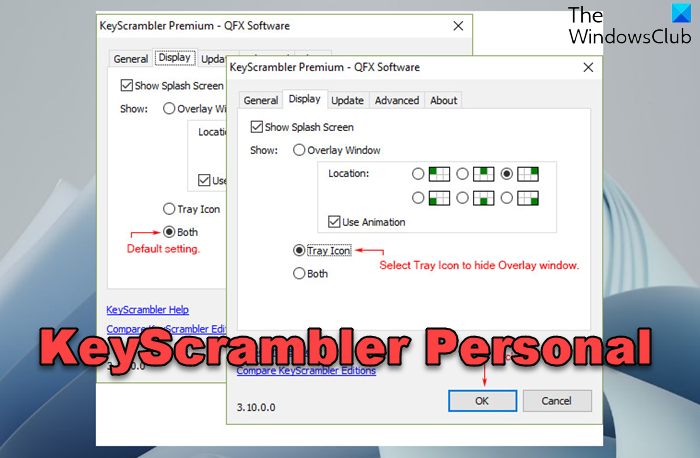
Do note that, in this review, we are covering only the free version of KeyScrambler – and that is KeyScrambler Personal.
KeyScrambler Personal: Works Between Keyboard and Cache
Nothing can provide you with complete safety, and you may have to compensate for the security with speed or something else – including money! The best Internet security product is The Onion Router (TOR). But it is pretty slow, so you may not wish to use it for regular usage. The product we are reviewing in this post is software that changes the keystrokes into something else and is entirely different from TOR or its likes. While TOR is a browser-based system of routers that makes you untraceable, KeyScrambler is a tool that sits between your keyboard and keyloggers. This means it changes – or rather, encrypts– the characters you type into something else before it gets to any other part of the computer.
KeyScrambler is a Windows OS tool that encrypts keystrokes to protect users from keyloggers. It safeguards your inputs by converting them into gibberish. KeyScrambler can easily be activated or deactivated when you restart your device. Safeguard your data with this user-friendly software.
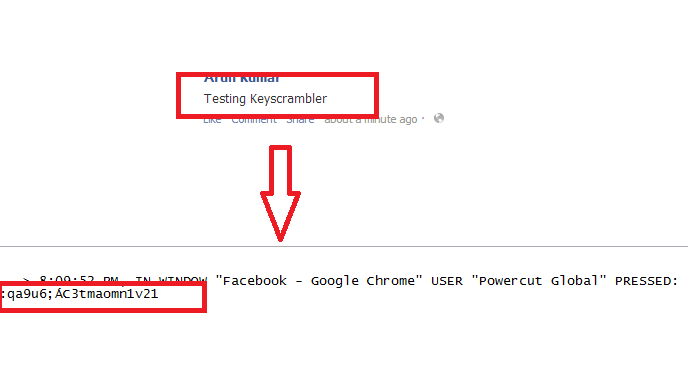
To see how it works, I installed a keylogger on my computer. The following image shows what I typed in Facebook and what was logged by the keylogger. This review proves KeyScramber works and is one of the best keyboard encryption software available for free. I say it is among the best because, in the keylogger report, no one can make sense of what was typed in the browser!
An unknown keylogger on your computer can be the worst thing to happen. Keyloggers can reveal all the information you type, and most also track the URLs of the websites you visit. That means if you visit your bank account, the person who installed keyloggers on your computer can easily read and replicate your bank password plus ID. The same danger also applies to private and important documents, etc.
Keystroke encryption ensures that every keystroke you make on your Windows device is encrypted on the kernel level and sent securely to the targeted application. This encryption prevents other applications from capturing sensitive information. Once the encrypted keystrokes reach the intended window, they are decrypted for use.
Limitation of KeyScrambler Personal Free
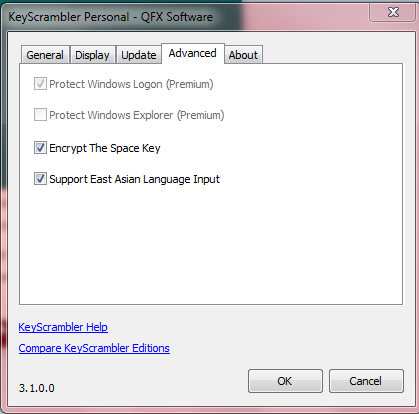
While KeyScrambler helps you stay secure on the Internet when using a browser, it offers no protection when you are typing on – say, Microsoft Word or any email Client. In this case, character encryption is limited to browsers. But since most of today’s work is browser-based, having KeyScrambler Personal on your machine largely protects you.
If you use browser-based word processing software such as Office Web Apps, you are secure. If you are using browser-based email, you are protected – as KeyScrambler is compatible with almost all known browsers. The only problem is that it won’t scramble (encrypt) the data you type into computer-based software such as an email client or a word processor installed on your local computer.
I do not know why KeyScrambler chose to keep the local software out of the encryption process. The paid version does provide security when you are working in Explorer, but my concern is Microsoft Word and similar applications.
A different system is probably at work when passing keystrokes to browsers than when passing them to locally installed word-processing documents, including email clients. Maybe it is possible to encrypt the encrypted keyboard cache before passing the keystrokes to browsers. I suppose the keystrokes are passed directly to programs for local installations before any other software can access and encrypt them. I do not know for sure; please share any information you have on this.
KeyScrambler Personal Review: Best Browser KeyStroke Protection
Do not get tense if your KeyScrambler icon says you are not protected. I was almost irritated while trying to review KeyScrambler and seeing the tray icon off. The problem was that I was trying to use MS Word and Notepad. It wouldn’t turn on, even though the system tray menu showed it as turned on.
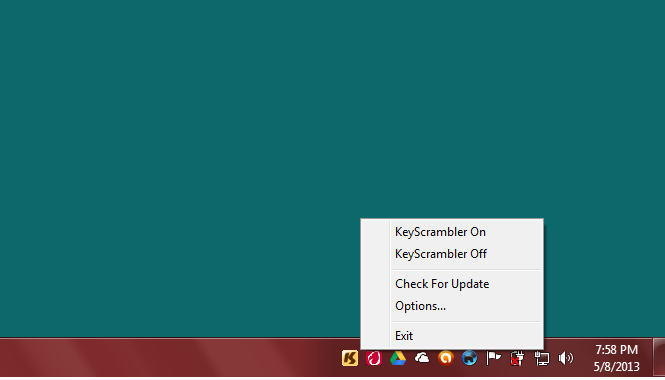
Only when I switched to my browser did I notice that it had turned on. So when you are working on anything other than your browser, the KeyScrambler is dormant. It is activated automatically as soon as you switch to your browser. You might even see a KeyScrambler Strip at the center of the browser as and when you open or switch to your browser – any browser.
MY VERDICT: This review of KeyScrambler highlights the following points:
- You are entirely secure when typing into (ANY) browser – be it Chrome, Edge, Firefox, Opera, or anything else! It even worked on the portable version of Mozilla.
- The protection is limited to browsers. For better security, you must install good anti-malware to detect and remove keyloggers. You have the default Windows Defender, which is good enough.
- Finally, it is not a tool for hiding your IP address or encrypting all your Internet traffic. If you need such protection, use a VPN.
KeyScrambler Personal supports several browsers, and that is a huge plus point. You can download it from here. Works on Windows 11 too.
Do share your experiences, if any, with KeyScrambler Personal.
Also read: Free Keylogger software | Free anti-keylogger software
What is an encrypted keyboard?
Depending on whether it’s a software- or hardware-enabled keyboard, any encrypted keyboard ensures that each character is not readable when it is passed from low level to high level. This ensures any keylogger trying to read the keypress cannot tap into the data.
What does monitoring keystrokes mean?
Every time a key is pressed, a code is generated. A Keylogger, hardware or software, intercepts keystrokes before they reach the screen. It can then record and later make sense of it. So, for example, if you type an email and password one after the other, a hacker can look at the data and make sense of your password.
