
Some Windows 11 users have reported that they have found an application named MS Edge WebView2 running in the background on their computers. According to them, this application was installed on their systems without their consent. In this article we will discuss what to do in case you have installed MS Edge WebView2 on your computer but you receive msedgewebview2.exe has stopped working error message.
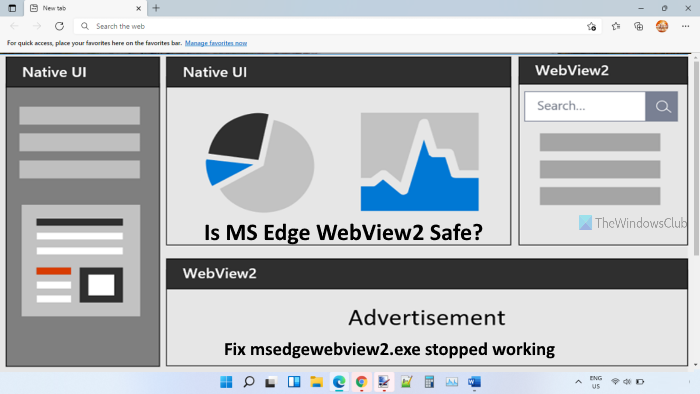
What is MS Edge WebView2.exe?
Microsoft Edge WebView2 is an application developed by Microsoft that lets users embed web-based technologies into native apps. To display web content in the native apps, this application utilizes Microsoft Edge as its rendering engine. The purpose of developing WebView2 is to provide users with Office features that are consistent across different device platforms. For example, the Room Finder feature on Outlook relies on WebView2. Hence, it looks the same on Outlook desktop apps on different Windows versions and the Outlook web app.
Fix msedgewebview2.exe has stopped working
Some users have reported that Microsoft Edge WebView2 has stopped working on their computers. In that case, users are not able to use the web-based features of some Microsoft apps. Additionally, other applications that rely on WebView2 may also stop functioning.
Compatibility issues are one of the most common reasons why Microsoft Edge WebView2 stops working on Windows OS. If you are using a Microsoft Edge version that is not compatible with the Microsoft Edge WebView2 application, it will not function properly.
Hence, it is important to always use the right version of Microsoft Edge for this application. You can visit microsoft.com to know the minimum version of Edge browser required to load Microsoft Edge WebView2 properly. Additionally, you may try updating the NuGet package.
If you are using the pre-release of WebView2 SDK, you should have the Preview Channels of the Edge browser installed on your system. This is because the Preview Channels of Microsoft Edge have the latest API packages that are required by the pre-release version of WebView2 to run properly.
Is it safe to delete Microsoft Edge WebView2 runtime?
It is safe to uninstall Microsoft Edge WebView Runtime from your system. However, if you uninstall it, you will no longer be able to use certain web-based features of Office apps, such as Meeting Insights and Room Finder. If you want to use such apps on your computer, it is not recommended to keep it on your PC.
That’s all! Hope this article was helpful.
