
If you want to open MSG or .msg files without Outlook, this article explains the exact steps that you can follow. Although Outlook is required to open the file, you can also use third-party programs and other methods to open MSG files on your Windows 11 and Windows 10 computer.
How to open MSG files without Outlook
If you don’t have the Outlook desktop client and want to open an MSG file, you can use Outlook.com or the Web version of Outlook. You also have other options for opening MSG files without Outlook.
1] Use online MSG file converter tool
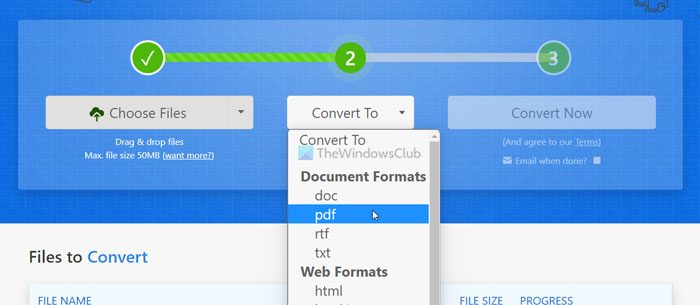
It is the first method you can use to open the .msg files without using Outlook. You do not need to use the Outlook Desktop client, the Outlook web version or Outlook.com to open an MSG file. Instead, you can use Zamzar to convert the MSG file and view the content within moments.
Zamzar helps you convert the MSG file to PDF so that you can view almost everything written in the email. However, the only problem is that you cannot find the attachments.
On the other hand, you can see the subject line, sender name, date and time, email body, etc. Apart from these, you cannot see the image or any other existing replies after converting the file. If you are fine with these restrictions, you can proceed to the following steps to convert the MSG file to PDF using Zamzar:
- Open the Zamzar website.
- Click the Choose Files option.
- Select and upload the file from your computer.
- Click the Convert To button and choose PDF.
- Click the Convert Now button.
- Click the Download button to download the file.
After that, you can open the PDF file on your computer using any PDF viewer, including Google Chrome.
If you like, you can visit zamzar.com.
2] Use SysTools MSG Viewer
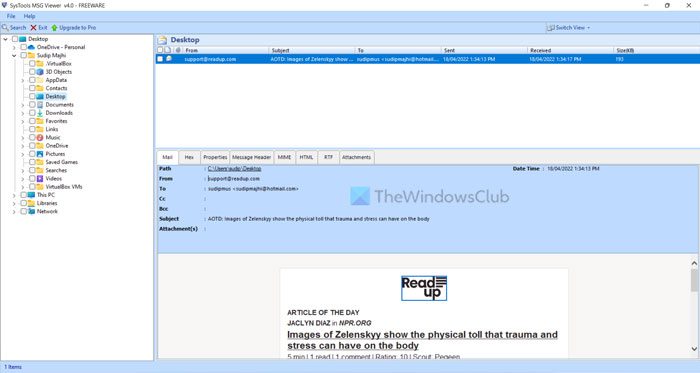
SysTools MSG Viewer is a free program for Windows which helps you open MSG files on your computer. The advantage of using SysTools MSG Viewer over Zamzar is that you can find the attachments as well. You also don’t need an internet connection to open an MSG file without the Outlook app. Whether you have Windows 11, Windows 10, or any other version, you can make use of this app.
To get started, download the free version of SysTools MSG Viewer from the official website called freeviewer.org. After installing this tool, you can find a window like this:
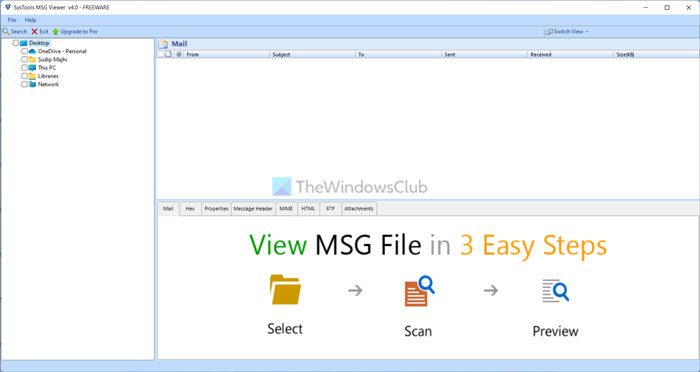
Next, navigate to the MSG file path. If you have the file on Desktop, navigate to the Desktop. Once you do, you can find the MSG file in the app.
Click the MSG file to open the email content in the SysTools MSG Viewer. As mentioned earlier, to view the attachment, go to the Attachments tab.
How do I open MSG files?
The easiest way to open MSG files is by using the Outlook email client. However, if you don’t have the Outlook app on your computer, you can use the solutions mentioned above. You can also open the MSG file by converting it to PDF. Alternatively, you can use the SysTools MSG Viewer on your Windows 11/10 PC.
How do I open an MSG file for free?
To open an MSG file for free, you can use Outlook.com or the Outlook Web version. However, if you do not want to use Outlook, you can use the SysTools MSG Viewer. Apart from that, you can also use the Zamzar tool to convert MSG to PDF.
These posts may interest you:
