
Ever asked a question to Perplexity and got a not-so-great response? You’re not alone. This is a pretty common issue with most LLMs. The secret to getting the perfect answer depends on the prompt you craft. The better you frame your questions, the better results you will get.
However, if you aren’t sure how to get more accurate answers in Perplexity, then we have shared some pro tips to help you craft your prompt and get better answers from Perplexity.

How to get More Accurate Answers in Perplexity
Here are a few ways to get more refined answers from Perplexity
- Craft specific prompts
- Continue the conversation
- Upgrade to Pro
- Verify the data
1] Craft specific prompts
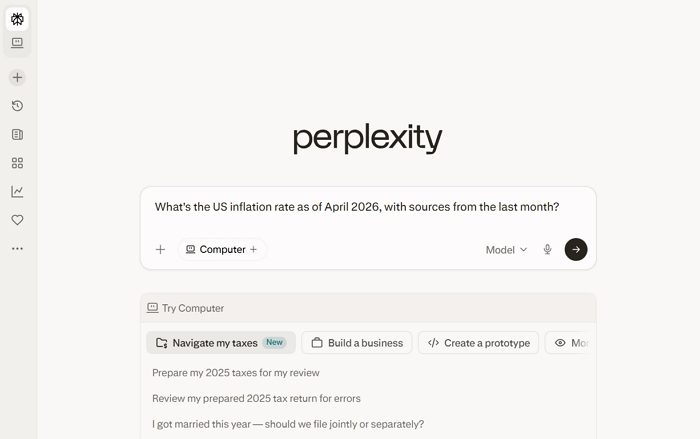
The first step to crafting the perfect prompt is to ditch broad questions like, Tell me about inflation. Instead, craft specific prompts or ask specific questions. A better question would be, What’s the US inflation rate as of April 2026, with sources from the last month?
This will cut through a lot of irrelevant data you might not need and land you exactly on what you have been looking for. You can also ask it to summarize your data. Like, if you wish to pick a holiday destination, you can ask it to list the top 3 destination places based on your preferences.
- Be Specific
- Add Constraints & Intent
- Ask for Recency When Needed
- Avoid Overloaded Questions
- Use Focus Modes
2] Continue the conversation
When you ask Perplexity a question, it might not give you satisfactory results. So you can modify your prompt and continue within the same conversation. You shouldn’t start a new conversation; instead, ask Follow-Up questions
Furthermore, you can also break big topics into chunks. For example, if your goal is to research guitars, you can first ask it to tell you about different guitar types. Then, let’s say you want to buy an acoustic guitar, you can ask about the pros and cons of owning one. And once you decide you wish to buy an acoustic guitar, ask for product recommendations, saying, “List the best acoustic guitars under $200.”
3] Upgrade to Pro
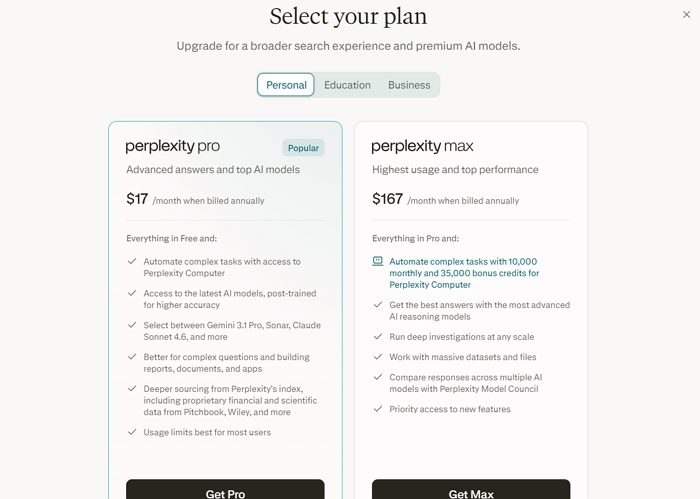
While this is not necessary, you can definitely upgrade to the Perplexity Pro plan. With the Pro plan, you will get access to advanced LLM models like GPT-4.1. Also, it brings in a lot of other capabilities, like the ability to upload documents and ask it to analyze them against the latest web trends and more. Also, you can use custom spaces with preset instructions to make the most of the AI tool.
4] Verify the data
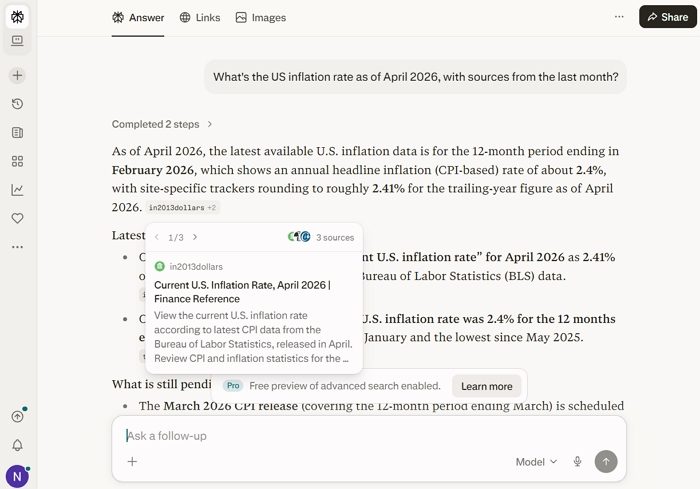
Lastly, you should verify the data it gives you. LLMs often lie or don’t give proper information. And if you are dealing with sensitive info, making a purchase or investment decision, or doing extra research, it wouldn’t hurt. Do click on the links it gives you along with the answers, and check them if you want to verify something.
So those were a few quick ways to get more accurate answers in Perplexity. In the end, your prompt decides how good an answer you are going to get. So focus on creating the perfect and specific prompt and see how it turns out.
Also read: How to use Perplexity AI for Deep Research.
Can I use examples in my prompt to improve Perplexity’s answers?
When you provide a sample of the format or type of answer you’re expecting, the model has clearer guidance on how to structure its output. For instance, if you want a comparison, you can include a short example table or a formatted example in your prompt. This reduces ambiguity and helps the AI align its response more closely with your expectations, especially for structured tasks like summaries, comparisons, or step-by-step guides.
How do I handle biased or incomplete answers from Perplexity?
If you notice bias or missing information in a response, the best approach is to refine your prompt to explicitly request a balanced, multifaceted response. You can ask it to include opposing viewpoints, cite diverse sources, or explain limitations in the data. Additionally, follow up with targeted questions to fill gaps rather than relying on a single response.
