
Here is a complete guide for you to create, view, and edit GEDCOM files on your Windows 11/10 PC. A GEDCOM file is basically a genealogical data file that consists of family trees. It is one of the most widely used formats for storing and exchanging family trees. It was first developed by The Church of Jesus Christ of Latter-day Saints (LDS Church) to help in genealogical research. The GEDCOM files are generally saved with a .ged file extension.
A GEDCOM file basically contains genealogical information about every person in a family. It shows the links and relationships between family members or extended family members. It is a plain text file consisting of a header section, records, and a trailer section.
Now, if you have a GEDCOM file and you want to view or edit it, how to do that? Also, how to create new GEDCOM files from scratch? If you are wondering the same, this post is for you. Here, we will discuss methods for creating, viewing, and editing GEDCOM files in Windows 11/10. Let us get straight to the solutions now!
What software do you need to open a GEDCOM file?
There are multiple software that let you open and view a GEDCOM file. If you are looking for free software for your Windows 11/10 PC, you can find some in this article. Here, we have mentioned free software that you can use to open a GEDCOM file. You can try My Family Tree, GEDkeeper, or Gramps to do so. Additionally, if you’re looking for a free online service, you can utilize the MyHeritage tool.
How to Create, View, and Edit GEDCOM file in Windows 11/10
Here are the methods to create, view, and edit a GEDCOM file on your Windows 11/10 PC:
- Use a free desktop application to create, view, and edit GEDCOM files.
- Create, view, and edit GEDCOM files online on MyHeritage.com.
Now, let us elaborate on these
1] Use a free software to create, view, and edit GEDCOM family tree files
Here are the free software that you can use to view, create, or edit a GEDCOM file in Windows 11/10:
- Ahnenblatt
- My Family Tree
- GEDKeeper
- Gramps
- RootsMagic Essentials
Now, let us discuss the above software in detail!
1] Ahnenblatt
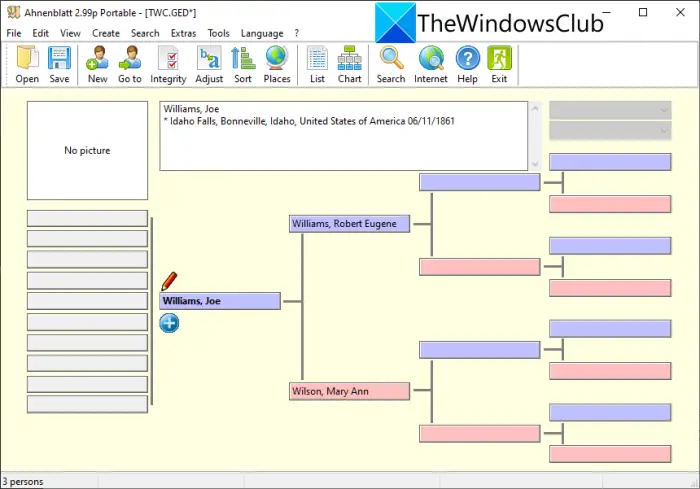
Ahnenblatt is a free genealogy software program that allows you to create, view, and edit GEDCOM files. In it, you can simply open a GEDCOM file using the dedicated option. Then, you will be able to visualize, analyze, and modify the family tree as you required. It also lets you generate a completely new GEDCOM file containing a family tree.
You can add or edit a person’s details in the family tree such as name, occupation, birth date, parents, siblings, partners, children, notes, sources, etc. It even lets you put a photograph of the person in the tree. It lets you save created or edited family trees in GEDCOM and some other formats including XML, CSV, HTML page, HTML website, etc.
The good thing is that you can generate a family tree poster, an ancestor tree poster, a hourglass poster, and more using it. In addition to that, you can even print family lists, birthday lists, ancestor lists, lists of places, person sheets, etc. Some additional useful tools include family tree statistics, showing pictures, finding common ancestors, displaying a calendar, adjusting data, sorting families, searching for, etc.
This one is one of the best software to create, view, and edit a GEDCOM file. It comes in both portable and installer versions. You can download the version you prefer from its official website.
2] My Family Tree
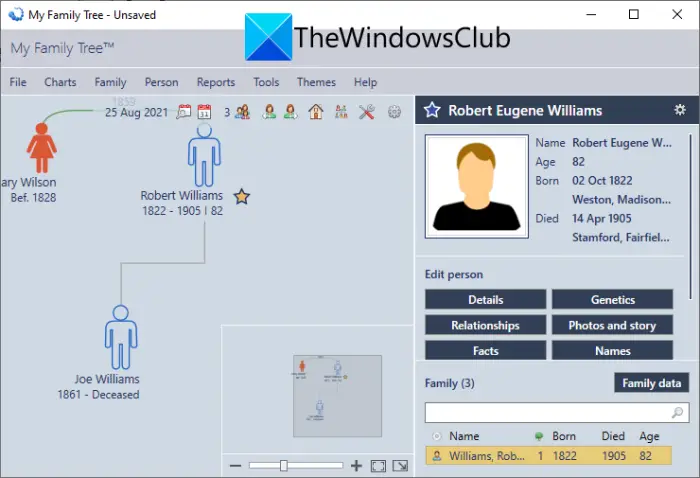
My Family Tree is free software that lets you view, create, and edit GEDCOM files on Windows 11/10. It provides a dedicated Import GEDCOM option to import a GEDCOM file. You can view, analyze, and edit the family tree according to your requirements. Additionally, it allows you to create a new GEDCOM file from scratch.
You can edit various information about members in an imported family tree. These details may include name, sex, birth date, birthplace, photos, genetics, relationships, facts, and more. It lets you generate several reports for an imported family tree. For example, you can create reports that include a marriage list, timeline, person report, family reports, person timeline, relatives, kinship, and many more.
Furthermore, this software allows you to visualize several family tree charts including family, ancestors, and fan charts. A lot of nice additional tools are also offered in it such as Date Calculator, Phonetics Calculator, Relationship Calculator, Spellcheck, Onscreen keyboard, and more. You can download it from here.
See: Family Tree Maker free genealogy software and online tools
3] GEDKeeper
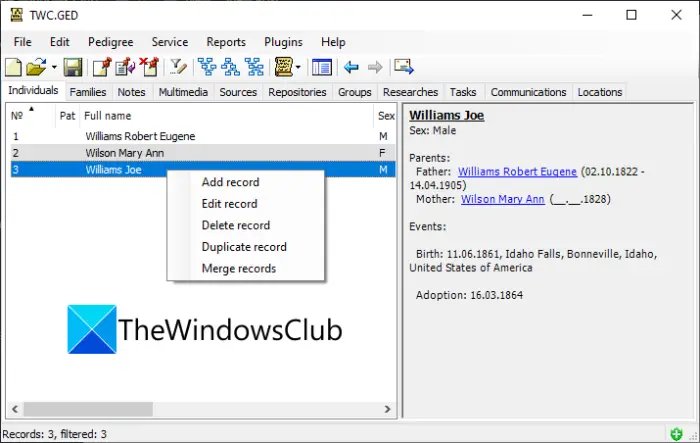
You can also use GEDKeeper, a free software, to create, view, and edit GEDCOM files. You can use its File > New option to start making a new family tree and export it to GEDCOM format. Or, you can use the File > Open option to import an existing GEDCOM file and then view and edit the family tree. It lets you edit a person’s records including name, surname, birth date, spouses, profile picture, events, and more. You can even add audio, card, book, manuscript, video, map, and more files to your family tree as references.
It allows you to create a variety of reports that helps you understand a family tree better. You can generate reports including Frequency of names, Pedigree report, Personal Events, Phonetics, and Contemporaries. You can also view maps, family tree statistics, ancestor trees, descendant trees, and more charts. Plus, it provides you useful features like Relationship Calculator, Slideshow, Organizer, Manage Places, Merge Records, etc.
To further enhance its functionalities, you can use some plugins like Data Quality, 3D Visualizer, CalC, Word Cloud, Stream Input, etc. It also lets you convert GEDCOM to an Excel workbook. You can download it from sourceforge.net.
See: How to create an Org Chart in Google Docs
4] Gramps
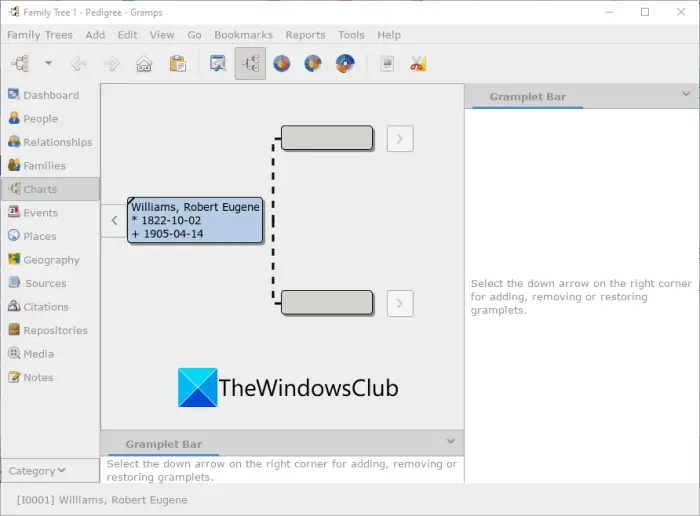
Gramps is a free and open-source family tree maker software for Windows 11/10. Using it, you can create new GEDCOM files as well as view or edit existing GEDCOM files. You can add or edit family members’ information including title, name, surname, ID, gender, age, addresses, references, etc. It even lets you add photos of each family member.
You can use added persons while creating a family tree. Additionally, it allows you to add events, places, sources, citations, repositories, and notes to your family tree. After creating a family tree, you can save it in its native GEDCOM format. Apart from GEDCOM, it also allows you to generate family trees in various formats, including GeneWeb, CSV, Gramps XML, Web Family Tree, vCard, and vCalendar.
It also comes with several types of charts to analyze your family tree. Some of these charts include family lines graphs, hourglass graphs, relationship graphs, etc. You can even create reports like ancestor tree, descendant tree, calendar, fan charts, statistic reports, text reports, web pages, and more. Furthermore, it also provides Analysis and Exploration, Family Tree Processing, Relationship Calculator, Find database loop, Media Manager, and Family Tree Repair tools.
All in all, it is great free genealogy software to view, create, or edit a GEDCOM file.
Read: How to Create an Organization Chart in Excel
5] RootsMagic Essentials
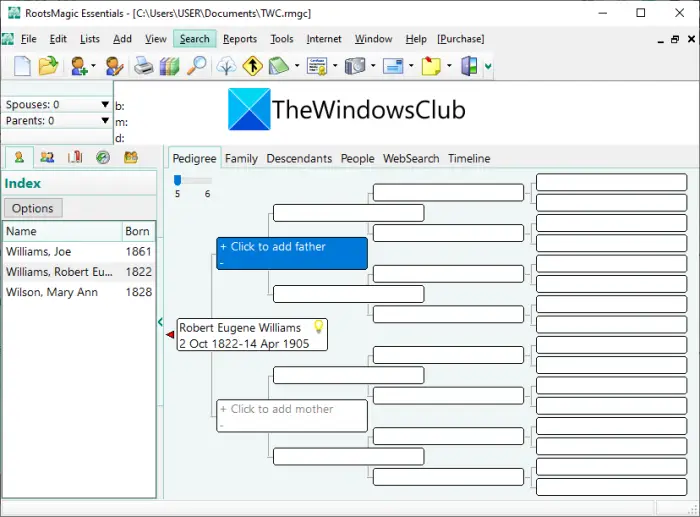
RootsMagic.com Essentials is a nice free software to create, view, and edit GEDCOM files. You can import, view, and edit GEDCOM and many other genealogical files e.g., Family Origin, Personal Ancestor File (PAF), TMG, etc. After editing a family tree, you can save it in its original format i.e., GEDCOM.
Like other listed software, it also lets you generate reports like a pedigree report, family group sheet, narrative reports, lists, individual summary, and some more. You can also create family tree charts including photo trees, wall charts, box charts, timeline charts, and relationship charts. Furthermore, it also offers tools like Relationship Calculator, Date Calculator, Color Code People, Set Living, Soundex Calculator, etc.
Read: How to create an Org chart in PowerPoint
2] Create, view, and edit GEDCOM files online on MyHeritage
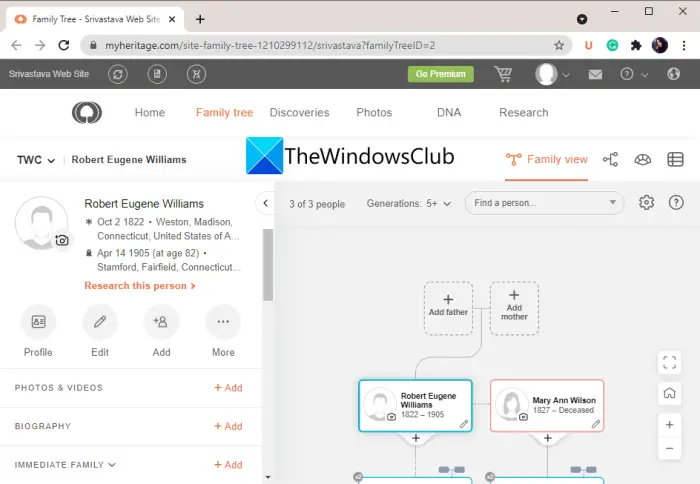
If you want to create, view, and edit GEDCOM files online, consider using the free web service MyHeritage. It is an online genealogy service that lets you import a GEDCOM file and then view or edit it. You can also create new family trees and export them to GEDCOM files. You can manage all your family trees on your account.
It allows you to add various details about a family member, including their photos, birthplace, maiden name, spouses, parents, and more. You can also view several family statistics in it including birthplaces, ages, marriages, children, and more. You can toggle the family tree view to pedigree view, fan view, and list view.
This web genealogy service provides a free plan. However, most of the features are available only in its premium plans. You can learn more about it on myheritage.com.
How do I convert a GEDCOM file?
To convert a GEDCOM file, you can use Ahnenblatt or Gramps software. Both of these support a good number of output file formats. So, you can import a GEDCOM file and then convert it to some other format using their Export feature. These let you convert GEDCOM to CSV, GeneWeb, vCard, vCalendar, XML, HTML, and a few other formats.
Now read: How to create a PLS file in Windows.
