
If you want to use Google Photos to create a Movie or slideshow, here is how you can do that. This article shows you how to make movies in Google Photos using your uploaded images or videos. You can create, edit, and share a movie with your friends on various social networking sites using this step-by-step guide.
Google Photos is one of the best online image storage services, which is available on multiple platforms. Whether you want to edit an image or create a movie from photos, you can use this online tool to get the job done. Although the number of options is lower than other professional video editing tools, you can create something out of your images without paying extra money.
How to create Movies in Google Photos
To create movies in Google Photos, follow these steps:
- Open photos.google.com on the browser.
- Log into your Google Photos account.
- Switch to the Explore tab on the left side.
- Click on the Movies option.
- Click the plus icon on the right side.
- Select the type of your movie.
- Click the Get Started button.
- Choose images you want to show in your movie.
- Click the OK button.
- Go to the Utilities tab to find out the movie.
To learn more about these steps, keep reading.
First, open the official Google Photos website at photos.google.com and log in to your account. Then, switch from the Photos tab to the Explore tab on the left-hand side.
Here you can find several columns, including CREATIONS. Find out the Movies option under the CREATIONS tab and click on it.
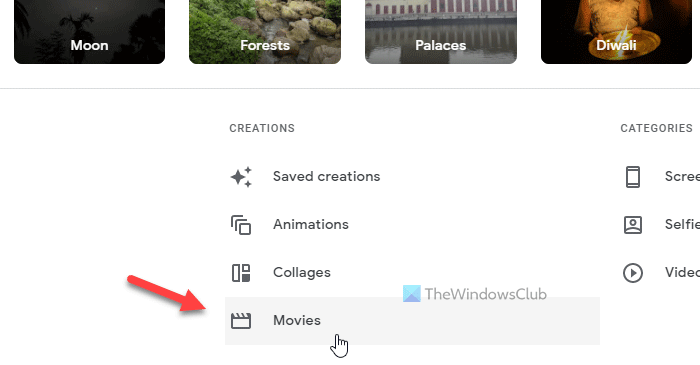
It displays all the movies you previously created on your screen. However, if you haven’t created anything, you can click the plus icon. After that, it displays various types of movies, and you need to select a category according to your requirements.
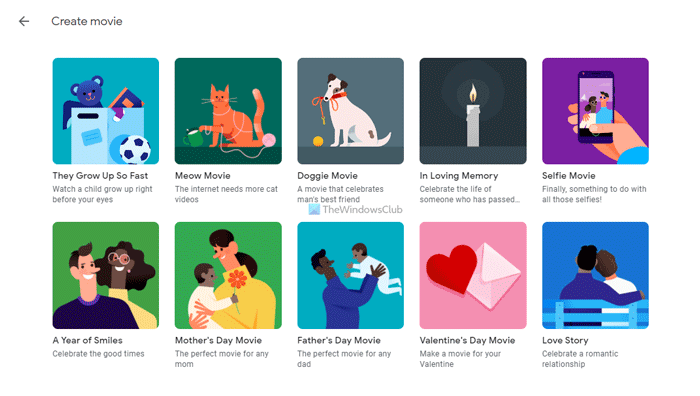
If it displays a popup, click on the Get Started button. Depending upon your selection, you need to select one, two, or multiple images to import them into the movie. Choose all the desired images and click the Done button. Once done, click the OK button.
Although it depends on the number of images you selected and the type of movie, you can find your movie within five minutes in the Utilities section. You can find this tab on the Google Photos home screen.
Download or share movies from Google Photos
Google Photos allows you to download your movie to your computer, enabling you to store it locally. On the other hand, it is also possible to share the movie with your friends via email or social networking sites.
To download a movie from Google Photos, you need to go to the Explore tab and click on the Movies option. After that, click on the movie you want to download to play it on your screen.
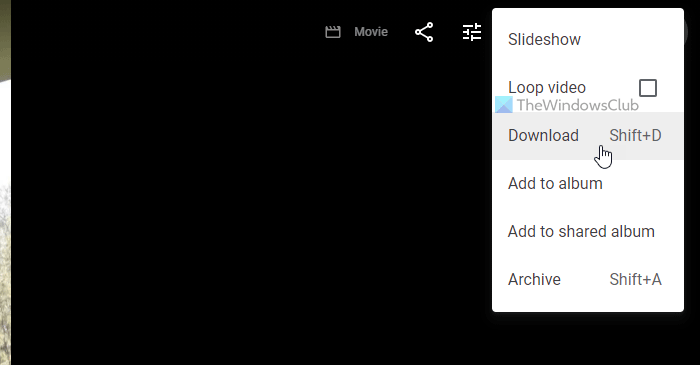
Next, click on the three-dotted icon visible on the top-right corner, and select the Download option.
If you want to share the movie with your friends, click on the Share icon on the same window, select a contact, click the Create link option, or choose a social networking site.
Edit movies in Google Photos
Apart from creating a movie in Google Photos, you can also edit it if you need to make changes. At times, you might want to replace a photo or change the timing of an image in your movie. At such moments, you can do the following.
At first, play the movie from the Explore tab on Google Photos. Once the movie player is visible on your screen, click on the Edit button.
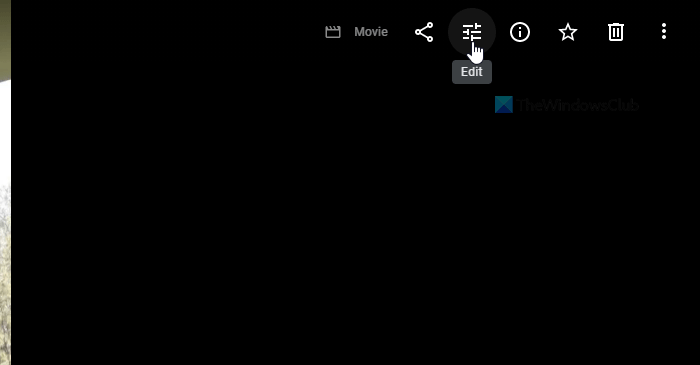
Next, it displays a warning to update your movie so that it supports the new editor. Even if you have created a movie recently, you will get this warning while trying to edit one. You need to click the Update button to go forward.
You can find all the images you selected earlier to be included in your movie on the next screen. From here, you can add new photos, videos, change the image transition time, add or change music, etc.
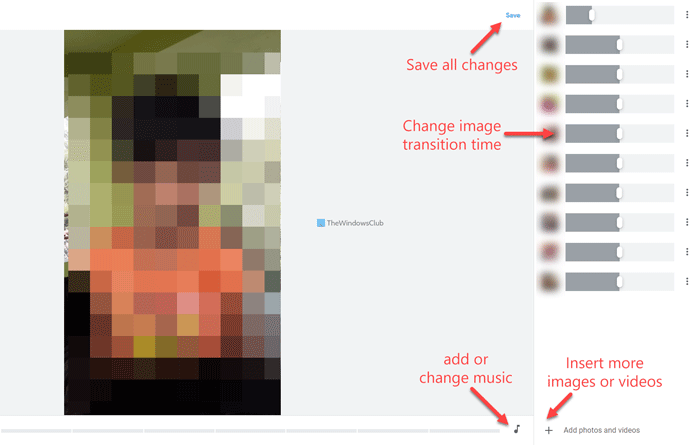
Once done, click the Save button to save all the changes.
After clicking this button, it might take a few moments to get them in the original movie.
That’s all! Hope this guide helped you create a movie in Google Photos.
Can I create my own movie in Google Photos?
Yes, you can create your own movie in Google Photos. Whether you use the mobile app or the web version, the same options are available on both platforms. Depending on the type of your movie, you can select two or more images for it.
Does Google have a movie maker?
Although Google doesn’t have a dedicated movie maker tool or service, you can use the movie maker in Google Photos. It is possible to use this feature on the web and mobile version to create a movie for free.
How do I make a movie from photos?
To create a movie from photos using Google Photos, you need to log in to your account, switch to the Explore tab, select the Movies option, choose a movie type, and select the images you want to include. Following that, it requires a few moments for Google Photos to save your movie.
Read: How to disable or enable the Facial Recognition feature in Google Photos.
