
Here is a complete guide to converting a NEF image to JPG, PNG, BMP, GIF, TIFF, and other formats on Windows PC. NEF or Nikon Electronic Format is a raw image captured by a Nikon digital camera. It contains unprocessed and compressed graphics data that increases its size. Now, if you want to share images or carry them in smaller sizes, you need to convert them to a standard format like JPG or PNG. In that case, this post will help you find a suitable method to convert your NEF images to other formats such as JPG, PNG, GIF, BMP, TIFF, etc. So, let us check out the methods now!
How to convert NEF to JPG, PNG, GIF
Here are methods to convert NEF images to JPG, PNG, or GIF format on Windows PC:
- Use a free online converter tool to convert NEF to JPG, PNG, GIF, etc.
- Use free software to convert NEF to JPG, PNG, GIF, etc.
1) Use a free online converter tool to convert NEF to JPG, PNG, GIF, etc.
Here are the free online tools to convert NEF images to JPG, PNG, GIF, and other popular image formats:
- online-convert.com
- iloveimg.com
- CloudConvert
- Convertio
- Raw.pics.io
1] online-convert.com
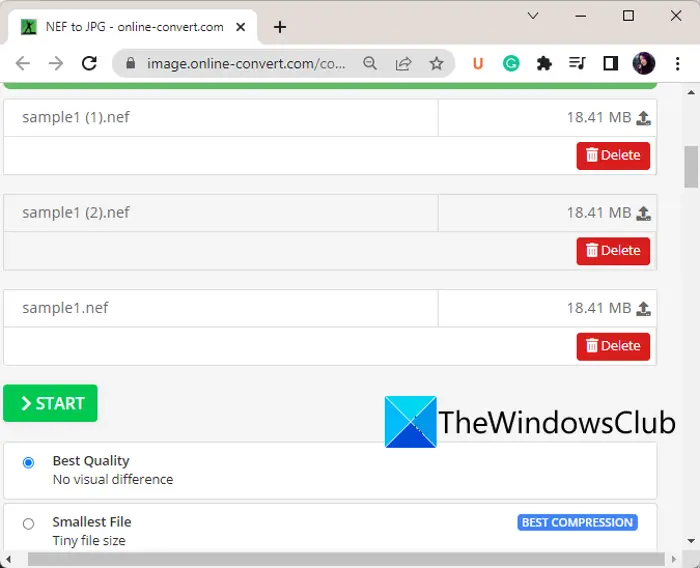
online-convert.com is a free file converter tool that you can use to convert NEF to JPG, PNG, and other formats. With it, you can batch-convert NEF images to JPG and other formats. It also provides you tools to customize image quality, image resolution, DPI, and more parameters before conversion.
How to convert NEF to JPG, PNG, and other formats online using online-convert.com:
You follow the steps below to convert NEF to JPG online using online-convert.com:
- Firstly, open this website in a web browser.
- After that, press the Choose File button to import one or multiple NEF images from PC, Dropbox, or Google Drive
- Next, set the output image format.
- Now, using the Settings options, you can customize image quality, resolution, color filter, DPI and more.
- Lastly, press the Start button to start the NEF image conversion process.
This online tool also lets you convert documents, eBooks,
2] iloveimg.com
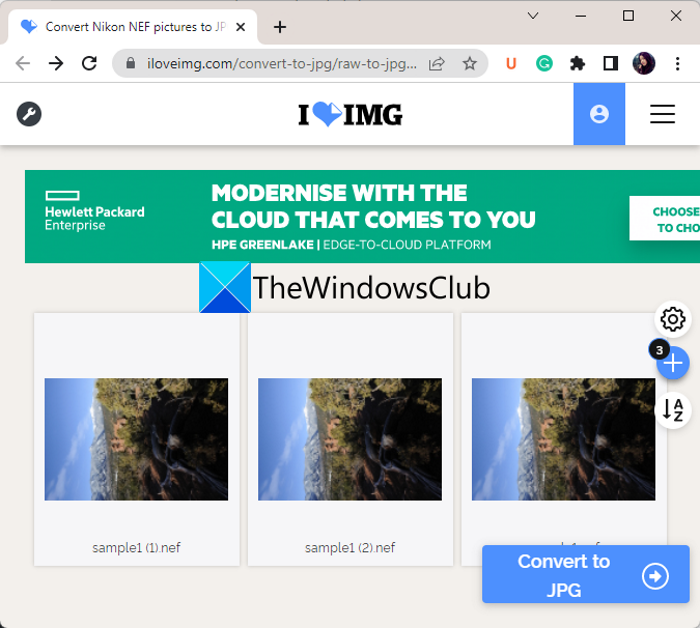
iloveimg.com is a free online NEF-to-JPG converter. You can batch convert NEF images to JPG using this web service. Here are the steps to perform the conversion using it:
- Firstly, visit this website and go to its Convert to JPG page.
- After that, import one or multiple NEF images that you want to convert. You can upload images from your local device, Google Drive, and Dropbox.
- In the end, press the Convert to JPG button to initiate the conversion process.
You can save the output images or share them via Facebook, X, and LinkedIn.
Try it here.
3] CloudConvert
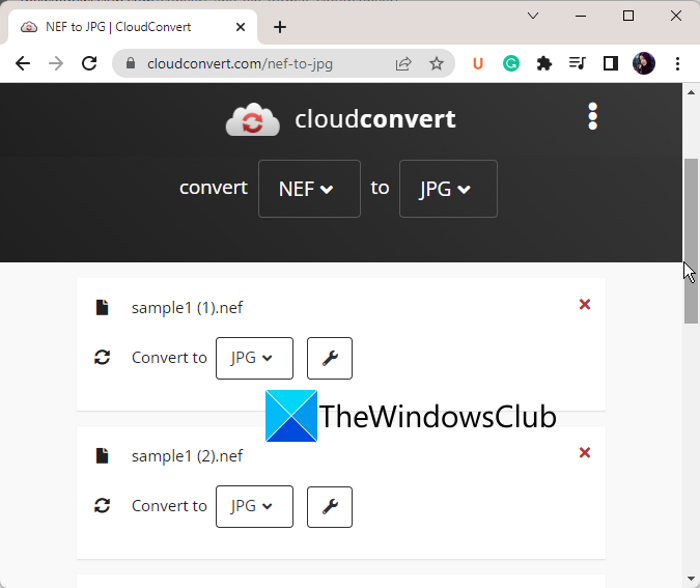
CloudConvert is a popular online file converter that also lets you convert NEF images to JPG, PNG, and other formats. It is basically used to convert formats of different file types including images, documents, audio, videos, eBooks, and more. You can convert different raw images to some standard formats using it.
Here are the steps to convert NEF to JPG, PNG, and other formats using CloudConvert:
- Firstly, move to its website in a web browser.
- Now, upload the source NEF images.
- Next, select the desired output format.
- After that, click on Settings to customize resolution, image quality, and remove EXIF information.
- Finally, press the Convert button to start the conversion process.
This web service also offers tools to optimize images and capture websites. However, the free plan for this online service allows only 25 conversions per day. To perform more conversions, you will have to purchase its premium plan.
4] Convertio
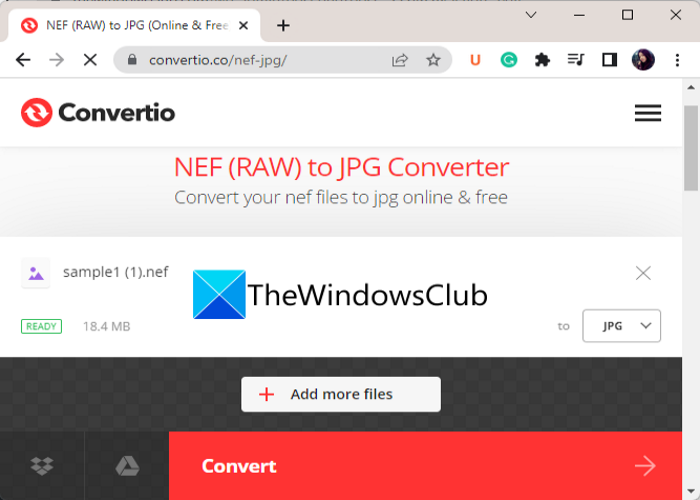
Another online tool that you can try is Convertio. It lets you convert your NEF images to JPG, PNG, TIFF, BMP, and many other formats without any hassle. Here are the steps to convert NEF images using it:
- Firstly, open its website in your web browser.
- Now, press the Choose Files button to import NEF images.
- After that, select the desired format from the Format menu.
- Next, simply tap the Convert button to initiate the conversion process.
It is another file converter that allows you to convert raw images like NEF to JPG, PNG, etc.
5] Raw.pics.io
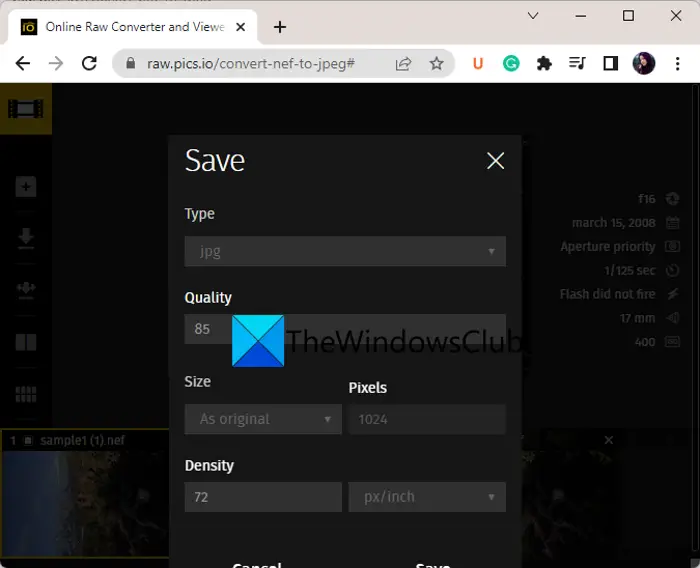
Raw.pics.io, as the name suggests, is a free online raw image processing tool that lets you convert NEF to JPG and PNG image formats. Before conversion, you can also set parameters such as Gradient, Curves, Pedia, Temperature and Brightness. You can follow the steps below to perform the conversion:
- First, open this website in your web browser
- Now, upload one or more NEF images.
- After that, if needed, you can modify the images using provided editing tool.
- Next, from the left-hand side panel, click on the Save All option, select output image format, and customize image resolution and quality accordingly.
- Finally, click on the Save button to convert NEF to JPG or PNG.
2) Use free software to convert NEF to JPG, PNG, GIF, etc.
Here are the free software that you can use for converting NEF to JPG and other image formats:
- Chasys Draw IES
- IrfanView
- PhotoScape
- XnConvert
- SageThumbs
1] Chasys Draw IES
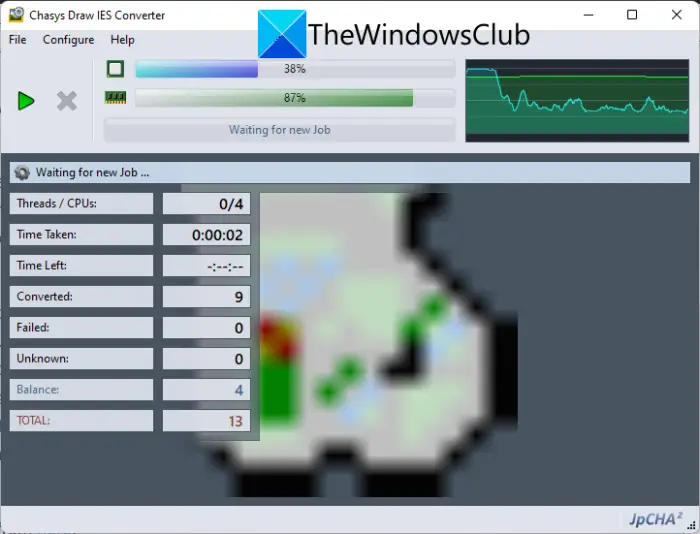
Chasys Draw IES is a free batch NEF-to-JPG conversion software for Windows. It lets you convert multiple NEF images to JPG, PNG, GIF, BMP, TIFF, and many more image formats.
This software consists of three applications. These applications include Chasys Draw IES Artist, Chasys Draw IES Viewer, and Chasys Draw IES Converter. Using its Chasys Draw IES Converter application, you can batch convert images including NEF and other raw images. Here is how to do that:
- Firstly, download and install Chasys Draw IES on your PC.
- Now, launch the Chasys Draw IES Converter application.
- Next, select the folder containing your source NEF images, then press the Next button.
- After that, set the output folder and press the Next button.
- Then, choose the target image format such as JPG, PNG, GIF, etc.
- You can also set resizing, rotation, and metadata options as per your requirements.
- Finally, press the Start button to initiate the batch NEF to JPG conversion.
It is a great free image processing suite that you can download from here.
2] IrfanView
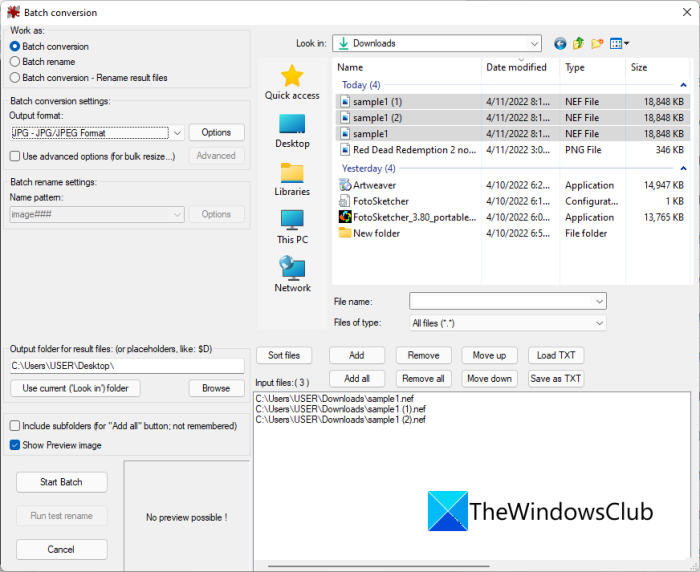
IrfanView is a famous free image viewer and editor that can also be used for converting NEF images to JPG, PNG, GIF, etc. It provides a dedicated batch converter feature using which you can convert multiple NEFT images to other formats. Let us check out how!
How to batch convert NEF to JPG and other formats using IrfanView:
Here are the steps to bulk convert NEF images to JPG, PNG, and other formats in IrfanView:
- Firstly, download and install IrfanView, and also install its Plugin from the download page.
- Now, launch IrfanView and click on its File > Batch Conversion option.
- Next, add the source NEF images for conversion.
- After that, from the left-hand side panel, set the output format accordingly.
- If needed, you can use the Advanced option to perform image editing actions like crop, resize, enhance, set DPI value, etc.
- Finally, set the output folder and hit the Start Batch button to convert NEF images in bulk.
It is a multi-purpose image viewer and editing software that also lets you convert raw images including NEF.
3] PhotoScape
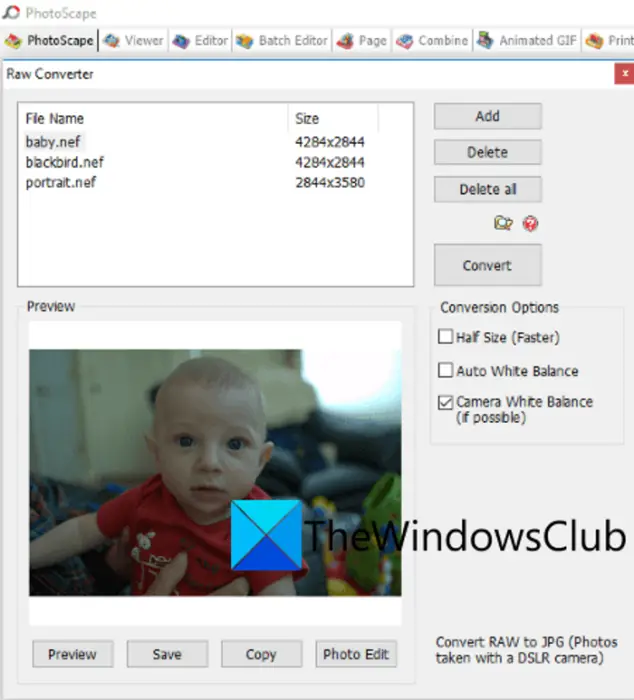
You can also try PhotoScape to convert NEF to JPG format. It is a suite that comes with multiple image-processing tools, including Editor, Viewer, Rename, Paper Print, Animated GIF, Combine, Batch Editor, and a few more. To convert NEF images, you can try its Raw Converter tool. It lets you convert multiple NEF images to JPG format at once.
Here is the process to batch convert NEF to JPG, PNG, and more in PhotoScape:
- Firstly, download and install PhotoScape, and then launch the application.
- Now, open its Raw Converter tool.
- After that, add the input NEF images that you want to convert.
- Next, you can customize some conversion options like Half Size, Auto White Balance, and Camera White Balance.
- Finally, press the Convert button to start batch NEF to JPG conversion.
This software only supports JPG as the output format. So, if you want to convert NEF to another image format, try different software or an online tool.
Get it here.
4] XnConvert
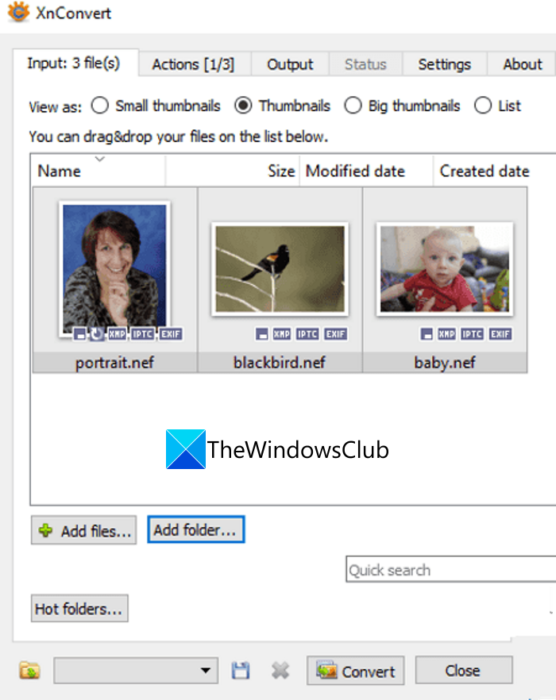
XnConvert is a batch NEF to JPG, PNG, GIF, BMP, and TIFF converter software. It is basically an image converter that lets you convert your images in bulk. Here is how you can do that:
- First, download and install this software on your system, then launch it.
- Now, go to the Input tab and add the source NEF images to it.
- Next, if you want to edit the images prior to conversion, go to its Actions tab.
- After that, move to the Output tab and choose the output image format such as JPG, PNG, TIFF, GIF, ICO, PGM, PDF, etc.
- Finally, press the Convert button to start batch NEF image conversion.
It lets you edit images using options like brightness, contrast, gamma, add a mask, crop, resize, rotate, add filters, set DPI, replace color, add watermark, and more.
5] SageThumbs
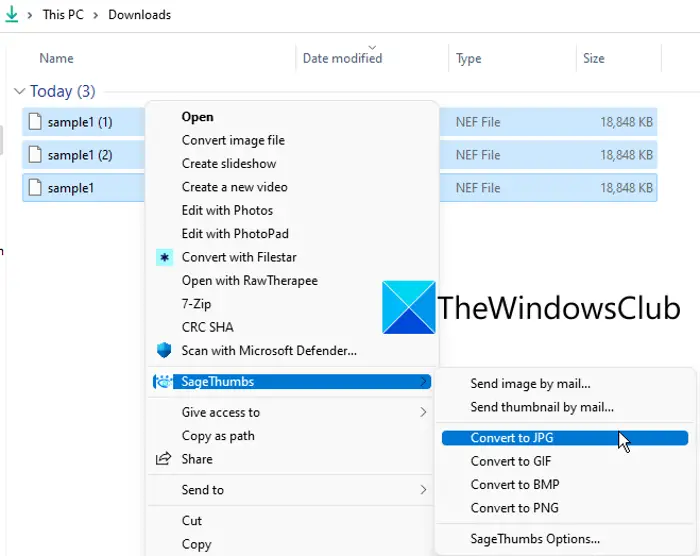
SageThumbs is a free software to convert NEF to JPG, PNG, GIF, and BMP images. It is different from the other software mentioned on the list. When you install this software, it works from the context menu of the supported image formats. So you can right-click supported images and convert them to other formats directly.
How to batch convert NEF to JPG and other image formats from right-click context menu?
Here are the main steps to convert multiple NEF images to JPG and other formats from the right-click context menu:
- First, download and install SageThumbs on your PC.
- Now, open File Explorer using Windows + E hotkey and go to the source image directory where the NEF images are stored.
- Next, select the NEF images that you want to convert and right-click on them.
- After that, select the output format as needed.
- As you do that, the images will be converted and saved in the same folder as the source folder.
You can download it from here.
How do I open NEF files in Windows 11?
To open NEF files in Windows 11/10 system, you can use the Photos app. Apart from this, you can also use other tools such as IrfanView, GIMP, etc. In addition, you can use Adobe Photoshop CS6 to open NEF or other RAW image files. Nikon also comes with its own software like NX Studio and ViewNX 2 to open the NEF files.
Why can’t I open NEF files on my computer?
If you are unable to open NEF files on your computer, you may need to download the NEF Codec EXE from the official Nikon download center and install it. Or else, you can use some free third-party software like GIMP, Adobe Photoshop CS6, etc., to open a NEF file. If you still can’t open an NEF file, the file is likely corrupted. You can also first convert a NEF file to another image format and then open the resulting file.
Now read: Batch Edit EXIF Data of Images with Batch EXIF Editor software for PC.
