
Often, while scrolling through the internet, you probably have encountered an AI image and instantly wondered what the prompt was used to generate the image. These days, the internet is full of AI images, and you too want to create similar photos for yourself. But hardly anyone shares the prompt behind the image. However, you can reverse engineer the image and get the prompt behind it.
How to convert images into AI text prompts
Use these tools to get prompts for Images using AI tools
- Using AI chatbots
- AI tools with prompting
- Use dedicated websites
1] Using AI chatbots
You can use AI chatbots like ChatGPT or Gemini to get the prompt behind an image. All you have to do is upload the image to your preferred AI tool and ask: Create a detailed text prompt based on this image.
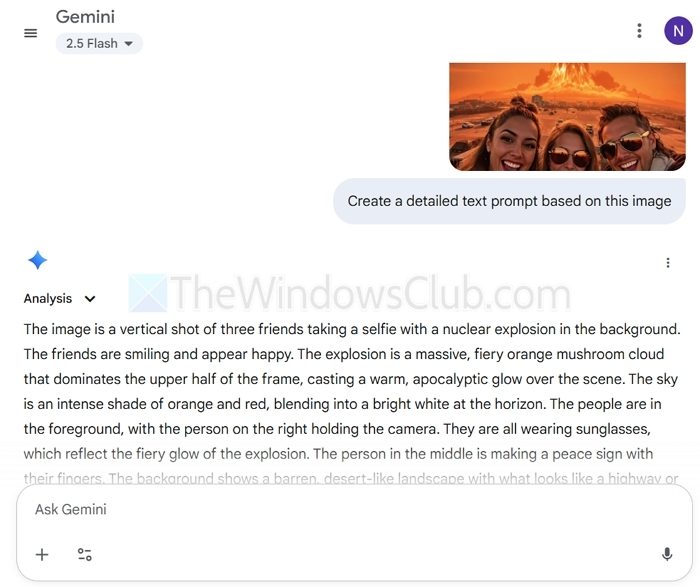
Then, it will analyze the uploaded image for its color, objects, and other features, and provide a descriptive prompt. After that, you can run the prompt to generate an image.
If there is a mismatch, you can take one step further and upload your newly generated image, then ask the AI tool to refine the prompt.
2] AI tools with prompting
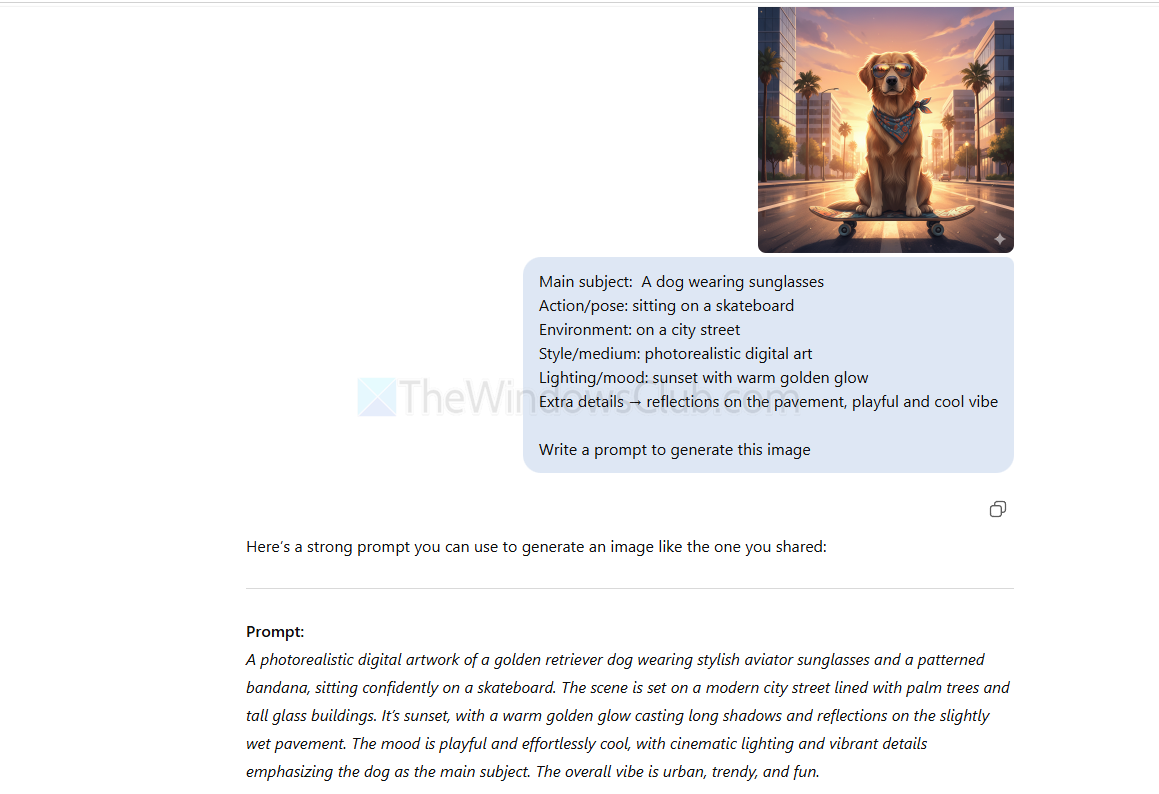
You can also utilize AI tools like ChatGPT or Gemini to enhance your existing AI image. If you’re not satisfied with the AI-generated image, you can upload it to an AI chatbot and request suggestions to improve it. Then it will give you an improved prompt idea or generate the image for you.
Suppose the image is:
A dog wearing sunglasses is sitting on a skateboard in a city street at sunset.
You can help AI define images as these:
- Main subject: A dog wearing sunglasses
- Action/pose: sitting on a skateboard
- Environment: on a city street
- Style/medium: photorealistic digital art
- Lighting/mood: sunset with warm golden glow
- Extra details → reflections on the pavement, playful and cool vibe
3] Use dedicated websites
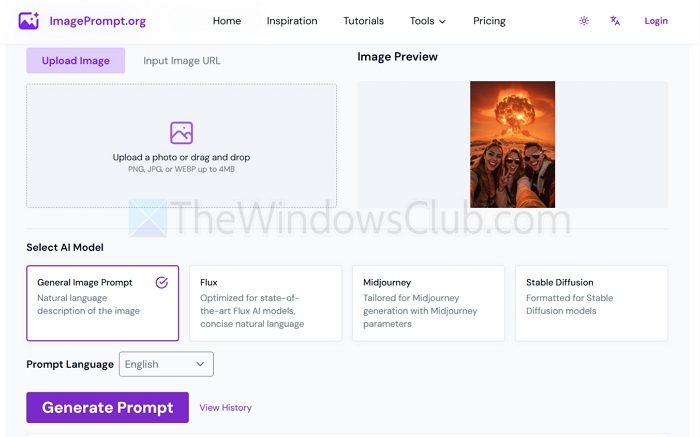
Apart from AI tools like Gemini or ChatGPT, you have several websites that let you find out the prompt behind the image. The workflow remains the same: you need to upload your image, and it will tell you the prompt. A few such websites are:
- imageprompt.org/image-to-prompt
- generateprompt.ai
- promptomania.com
So those were a few quick ways to convert images into AI text prompts. Apart from this, you can also use Yandex image search to reverse search the AI image to find its source and see if a prompt is mentioned there. For instance, if the image was generated via Midjourney, it will tell you the prompt behind it.
Can I get the exact prompt used to generate an AI image?
AI prompt-extraction tools can give you a very close approximation of the original prompt by analyzing the image’s subjects, style, lighting, and details. However, if the creator used very specific keywords, custom styles, or model parameters, those may not be perfectly replicated. The result is usually a strong descriptive prompt that you can refine further through iteration.
Do these tools work for both AI-generated images and real photographs?
For AI-generated images, the extracted prompt often looks closer to what an actual image-generation model might accept. For real photographs, the output will still describe the scene, but it may not translate directly into a perfect generative prompt—though you can still use it as a starting point to create stylized AI versions of real photos.
