
In this post, we will show you how to activate or cancel the free ChatGPT Go subscription on Windows PC. OpenAI has recently announced one of its biggest promotional offers for users in India. Eligible users can now claim 12 months of ChatGPT Go for free, as part of a promotion that started on November 04, 2025.
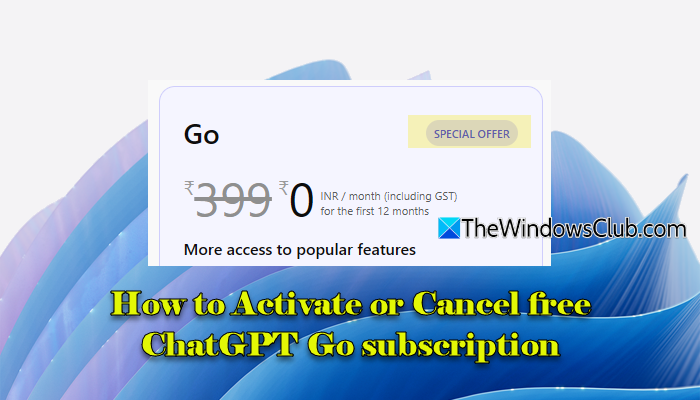
This move is part of OpenAI’s expansion into its second-largest user base, India. ChatGPT Go normally costs ₹399 per month, but under this limited-time offer, users can enjoy all its features at no cost for an entire year.
Before we tell you how to activate or cancel the free ChatGPT Go subscription on Windows 11/10, let’s take a quick look at what the subscription includes and who is eligible for the benefits.
What does the free ChatGPT subscription include
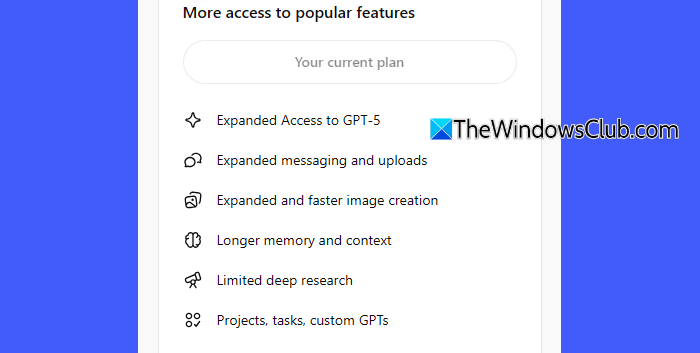
Under the current Indian promotional offer, the ChatGPT Go plan offers the following benefits:
- Access to the latest model GPT‑5 for greater reasoning and output quality.
- Higher daily message limits, more image generation per day, and support for more documents and spreadsheets.
- Longer “memory” context and faster responses/priority access.
- Extended access to tools like Python for data exploration and problem-solving.
- Access to Projects, Tasks, and Custom GPTs.
- Limited access to Deep Research
Who is eligible for the free ChatGPT subscription
To qualify for the free 12-month offer, you need to meet the following criteria:
- Be located in India.
- Be a new user, an existing free-tier user, or an existing Go subscriber.
- Have a ChatGPT account in good standing (no unresolved billing issues or violations).
- Provide a valid payment method (credit/debit card or UPI) during activation.
How to activate free ChatGPT Go subscription
New/existing free-tier users may follow these steps to claim the free 12-month ChatGPT Go subscription on Windows 11/10:
On your Windows PC, open a web browser and go to chat.openai.com. Sign in to your existing ChatGPT account or create a new one if you haven’t already.
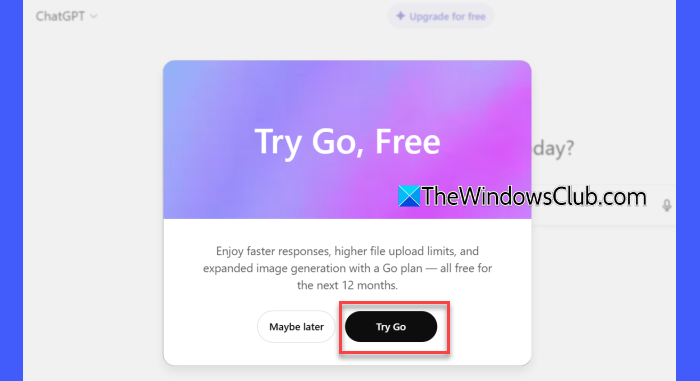
You may be prompted to try ChatGPT Go for free. If you see the box, click Try Go; else, click the link above that says Upgrade for free.
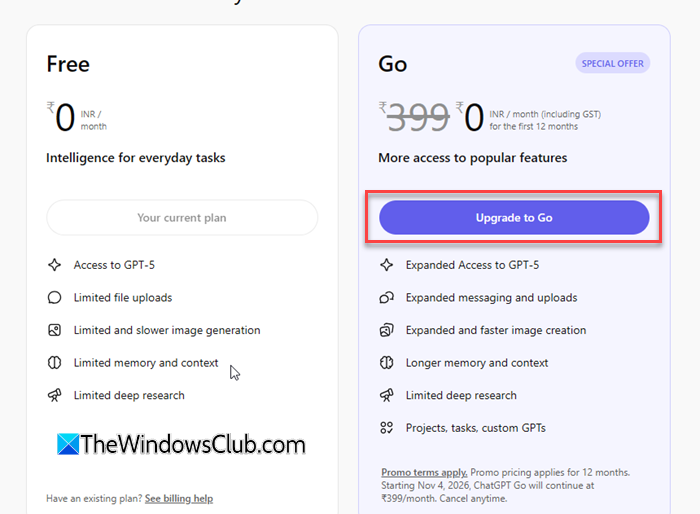
On the subscription plans screen, select Upgrade to Go.
You’ll be taken to the payments screen. On the right side, you’ll have to add a payment method (credit/debit card or UPI). This is required to set up an auto-mandate so that when the 12-month promotion ends, your payment method will automatically be billed the regular subscription fee.
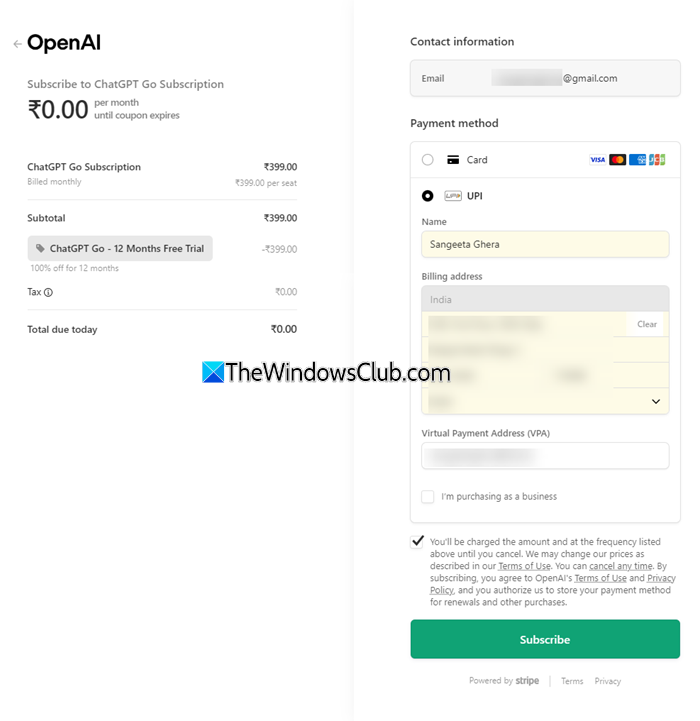
Note: As part of the auto-mandate setup, you may be charged ₹1 from your account. This will be refunded by OpenAI.
Once complete, your account will show you’re on ChatGPT Go with 12 months of free access.
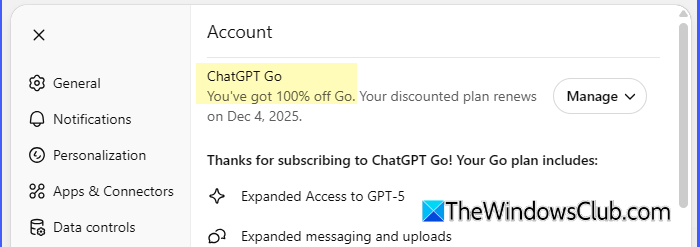
If you’re an existing ChatGPT Go subscriber, the way you redeem the 12-month free offer depends on how you originally subscribed.
If you subscribed through ChatGPT Web, you do not need to cancel your current subscription. OpenAI will automatically adjust your next billing date to 12 months ahead within the coming week, provided your account is in good standing. If you already have a discount on your plan, it will be replaced by this promotion.
If your final billing date is this week, automatic redemption may not be possible. In that case, once your current plan expires, you can manually activate the free offer by following the steps for new users (as long as the promotion is still active).
How to cancel free ChatGPT Go subscription
Once the 12-month free period ends, OpenAI will automatically start charging you the standard ChatGPT Go monthly fee, unless you cancel the subscription before the next billing cycle begins. To avoid being charged, make sure you turn off auto-renewal (cancel the subscription) a few days before the renewal date.
Go to chat.openai.com and sign in. Click your profile icon in the bottom left corner. Select Settings > Account. Click Manage next to ChatGPT Go and select Cancel Subscription.
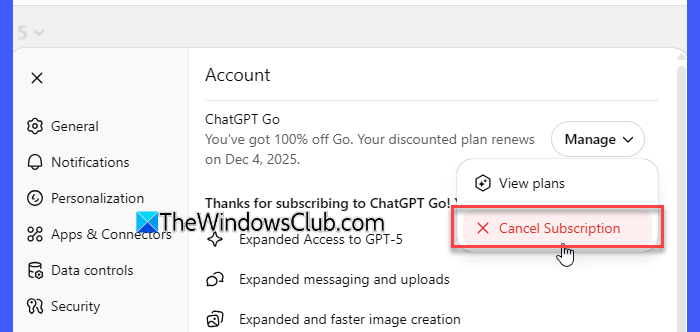
Confirm cancellation. Your subscription will remain active until the end of the current 30-day billing cycle, but it will not auto-renew after that.
Note:
- If you cancel during the free period, your access to ChatGPT Go will end at the end of your current 30-day cycle, even if you still have free months remaining.
- Once cancelled, you cannot re-redeem the 12-month free offer on the same account. If you decide to subscribe again later, you will be charged the regular monthly fee.
That’s all! I hope you find this useful.
Read: How to use ChatGPT Desktop App for Windows 11.
What’s the difference between free & paid ChatGPT?
The free version of ChatGPT provides basic access with limited daily message usage, slower response speeds, no priority during peak hours, and access only to older or lightweight models. Paid plans unlock faster performance, higher usage limits, access to advanced models like GPT-5, image generation, file uploads, data analysis tools, and additional features, including increased memory and custom GPTs.
What is the difference between ChatGPT Go and ChatGPT Plus?
ChatGPT Go is a more affordable mid-tier plan that provides extended access to GPT-5, image generation, file uploads, and longer memory, albeit with slightly lower limits compared to Plus. ChatGPT Plus is the higher-end plan that offers the full set of features, including higher usage caps, priority access, early access to new tools like Deep Research, and more powerful AI capabilities for heavy or professional use.
Read Next: ChatGPT Error communicating with plugin service, please try again later.
