
AI agents are slowly becoming a part of our everyday lives. They can browse the web, execute commands, work with files, and more. One such AI agent that is becoming really popular is Hermes Agent. It is an open-source AI agent that can interact with your operating system and perform tasks on your behalf. However, giving an AI agent access to your PC can be problematic, as it can perform tasks that may not go well with you. Hence, there are some safety practices that you must follow while using Hermes Agent or any other AI agent.
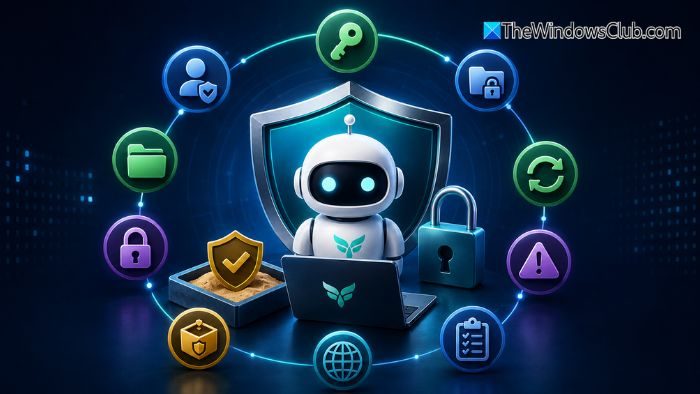
Hermes Agent Tips & Tricks and Best Practices for Windows Install
Here is the list of tips you can start working with when setting up Hermes
- Run Hermes Agent without Administrator privileges
- Give Hermes a dedicated workspace
- Keep API keys and credentials away from unnecessary access
- Use a Sandbox for untrusted tasks
- Be careful with browser access, MCP servers and third-party skills
1] Run Hermes Agent without Administrator privileges
One of the first rules you should follow is to avoid giving Hermes Agent administrator access. While using the agent, you can use your regular Windows user account instead of launching it from an admin account.
Because an AI agent can execute commands and modify files, giving it administrator privileges unnecessarily expands what it can do. For example, it can modify system-level files without you even knowing.
Hence, for everyday tasks such as working with project files, running development commands, or managing a local workspace, standard user permissions are usually sufficient. But if a task requires admin-level privileges, handling it manually is a better choice.
2] Give Hermes a dedicated workspace
You can also give Hermes a dedicated workspace. You can create a dedicated space for projects and files, and the agent can only work within it. For instance, your project folder could look like this:
C:\HermesWorkspace
├── Projects
├── Experiments
└── Temporary\
You can place your coding projects, test files, and other non-sensitive data inside this directory. Keep personal documents, password databases, private backups, and other sensitive files elsewhere. This way, Hermes will only have access to the files it needs.
3] Keep API keys and credentials away from unnecessary access
AI agents often need API keys and other credentials to access external services. These might include LLM providers, GitHub, cloud platforms, and more.
However, avoid putting sensitive credentials into Windows environment variables unless you have a specific reason. Hermes provides its own environment configuration options, so you can supply credentials without unnecessarily exposing them to other processes running under your Windows account.
Also avoid pasting API keys directly into conversations with the agent. If Hermes only needs access to one service, provide only the credential required for that service rather than giving it access to a collection of unrelated secrets.
4] Use a Sandbox for untrusted tasks
You can also use a sandbox when you are working with content you don’t trust. An agent may encounter instructions embedded in websites, repositories, documents, or other external content. These instructions could attempt to manipulate the agent into performing actions that you did not intend.
For tasks involving untrusted code or web content, consider running the relevant workloads inside an isolated environment such as Docker rather than allowing commands to execute directly on your Windows installation.
Also, when using Docker or any other sandbox, avoid mounting your entire Windows filesystem into the container. Give the container access only to the specific project directories it needs.
5] Be careful with browser access, MCP servers and third-party skills
Hermes capabilities can be extended with tools, skills, MCP servers, and more. These extensions can make the agent more useful, but they also increase what it can access. So, before you install a third-party skill or MCP server, check what permissions it is asking for.
Also, browser capabilities need special attention. Avoid giving AI agents access to highly sensitive accounts such as your primary email, banking account, password manager, or work administration systems. For routine browser automation, using a separate browser profile with limited accounts is safer.
Additional Hermes Agent Tips & Tricks
Hermes Agent can be a powerful addition to a Windows 11 PC. However, because it can interact with your PC, it helps to have some failsafes in place. By limiting permissions, protecting sensitive data, and using a sandbox, you can reduce risk and stay safe.
Now read: How to Build AI-powered desktop automation workflows in Windows.
