
The dynamics of business and marketing are changing fast. While previously, the ‘location visibility’ of a business and ‘word of mouth’ advertising were critical for local businesses, these factors are of little importance now. As everything moves online, so does business. As of present, the best form of online marketing for local businesses is by creating a GMB or Google My Business profile.
Google My Business Guide
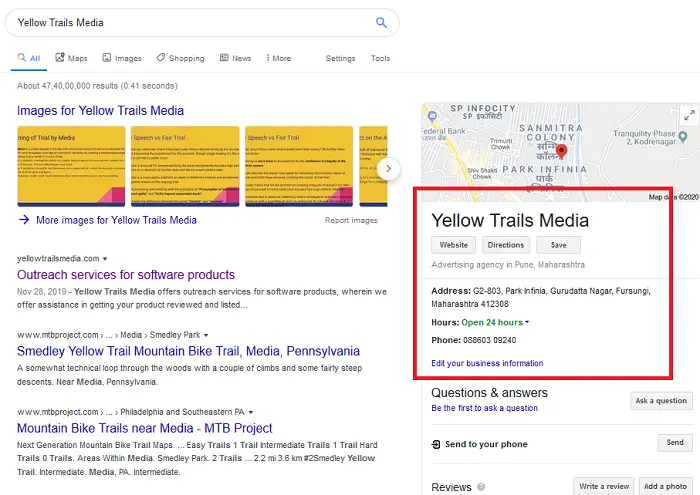
How to set up Google My Business
Research shows that 60-70% of potential customers (higher for service-area businesses) check GMB listings when searching for businesses, and fewer than 10% of internet users click on ads. You would likely lose significant business if you miss GMB listings.
- What is GMB or Google My Business
- Why is GMB or Google My Business important
- How to list your business with Google My Business
- How to get your business verified for GMB or Google My Business
- How to rank your GMB profile in Google search results?
Here, we will cover everything you need to know about GMB (Google My Business) as a beginner.
What is GMB or Google My Business?
GMB or Google My Business is a concept that allows businesses to list themselves as active in both Google’s search results and Google Maps. It indexes both local businesses and service providers in a particular service area.
Why is GMB or Google My Business important?
Most users search for local businesses online, and only a few consider the options marked as ads. Thus, most internet users rely on GMB listings to determine their preferences for local businesses.
GMB is even more useful for self-employed professionals like plumbers, electricians, locksmiths, etc since they don’t usually have a store location for people to notice or reach them.
Read: How to schedule Special Hours in Google My Business
How to list your business with Google My Business?
You can create a business account with Google here. Enter your business details and make sure that the details match with the ones in your business license. This would be important during verification.
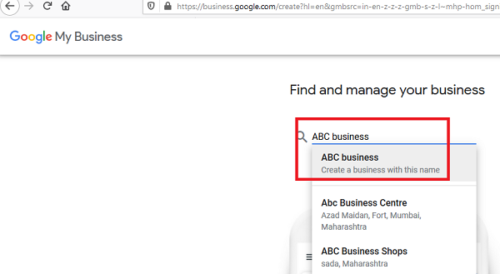
Business verification is required for businesses to be listed in search results. However, we have noticed numerous unverified businesses listed on Google.
How to get your business verified for GMB or Google My Business?
Your business may appear on both Google search and Google maps even when unverified. However, it will be removed soon since Google is planning to remove unverified GMB listings.
You can use this tool to check the verification status of your business.
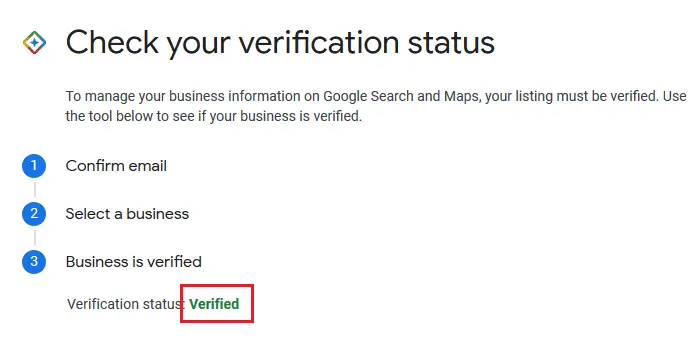
Verifying your business can be easy for some and difficult for most. The best you could do is to keep your account in Google’s good books. The following points should be kept in mind while trying to get your listing verified:
- Creating a website and a Gmail-based domain email address can significantly improve verification. I had my GMB account verified without entering a verification code because I created a domain email address with Gmail.
- Make sure your address and phone number are the same across your business license, Gmail domain email ID, Google Business account, and Google Maps. Simply copy-paste it. The reason is that the slightest of mismatch could trigger a red flag for Google.
- If you receive a verification call from Google within a few weeks, that’s fine. Else, you can try for postcard verification.
Postcard verification
Make sure your address, business name, and phone number are correct and do not edit them during the verification process.
- Sign-in to your Google My Business account and go to the Homepage.
- Check all your details and click on Verify now.
- Select Send postcard.
Most postcards are received within 14 days. They carry a code. Your account will be verified once you enter the code in the appropriate field on your GMB homepage.
How to remove bad reviews from Google My Business
To remove bad reviews from Google My Business there are a few things that need to be done before removing fake Google Reviews:
- Spot the fraud and fake reviews
- Delete fake reviews
- Report fake reviews
Let us talk about them in detail.
How to rank your GMB profile in Google search results?
Google search usually shows no more than the first 3 results for businesses (unless you click More results). Thus, ranking your profile is important. The factors that impact the position of a GMB listing are as follows:
- Proximity of your business.
- Google My Business profile.
- Relevance of your business.
- Citations.
It is advisable to keep your business location as near to your customer base as possible. However, your store is an intangible asset, so most can’t change it. If you run a service area business, be careful about the service area you set in your city. The relevance of your business matters too. A doctor with a specialization would rank higher than a hospital with a better GMB profile.
After proximity and relevance, your Google My Business profile would be the most important criterion while considering the rank of your listing. My advice for uplifting your GMB profile is as follows:
1] Make sure you fill all information on your GMB profile page, especially including your phone number, business address (not for service area businesses), business hours, website, email ID, etc.
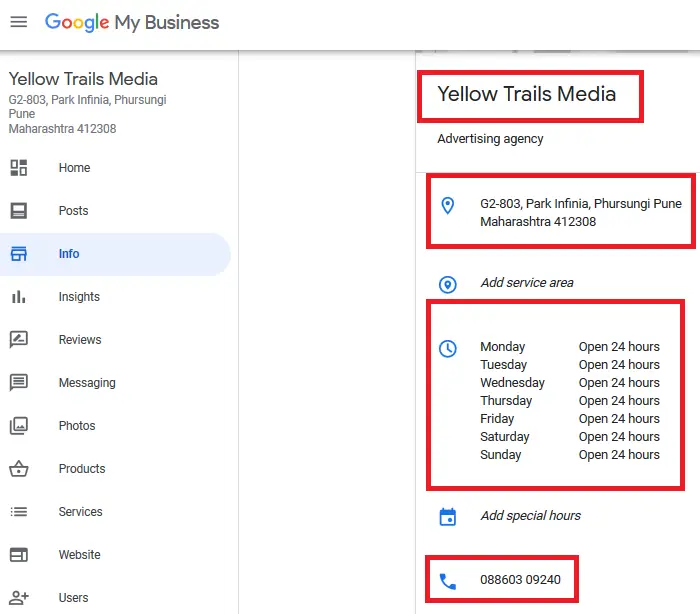
2] Use a domain email ID associated with Google instead of a generic one.
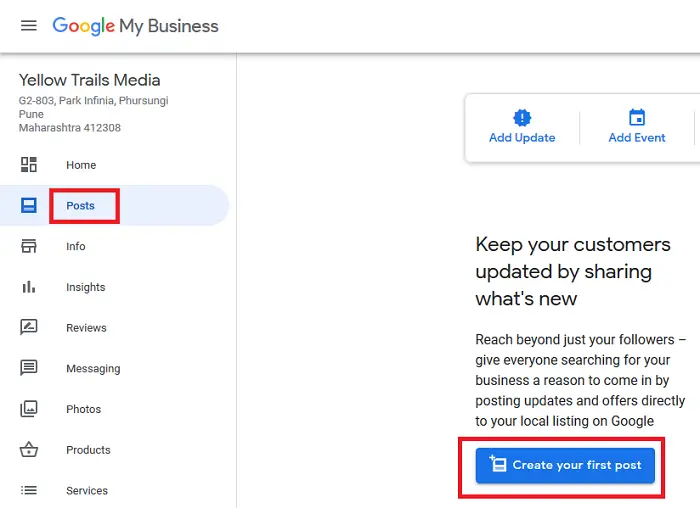
3] Add keyword-rich posts for your profile. But don’t spam the keywords.
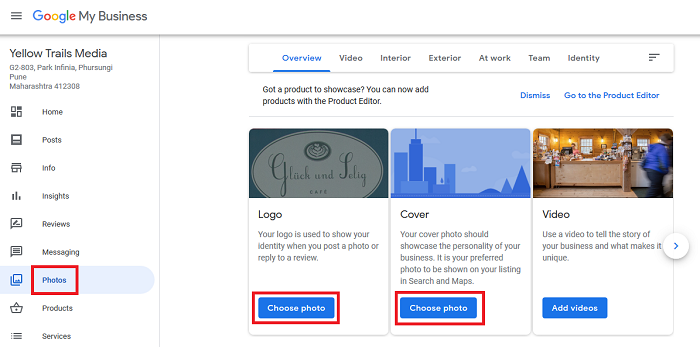
4] Add photos of your business to your GMB profile. But be careful not to use stock photos. You should use real images relevant to your business.
5] Activate messaging for Google My Business. This would allow users to send you messages. Remember to reply.
6] Request your customers for genuine reviews on Google. Always thank them for positive reviews and apologize for negative ones. Try convincing your customers to change negative reviews to positive ones by offering corrections of your services.
Another important factor while ranking your GMB listing is – citations of your business name, address, and phone number online. To add citations, you would need to be active with the online business community and convince high-ranking websites to mention your business.
In addition to the above, Google assesses how active your GMB profile is when ranking your business. They count how many times you were called and how many times you answered. Your response time to profile reviews matters.
It should be understood that no business owner should indulge in unethical behavior (like faking reviews) or else, Google will surely ban your account forever.
