
Find Hidden is a portable freeware tool that lets you quickly and easily search for hidden files and folders on your Windows computer.
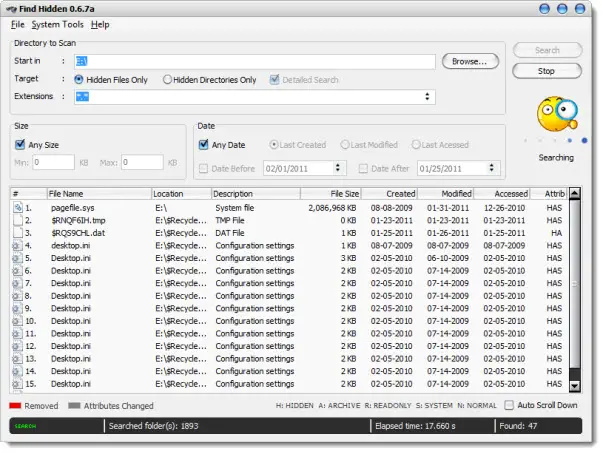
Show & list hidden files & folders on Windows PC
Simply download the Find Hidden app, select the options and click Search. The utility will list down all the hidden files or directories on your computer.
Here are some key features of “Find Hidden”:
- File Manager – Delete, Copy, Change Attributes.
- Binary viewer.
- Create a Report in a text document format.
- System Tools: Show hidden files and show protected operating system files.
- Search files/folders by size and by date (created, modified and last accessed).
You can download Find Hidden from here. It is a portable app and works just fine on Windows 11 too.
TIP: You can also view and access Special System Folders in Windows with SpecialFoldersView.
Read: Hidden files and folders is missing or not working.
