
Football is one of the most popular games played worldwide. The fans have translated well onto the FIFA series and it succeeded well. The latest version of the series, FIFA 23 or FIFA 22 is hugely played with great features like Hypermotion technology, improvements in Career mode options, Pro clubs, etc. Some users are seeing Error Connecting to the Ultimate Team on FIFA 23 or FIFA 22. In this guide, we provide several solutions to help you resolve these issues.
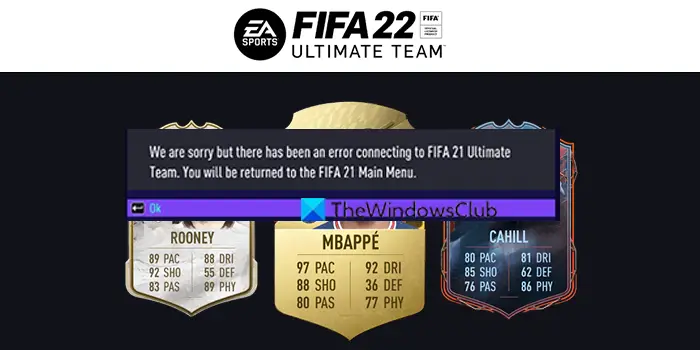
We are sorry but there has been an error connecting to FIFA Ultimate Team
FIFA Ultimate Team (FUT) gives you options to build a dream squad of thousands of players from across the globe. The players in FUT are identified by Player items, such as special shields, which display each player’s game ratings and attributes. It has so much if we dig in. When you are unable to connect to the Ultimate Team, it is actually a big issue. Let’s see how we can fix it.
FIFA Error Connecting to the Ultimate Team
When you are unable to connect to FIFA 23 or FIFA 22 Ultimate Team on your Windows 11/10 PC, you can resolve the error using the following fixes.
- Check your internet connection
- Check the server status of FIFA
- Turn off antivirus
- Change DNS Server
- Update FIFA.
Let’s delve into the details of each method and resolve the issue.
1] Check your internet connection
Ensure you are connected to a stable internet connection with sufficient speeds. Without better internet, you cannot connect to servers and might see this error. Run a speed test and resolve network issues, if there are any.
2] Check the server status of FIFA
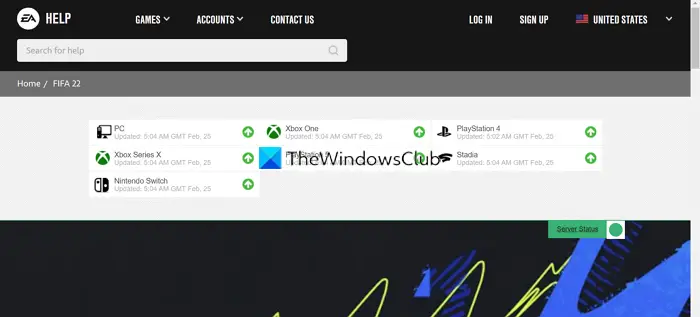
If the FIFA servers are down or not connecting, you may see this error. Do check if there is any downtime going on from the EA Help website or social media. If there is downtime, wait until they are back online.
3] Turn off antivirus
There are many instances where the antivirus interferes with the games and breaks them. There is a possibility that the antivirus interference might be the cause of you not being able to connect to the FIFA Ultimate Team. Open the antivirus on your PC and disable it.
4] Change DNS Server
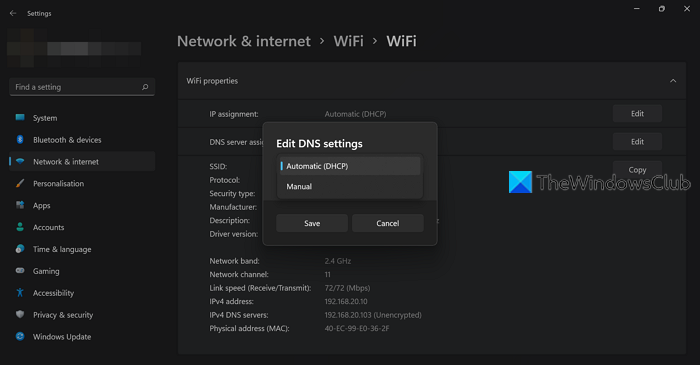
If the current DNS server is unable to resolve the address, you may not be able to connect to FIFA Ultimate Team. You need to change DNS Server to fix the issue.
To change DNS Server on your PC,
- Open the Settings app
- Click on Network & internet on the left side panel
- Then, click on the Wi-Fi tab
- Select Hardware properties tab
- Click on the Edit button beside the DNS server assignment
- Change it to Manual by clicking on the drop-down button on Edit DNS Settings pop up
- Then, enter 8.8.8.8 (Google DNS) in the Preferred DNS box and then enter 8.8.4.4 in the Alternative DNS box
Then, restart your PC and try connecting to FIFA Ultimate Team.
5] Reinstall FIFA
If none of the above solutions work, you will need to uninstall and reinstall the game on the platform you use to play it, either Steam or Origin.
To uninstall FIFA 23 or FIFA 22 on Origin,
- Launch Origin client
- Click on the My Games tab
- Right-click on FIFA and select Uninstall and follow the on-screen wizard
To uninstall FIFA 23 or FIFA 22 on Steam,
- Open Steam client
- Click on the Library tab
- Right-click on FIFA in the list and select Manage
- You will see Uninstall option. Click on it
- It will prompt you for confirmation. Click Uninstall again
Then, reinstall the game on whichever client you use for FIFA.
These are the different ways to resolve the FIFA 23 or FIFA 22 error when connecting to Ultimate Team.
Why can’t I connect to EA servers FIFA?
You may have a poor internet connection, or the servers for FIFA 23 or FIFA 22 are currently down. Check your internet connection and its speeds, as well as the downtime of FIFA servers. You can use the above fixes if you see the error frequently.
Why can I not connect to FIFA Ultimate Team?
There may be several reasons why you are unable to connect to FIFA Ultimate Team. Some possible issues include: FIFA 23 or FIFA 22 servers may be down, your internet connection is not functioning properly, or your antivirus software might be interfering with FIFA.
