
Sometimes, in tech-space, two terms might sound synonyms but in reality, they aren’t. One such pair is of Wireless Router and Wireless Access Point. In this wireless world, it is important to know what these technologies are. That is why, in this article, we are going to examine the difference between a Wireless Router and a Wireless Access Point.
What is a Wireless Router?
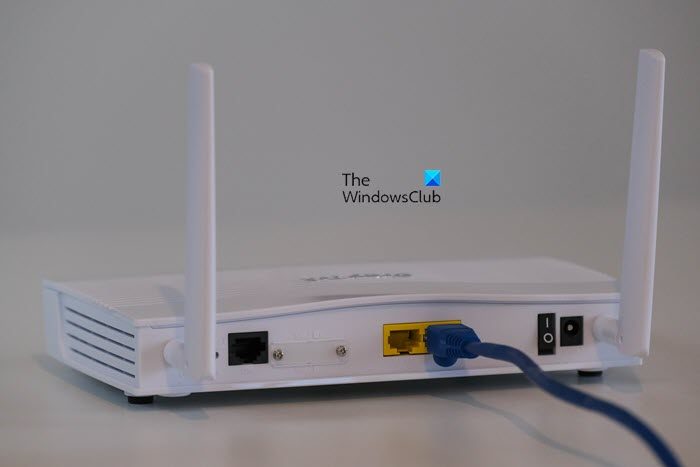
A router is a device that creates a network so that all the devices within its range can connect to it. It will be connected to the Modem via an Ethernet cable provided by your Internet Service Provider (ISP). The network created here is called a LAN, or Local Area Network.
Earlier, an Ethernet cable was required to connect to the network. The cable was attached to the router and to the device you wanted to use to access the Internet. However, nowadays, routers are primarily used to create a wireless network, also known as Wi-Fi.
Do check: What are the differences between 2.4GHz and 5GHz Wi-Fi bands?
What is a Wireless Access Point?
A Wireless Access Point (WAP), as the name suggests, is a device that creates an access point for other devices to connect to the existing wireless network. It is attached to the router via an Ethernet cable. So, basically, it’s taking the wired Internet and then broadcasting it.
Now, you may be wondering why you need a Wireless Access Point? The main purpose of the equipment is to extend the network’s range. If you live in a house with a lot of dead spots or in a multi-story office where many people use the same network, you need to get yourself some Wireless Access Points. They will extend the WiFi range at the same time, allowing more people to connect to the network.
The following are the advantages of Wireless Access Point or WAP.
- More Users: Usually, some routers have a certain range of users, beyond which, no new devices can connect. With WAP, you can extend that limit and add more users to your LAN.
- Cover Dead Zones: One of the main aims of creating this product was to cover dead zones, which the router fails to touch upon. Well, it must be counted as one of its major advantages.
- Multiple WAPs: You can also install Multiple WAPs if needed to cover multiple dead zones.
Also read: WiFi Extender vs WiFi Repeater – Which one is better?
Difference Between Wireless Router and Wireless Access Point
A Router is the more common of the two, and most likely you have a wireless router at home. Whereas a Wireless Access Point is for a more specific crowd. It is for all users who are tired of multiple dead zones in their office, making a large part of the office redundant. However, most people don’t even need a WAP; proper router placement is all they need to cover all the zones. If you are in an apartment, you don’t even have to think about proper placement, as most modern routers have an excellent range.
The main difference between both devices is pretty clear. A Router is used to initiate the Local Area Network, whereas, Wireless Access Point is used to extend it.
Which is better WiFi Router or Access Point?
Access Point and Routers are made for specific purposes. A router creates the network that your devices connect to, wired or wirelessly. On the other hand, a WAP (Wireless Access Point) is used to extend the network’s range.
Do I need a Router if I have a Wireless Access Point?
Yes, a Wireless Access Point can not function without a router. They can’t be connected to the modem straightaway; instead, an Ethernet cable connects the WAP to the router. Then, that Router provides the Internet to the WAP, which it accepts and broadcasts. So, you should not get a Wireless Access Point without having a Router.
Read: How to Enable or Disable Access Point Isolation on Windows computers
Can any Router be used as an Access Point?
Some routers can be used as an Access Point, but not all of them. If your Router can also be used as a WAP, then it must be a feature. Since we are living in the age of capitalism, you can check the box to see if the text “Wireless Access Point” or similar is inscribed there. If there is, then check which mode you need to opt for to do the same. Now, do the regular setup: connect your modem to the router and then the router to the WAP via an Ethernet cable, and you will be good to go.
Related: How to fix WiFi problems in Windows.
