
If you are looking to take advantage of unfiltered search results when using a search engine, then your best bet is to use DuckDuckGo.com or StartSearch.com. However, if you are determined to use Google Search, then we have no choice but to explain how to make it work for you.
Depersonalize your Google search results
Here’s the thing, Google collects a lot of data about its users to make search results more accurate, relevant, and personal. By doing things this way, Google Search keeps you in a filtered bubble, which means there are tons of key information you’re missing out on.
Free yourself from the Google Search filter bubble
The algorithm of Google Search hides many websites from you that could aid your research. Lucky for you, we will give you tips on searching outside of the bubble because it could transform you into a smarter person who is less biased. The options you have are:
- Use a different search engine
- Search the web in private mode
- Disable or remove your search history
- Don’t like private search results? Turn it off
- Delete your browser cookies
Be sure to review each of these options and determine which one works best for you.
1] Use a different search engine
As mentioned above, DuckDuckGo StartSearch.com are two of the best private search engine providers that claim never to save or collect information on users. Because of this, the search results are always unbiased and will always look the same no matter which computer you’re using.
If you still wish to continue down the Google Search rabbit hole, the following data should inform your informed thoughts.
2] Search the web in private mode
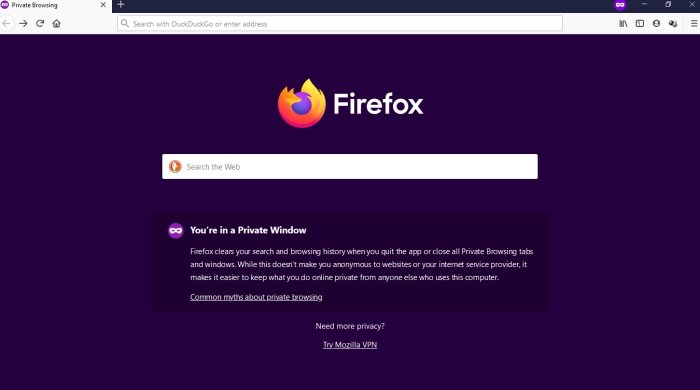
From our point of view, searching the web unfiltered via Google Search in Incognito or Private mode is probably one of the easiest ways. When you search in private mode, you are automatically logged out of your Google account. It means your earlier search history will have no bearing on your search results.
For instance, to open the Private Window in Mozilla Firefox, please press Ctrl + Shift + P on your keyboard or Ctrl + Shift + N to open the private windows related to Microsoft Edge and Google Chrome.
Unfortunately, the Google search tool can still use your past searches to deliver relevant results, even if you’ve searched for cooking. This is done via a feature known as Signed-out search activity. So, as it stands, this option is easy but not as reliable.
Luckily, if you live in the European Union, you should see an overlay that allows you to disable the cooking tracking feature.
3] Disable or remove your Google search history
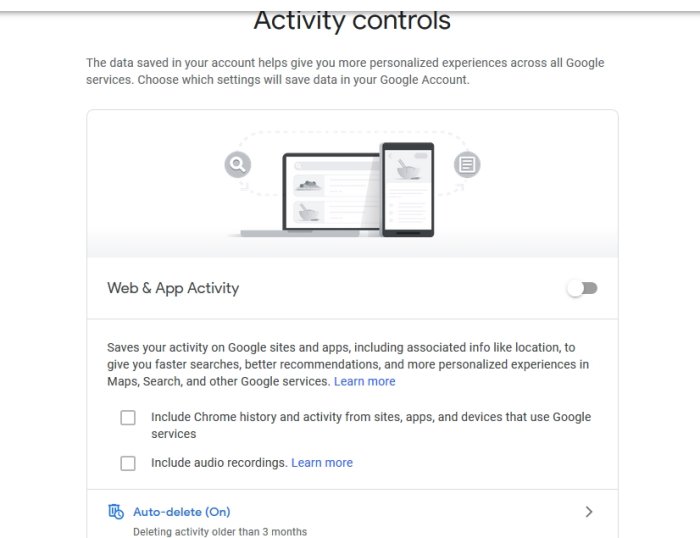
Another way to search privately via Google Search is to delete or completely disable your search history. To get this done, please visit your My Google Activity page. From here, you can delete a day’s history or all history if you wish.
Now, if you want Google to stop storing your search history on its servers, select Web & App Activity, then switch it off. If you hit the Auto-Delete section, you will automatically instruct Google to remove your search history at specific intervals.
4] Don’t like private search results? Turn it off
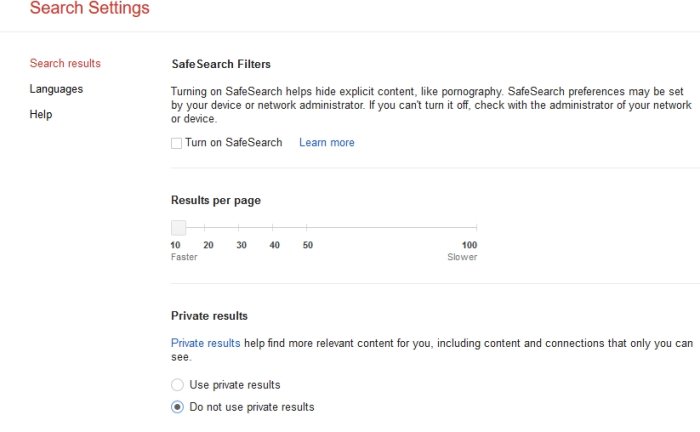
Ahh yes! We almost forgot about this feature that Google rarely mentions. It is called Private Results, which includes information from other Google services in your search results. Granted, you are the only one to see such things, but anyone could gain access to your device and come across things they shouldn’t have while browsing.
Users can temporarily disable this feature by going to Settings and selecting ‘Hide private results’ immediately. To disable private search results permanently, click on Search settings, then select “Do not use private results,” and that’s it.
5] Delete your browser cookies
Google search is sufficient for latching on to your browser cookies to collect all the tasty data stored in them. Because of this, you will find that websites you visit often tend to rank higher in search results than others, which is part of the bubble.
To give it a big pop, we recommend removing cookies from within your respective web browser.
I hope this helps.
How do I search Google without location?
A Google account offers a global setting for every account, where users can go to the Location History section of their Google account and toggle it off. That said, if you want to turn off the location history of a particular device, you can disable the location of that device, and none of the apps can track your current location. However, you must set your location manually if an app requests it. Once done, you can manually delete your location history from Google Maps.
How do I get different search results?
The best way to get different search results is to use the incognito mode in your browser. It works on both mobile and computer. Additionally, you can use a VPN to change your location and achieve better results. It will ensure that Google or any other service cannot track you everywhere. However, it will also mean that personalized search results will not be available to you. It has advantages, so you should try to check what works best for you.
