
Receiving a notification that your Copilot account has been suspended can be both frustrating and confusing, particularly if you were using the tool without issue just moments before. Whether you are a developer relying on GitHub Copilot or a user of Microsoft’s AI chat features, losing access disrupts your workflow. This guide is designed to explain the common reasons behind these suspensions and, more importantly, provide a clear path forward for resolving the issue.
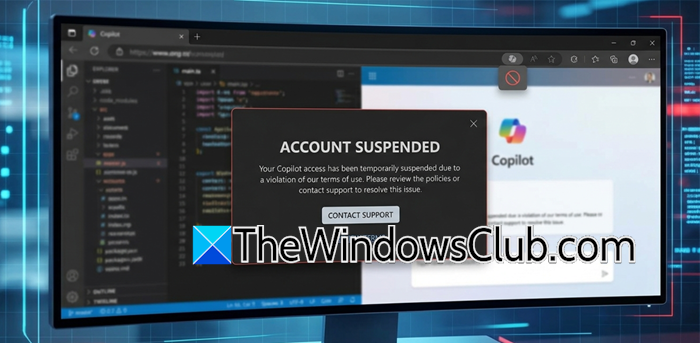
Copilot account suspended
Suspensions are typically enforced by automated systems designed to monitor for violations of Microsoft’s Acceptable Use Policy.
Why was my Copilot account suspended?
One of the most frequent triggers involves content generation. If you attempted to create images or text that the system flagged as potentially harmful, explicit, or in violation of safety guidelines, the algorithm may issue a temporary ban. This can sometimes happen even with benign prompts, such as creative writing involving mature themes or requests for artistic content that the filter misinterprets. The automated nature of these checks means they lack nuance, often resulting in flags for content that a human reviewer might clear.
Another common cause relates to account behavior and usage patterns. If you were using screen-sharing features, the system might have flagged on-screen content without your knowledge. Similarly, for GitHub Copilot users, generating an unusually high volume of requests in a short period, switching between IP addresses rapidly, or using scripts to automate interactions can trigger the abuse detection protocols. These systems are designed to prevent bots from overloading the service, but they occasionally mistake a legitimate power user for a malicious actor.
How to get your suspended Copilot account back?
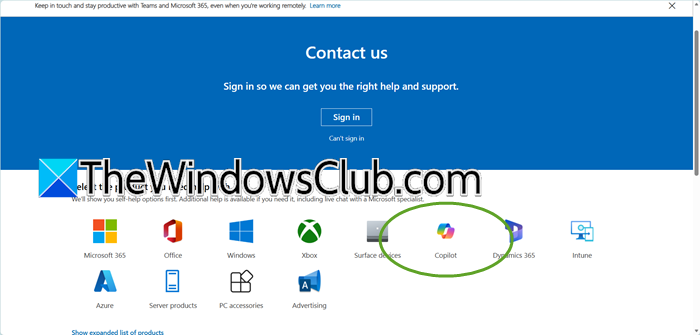
If you find yourself locked out, do not panic. There is a standard procedure to follow, though it requires patience.
- Check the Duration of the Suspension. Often, these blocks are temporary cooldowns lasting anywhere from one to 24 hours. Before contacting support, simply wait a few hours and try logging in again. Many users find the suspension lifts automatically after a short period.
- Submit an Official Appeal. If the suspension persists, you must use the official Microsoft support channels. Navigate to the Microsoft account help page or the GitHub support portal, depending on which service is affected. Fill out the appeal form accurately, explaining that you believe the suspension was a mistake. Provide as much context as possible regarding your recent activity.
- Avoid Creating New Accounts. It is crucial that you do not attempt to bypass the suspension by creating a new account while your original is still under review. This action is often flagged as ban evasion and can permanently complicate your ability to restore access.
- Be Prepared to Wait. Response times from support can be slow. It is not uncommon to wait several days for a human to review your appeal. Exercise patience and avoid submitting multiple tickets, as this can reset your place in the queue.
Hopefully, you will be able to regain access to your account.
Read: How to Manage or Delete Copilot Memory in Windows 11
Can you get banned from Copilot?
Yes, you can get banned from Copilot. Microsoft employs automated systems to enforce its Code of Conduct and Acceptable Use Policy, which can issue suspensions when they detect a violation. Common triggers include repeatedly attempting to generate content flagged as harmful or explicit, using the service for automated scripting or bulk queries, or your account exhibiting bot-like behavior. While many bans are temporary cooldowns intended as a warning, repeated or severe infractions can lead to a permanent suspension of your access.
Read: Copilot Designer prompt blocked
How do I fix my suspended Microsoft account?
To fix a suspended Microsoft account, you must first verify whether the suspension is temporary, as short-term blocks often resolve themselves within 24 hours. If access does not return automatically, you need to submit an official appeal through the Microsoft account support page or the specific service portal you were using, such as GitHub. Complete the appeal form with a clear explanation of your situation, acknowledging that the automated flag may have been a mistake. It is critical that you do not attempt to create a new account to bypass the suspension, as this can be flagged as ban evasion and make it significantly harder to restore your original access.
Also Read: Use Copilot Tasks to turn the AI Chatbot into a Personal Assistant.
